Tag: PC Magazine Tech123

  • Modded RTX Spark Driver Gets Nvidia GPUs Working in Windows on ARM

    Modded RTX Spark Driver Gets Nvidia GPUs Working in Windows on ARM

    Modders have managed to get Nvidia’s RTX Spark driver working on alternative Arm platforms, enabling Nvidia desktop GPUs to run on Windows on Arm systems, Windows Latest reports.

    Windows on Arm is mostly limited to laptops equipped with Qualcomm’s Snapdragon SoCs and does not support Nvidia desktop GPUs. Nvidia’s RTX Spark offers a more graphically capable Windows on Arm experience, but at a high cost and with a developer focus. But with its driver release, modders have opened up support and compatibility to a wider array of hardware.

    By extracting the ARM64 Nvidia driver from RTX Spark software, a developer named VoidTech got it working on the Kunpen 920 server processor. It’s based on the same architecture as the Snapdragon X Elite, and features 24 cores running at 2,600MHz each. Its performance is roughly around that of Apple’s A15 mobile chips, or an Intel Core i5-1235U. Hardly a powerhouse.

    But still, it’s a desktop chip running Windows on Arm and, in this particular test, it also ran an RTX 4060 GPU. It’s part of the Huawei Qingyun W510 ARM workstation system, and uses 32GB of DDR4-2933 memory.

    Performance in game tests wasn’t great, though the CPU is likely a major factor. In the Black Myth: Wukong benchmark, this system managed an average of 21 frames per second, but with lows of 3fps at times.

    VoidTech estimates that around 25% of the CPU’s performance was consumed by the x86-to-Arm translation layer, which makes these kinds of setups viable. That, combined with the RTX 4060’s relative entry-level performance, means it’s no surprise that gaming wasn’t amazing. But it’s an early proof of concept. With better drivers and hardware, it seems possible that you could game on a Windows on Arm desktop with discrete Nvidia graphics before long.

    VoidTech believes this method would work with RTX 20, 30, and 50 GPUs as well, so we may see an RTX 5090 version of this test down the line.

    Recommended by Our Editors

    In the meantime, VideoCardz reports that another user got a Radxa Orion O6 workstation working with this same driver configuration, pairing an eight-core Arm CPU with an Nvidia RTX 2080 Ti. No performance results were published, but I have to imagine it was worse.

    Classic Windows on Arm issues are likely to slow adoption of this new way to play, though. Anti-cheat software still struggles with the translation layer, breaking a number of experiences, and the motherboard’s network interface didn’t work because it didn’t have Windows drivers.

    The graphics card’s video output didn’t work properly, either, forcing VoidTech to stream it to another desktop to record it. Lots of work still to be done.

    About Our Expert

  • Keep an Eye on This Deal: A Ring Indoor Cam Plus 2-Pack Is 50% Off

    Keep an Eye on This Deal: A Ring Indoor Cam Plus 2-Pack Is 50% Off

    It’s quite common to see home security systems set up outside any house in the neighborhood. From floodlights to video doorbell systems, it seems like everyone has their bases covered when it comes to keeping their yard and front doors safely monitored. 

    But what about inside? Whether you have a pet at home you want to keep an eye on while you’re at work, or are headed out of the country for a week-long vacation, the inside of your house is just as important to keep tabs on. There’s never been a better time to add indoor monitoring to your home security setup, because a Ring Indoor Cam Plus two-pack just dropped to $59.98—that’s 50% off for peace of mind! 

    Ring Indoor Cam Plus 

    2-pack, Retinal 2K, 4x enhanced zoom, low-light sight, removable lens cover


    $59.98
    at Amazon

    $119.98
    Save $60.00


    Get Deal

    The Ring Indoor Cam Plus is the company’s newest model, and it can monitor the inside of your business just as easily as your home. With versatile mounting options, you can place it on a table, a wall, or even a ceiling as long as the cord reaches a power source. It captures everything in front of it with Retinal 2K video, letting you see even the tiniest details. And since you can zoom in up to 4x, you can even check whether you accidentally left the gas stove on low. Crisis averted!

    But what about when the sun goes down? The Ring Indoor Cam Plus uses Low-Light Sight to capture every bit of ambient light in the room to give your video true-to-life color. When there isn’t enough light for a colorful picture, the camera switches to a crisper black-and-white image to preserve detail. 

    Let’s say your dog sitter can’t find the dog treats. You don’t have to sit there helplessly on the other side of your phone screen—you can use Two-Way Talk and Live View to interact with them in real time (and tell them they’re behind the food bag). But if you’re gone for a while, you might not want to check every single notification the camera system sends to your phone. And you don’t have to, thanks to AI-powered event descriptions that summarize what you missed. It also supports intelligent video searches if you can’t quite remember when a specific event took place!

    Recommended by Our Editors

    When we reviewed the Ring Indoor Cam Plus, PCMag expert John R. Delaney gave it an “Excellent” rating, praising the security camera for its strong 2K video, AI-powered alerts, and easy Alexa integration at a fair price. He didn’t love that its full potential was behind a monthly paywall, but this deal giving you two cameras for half off makes up for the qualm in spades. 

    But if you’re looking for something different, check out our experts’ list of the best indoor home security cameras for 2026!

    More Home Security Deals

    *Deals are selected by our commerce team

    • More Home Security Deals at Amazon

    • More Home Security Deals at Best Buy

    • More Home Security Deals at Walmart

    About Our Expert

  • How To Preorder Samsung’s New Galaxy Phones: The Galaxy Z Flip 8, the Galaxy Z Fold 8, and the Galaxy Z Fold 8 Ultra

    How To Preorder Samsung’s New Galaxy Phones: The Galaxy Z Flip 8, the Galaxy Z Fold 8, and the Galaxy Z Fold 8 Ultra

    Samsung Unpacked might’ve just wrapped up, but the company left us with quite an array of products to keep unboxing. The gadgets we’re most excited about are the company’s brand-new foldables: the Galaxy Z Flip 8, the Galaxy Z Fold 8, and the Galaxy Z Fold 8 Ultra

    Preorders are officially live, and many carriers and companies are offering their own special perks when you choose them to deliver your new device. You can wait until August 7 to score one when general availability kicks in, but these discounts and deals might fly off the shelves before the phones even hit them.

    Here’s your guide to the best preorder offers on the new foldable Galaxy phones. 

    Samsung’s Preorder Perks

    Galaxy Z Fold 8, Galaxy Z Fold 8 Ultra, and Galaxy Z Flip 8

    Samsung Galaxy Z Flip 8, Galaxy Z Fold 8, Galaxy Z Fold 8 Ultra

    (Credit: Eric Zeman)

    It’s never a bad move to preorder an unlocked phone straight from the manufacturer, and the preorder pages are now live on Samsung for the Galaxy Z Flip 8 (starting at $1,199), Galaxy Z Fold 8 (starting at $1,899.99), and Galaxy Z Fold 8 Ultra (starting at $2,099.99). The Z Flip 8 and Z Fold 8 Ultra are both $100 more than their predecessors, which is likely due to the memory crisis—because not even global manufacturers are safe from the price hikes. 

    If you have an older device from Samsung, Apple, or Google, Samsung is offering up to $600 in instant trade-in credit for the Galaxy Z Flip 8 or up to $1,200 for the Galaxy Z Fold 8 or Galaxy Z Fold 8 Ultra. It all depends on the model and condition of the device, but it can knock a pretty penny off a brand-new foldable—especially one of the Fold 8 models. Even without a trade-in, you’ll still receive $150 or $200 in Samsung Credit, depending on which phone you buy. 

    Trade-in deals for Samsung phones are available year-round, but they’re particularly good during the preorder period. The preorder window is live from July 22 to August 7!   

    Amazon’s Preorder Perks

    Galaxy Z Fold 8, Galaxy Z Fold 8 Ultra, and Galaxy Z Flip 8

    Samsung's Galaxy Z Folding Phones

    (Eric Zeman)

    How could a tech preorder deal exist without Amazon sticking its hands in the cookie jar? The online retailer is offering gift cards for preordering one of the Galaxy Z8 phones on its website. 

    When you preorder the Galaxy Z Flip 8, you’ll receive a $200 Amazon gift card with it. Meanwhile, when you preorder either the Galaxy Z Fold 8 or Galaxy Z Fold 8 Ultra, Amazon will send you a $350 gift card instead. 

    AT&T’s Preorder Perks

    Galaxy Z Fold 8, Galaxy Z Fold 8 Ultra, and Galaxy Z Flip 8

    Samsung Galaxy Z Fold 8 Ultra

    (Credit: Eric Zeman)

    AT&T is taking preorders for Samsung’s new Galaxy Z8 series right now. Both new and existing customers can get their hands on the Galaxy Z Fold 8 for as little as $0 with an eligible trade-in (and qualifying unlimited plan), plus score a Watch 9 and Tab A11 with 5G for $1.99 per month each. You can also score $1,000 off the Galaxy Z Flip 8 or up to $1,900 off the Galaxy Z Fold 8 Ultra with trade-ins, too! 

    Best Buy’s Preorder Perks

    Galaxy Z Fold 8, Galaxy Z Fold 8 Ultra, and Galaxy Z Flip 8

    Samsung Galaxy Z Fold 8 Ultra

    (Credit: Eric Zeman)

    Best Buy’s preorder deals on the Galaxy Z8 line are similar to Amazon’s: straightforward gift card goodness. When you preorder any of the Galaxy Z8 foldables from (Galaxy Z Flip 8, Galaxy Z Fold 8, or the Galaxy Z Fold 8 Ultra) from Best Buy, you lock in a $200 gift card with your purchase. No bells, no whistles—just simple savings. 

    T-Mobile’s Preorder Perks

    Galaxy Z Fold 8, Galaxy Z Fold 8 Ultra, and Galaxy Z Flip 8

    Samsung Galaxy Z Fold 8

    (Credit: Eric Zeman)

    T-Mobile is also accepting preorders for the Galaxy Z8 line. The best deal is securing the Galaxy Z Fold 8 for free when you trade in an eligible device on the carrier’s Experience Beyond or Go5G plans, but you can also snag the Galaxy Z Flip 8 for $100 (and save over $1,100) if you activate a new line or trade in an eligible device on its Experience More, Experience Beyond, Go5G, or Go5G Next plans. Finally, you can get the Galaxy Z Fold 8 Ultra for only $200 ($1,900 off) by activating a line on the carrier’s Experience More, Experience Beyond, and Go5G plans. 

    Verizon’s Preorder Perks

    Galaxy Z Fold 8, Galaxy Z Fold 8 Ultra, and Galaxy Z Flip 8

    Samsung made the Galaxy Z Fold series easier to open this generation.

    (Credit: Eric Zeman)

    Verizon is in on the preorder fun, too. If you want to get your hands on the Galaxy Z Fold 8, you can get the 256GB model for just $30 per month (for 48 months) when you switch to the carrier’s new Simplicity Plan, which saves you $420 in the long run. But if the Galaxy Z Fold 8 Ultra is more your style, you can earn a lower monthly rate ($35 per month over 48 months) just by adding a new line or upgrading on the Simplicity Plan. There is currently no preorder offer on the Galaxy Z Flip 8 from Verizon.

    Recommended by Our Editors

    When it comes to trade-ins, Verizon is offering up to $1,100 off the new Galaxy Z Fold 8 or Galaxy Z Fold 8 Ultra when you trade in an eligible phone on either its Unlimited Plus or Unlimited Ultimate plan. 

    Xfinity’s Preorder Perks

    Galaxy Z Fold 8, Galaxy Z Fold 8 Ultra, and Galaxy Z Flip 8

    Samsung Galaxy Z Fold 8 Ultra

    (Credit: Eric Zeman)

    If you’re an Xfinity customer and want one of Samsung’s new foldables, you’re in luck: the company is running preorder promotions on all three Z8 phones. 

    You can score up to $600 off the Galaxy Z Flip 8 by either adding a new Mobile Plus line and transferring your phone number over (or upgrading an existing line), or through trade-in credits if you’re already an existing Mobile Plus customer. Now, for the Galaxy Z Fold 8 and Fold 8 Ultra, you can slash up to $1,000 off (over the course of 36 months) during the preorder period through a combination of trade-in credits and the company’s “Mobile Plus” promotions. 

    To max out the $1,000 discount, you need to trade in a qualifying device and then either upgrade to an existing line or add a new line on the Mobile Plus plan. If you don’t have a device to trade in, you can still save up to $600 just by upgrading an existing line or adding a new Mobile Plus line to your account. Unfortunately, the discount is capped at $1,000, so even if your trade-in value and line-upgrade add up to more than that, you’ll still only receive $1,000 off. 

    Wherever you choose to preorder from, you’ll pocket a superb new foldable with a gorgeous, crease-free screen loaded with powerful AI features and everything else we love about Samsung’s Galaxy phones.

    More Smartphone Deals

    *Deals are selected by our commerce team

    About Our Expert

  • Microsoft Is Axing Publisher Soon. You Won’t Even Miss It Once You Try One of These 8 Alternatives

    Microsoft Is Axing Publisher Soon. You Won’t Even Miss It Once You Try One of These 8 Alternatives

    Over the 35 years of its existence, the Windows-only Microsoft Publisher has been a go-to graphic design solution for creating brochures, documents, flyers, newsletters, simple ads, and more, thanks to its simplicity and support for offline work. It doesn’t offer sophisticated page management, print, or typographic controls, but that doesn’t affect its target audience of non-designers much. 

    Despite its popularity and utility, Microsoft is still killing off the app this October. That means you need to find a replacement sooner rather than later. I’ve worked with many graphic design apps professionally over the years, and the ones I highlight below are the best alternatives if you are coming from Publisher. Whether you want something with a similar feel or more advanced tools, you have excellent options.


    If You Want the Easiest Transition Possible

    If you don’t want to learn how to use a new app or platform, the following recommendations will suffice. They should already feel familiar if you do any sort of typical office or productivity work.

    Microsoft PowerPoint

    Microsoft PowerPoint interface

    Microsoft PowerPoint (Credit: Microsoft/PCMag)

    Office 365 logo

    Hiding in plain sight is a decent, basic layout app. It’s true—I’ve set up publication templates in PowerPoint for clients’ staff members who were unhappy using anything other than Publisher or Word for layout, neither of which is a good fit for that task. You just need to change your vantage point a bit.

    Consider setting up a document with 8.5-by-11-inch pages, rather than 16:9 ones. If you know how to use PowerPoint’s Master Slides and Master Layouts, then you have a powerful master and parent page system at hand. The app also offers better-than-basic typography controls, such as custom bullet settings, line and word spacing, and more. It’s easy to create templates for others to use and to collaborate with your team. And don’t forget the handy access to Microsoft Copilot, which can help spark your creativity. PowerPoint is a part of Microsoft 365.

    Google Docs

    Dictation in Google Docs

    Dictation in Google Docs (Credit: Google/PCMag)

    Google Docs, Sheets, and Slides logo

    I surprised myself while writing this article in Google Docs. It’s a great free alternative to Publisher, since it has most of the same capabilities and limitations. Additionally, you can create tables, dictate content, enjoy easy collaboration, export docs as PDFs, make custom bullet points, translate text, and even check your spelling and grammar. Its version history capability is also robust.


    Beginner-Friendly Design Platforms

    If Publisher’s simplicity was the primary reason you stuck with it over the years, don’t fret. For most community organizations, non-designers, and social media creators, the following apps are perfectly suitable and just as easy to use:

    Adobe Express

    Adobe Express interface

    Adobe Express (Credit: Adobe/PCMag)

    Adobe Express app icon: A black background with a rainbow shape of a triangle that is not closed at its bottom right corner, suggestive of a capital A letter

    Adobe Express offers a robust free version with high-quality fonts, professional photography tools, and sophisticated assets. Meanwhile, a paid subscription unlocks many goodies, such as 30 days’ worth of version history, 100GB of cloud storage, a larger allocation of monthly AI credits, and significantly more fonts, stock content, and templates. It isn’t quite as intuitive as Canva, but it strikes a nice balance between ease of use and polish for brand-keepers, freelancers, or small businesses that want better output quality without springing for a pro-level app.

    Canva

    Canva interface

    Canva (Credit: Canva/PCMag)

    Canva logo

    Canva is more template-driven than Microsoft Designer. It offers a decent free version with lots of assets, while a paid subscription gets you additional tools, elements, features (such as a branding toolkit), and images. Think of Canva as a kitchen-sink-like app in which you can use customizable, predesigned templates to produce just about anything—flyers, presentations, websites, signs, social posts, and more. It makes it easy to get started, collaborate with others, organize your creations, and share your work.

    Microsoft Designer

    Microsoft Designer

    Microsoft Designer (Credit: Microsoft/PCMag)

    Microsoft Designer

    Microsoft Designer is available for free or with extra AI allowances and storage via a Microsoft 365 subscription. It’s similar to Adobe Express and Canva in many ways, but it stands out for its prompt-first, AI-assisted design capabilities. As you begin typing your requirements and vision, Designer generates visuals and layout suggestions (much like templates)—it’s a good choice for quick creative iterations. However, it’s not ideal if you have requirements for specific branding color formulations and Pantone-matching, or if you need to produce print-ready files.


    When You Need More Power and Precision

    Professional design applications have a steeper learning curve because they are orders of magnitude more capable than standard desktop publishing apps. For complex layouts, elegant long-format publications, high-level photo editing, packaging design, and ultra-precise typesetting using professional OpenType and variable typefaces, you need a pro-level app.

    Recommended by Our Editors

    Affinity

    Affinity interface

    Affinity (Credit: Affinity/PCMag)

    Affinity is mid-to-high-tier, pro-level graphic design, layout, illustration, and vector editing software that’s easier to learn than Adobe InDesign. It’s entirely free, too.

    Affinity logo

    Adobe InDesign

    Adobe InDesign interface

    Adobe InDesign (Credit: Adobe)

    Adobe InDesign logo

    Adobe InDesign is the industry-standard professional page layout and print design app for creating everything from brochures and posters to magazines, newspapers, and interactive ebooks. InDesign incorporates features, such as advanced typography capabilities, basic editing and importing of scalable vector graphics (SVG), and enhanced digital publishing and file export. Subscribers benefit from frequent updates that keep the software on the cutting edge of ever-evolving professional, social, and technical design trends. What’s more, individuals and teams can take advantage of Creative Cloud’s tight ecosystem of apps, which enables unsurpassed connectivity and collaboration among designers, authors, bosses, clients, and other creators.


    Powerful Free and Open-Source Alternatives

    Open-source apps are free for anyone to download and use. But, more importantly, they allow you to legally change or improve their underlying code and redistribute them. Behind most open-source projects are collaborative stewards within a community or organization—think non-profits, universities, and volunteers.

    Scribus

    Scribus interface

    Scribus (Credit: Scribus/PCMag)

    Scribus

    Scribus

    Scribus is a desktop publishing and layout app that you can use to produce print-ready publications, such as booklets, brochures, magazines, and newsletters. It’s frame-based like Publisher, meaning it provides reasonable control over layouts. But it also includes color management features, export support for PDF and print formats, and typographic control.


    Goodbye, Publisher—Hello, Better Options

    Whatever app you choose, know that you’re not stuck with it forever. Any of the replacement solutions above is a great starting point if you eventually intend to learn pro-level apps, like those in Adobe’s Creative Cloud suite. You still have some time before Publisher is officially gone, but I think it’s wise to get ahead of the change and figure out which app makes the most sense for you and your team of designers. You might not even miss Publisher once you make the switch.

    About Our Expert

  • Samsung Galaxy Unpacked Live: All the News on Z Fold 8, Flip 8, Galaxy Watch

    If your Samsung foldable is due for an upgrade, the company is expected to unveil its latest Z Fold and Z Flip smartphones today alongside a refreshed wearable lineup.

    Galaxy Unpacked is scheduled for 2 p.m. BST/ 9 a.m. ET / 6 a.m. PT from London, and PCMag is on the ground to bring you all the details about the Galaxy Z Fold 8 and Z Flip 8, as well as the Galaxy Watch 9 and Watch Ultra 2, if the rumors are true.

    Samsung promises to “introduce its latest Galaxy innovations that build on its leadership in foldables, combining intelligent capabilities and new form factors to deliver more personal, adaptive experiences and set a new standard for the AI era.” To find out what that means, stream Unpacked on Samsung.com, from the Samsung Newsroom, and on Samsung’s YouTube channel (embedded above), and follow along in our live blog below.

    Samsung’s Smartwatch Momentum Is Slipping. How Unpacked Can Fix It

    Samsung needs a big win from its upcoming Galaxy Watches. These five key improvements could turn them into the best Android wearables yet.

    “,”update_date”:”2026-07-22T09:01:00.000000Z”,”updated_at”:”2026-07-21T20:56:45.000000Z”},{“uuid”:”02JAoqyulAov1Kk8GmdorhP”,”title”:”5 Updates That Would Make Samsung’s Foldables Flawless”,”image”:{“urls”:{“400w”:”https://i.pcmag.com/imagery/blog-updates/02JAoqyulAov1Kk8GmdorhP.fit_lim.size_400x250.v1784667265.webp”,”800w”:”https://i.pcmag.com/imagery/blog-updates/02JAoqyulAov1Kk8GmdorhP.fit_lim.size_768x432.v1784667265.webp”,”1600w”:”https://i.pcmag.com/imagery/blog-updates/02JAoqyulAov1Kk8GmdorhP.fit_lim.size_1600x900.v1784667265.webp”},”width”:2560,”height”:1440,”metadata”:{“altText”:”old z fold and flip”}},”body”:”

    5 Updates That Would Make Samsung’s Foldables Flawless

    Samsung will have to step it up if it wants to maintain market leadership in the face of a rumored Apple foldable, and it may have a chance if it could just cross off a few items from my Unpacked wishlist.

    “,”update_date”:”2026-07-22T09:00:00.000000Z”,”updated_at”:”2026-07-21T21:28:22.000000Z”}])”>

      Samsung Galaxy Unpacked July 2026

    About Our Expert

  • Apple May Soon Launch Subscription-Style Leasing Program for iPhones, Macs

    Apple May Soon Launch Subscription-Style Leasing Program for iPhones, Macs

    Apple is reportedly preparing to launch a new device leasing program that would reduce the upfront cost of buying iPhones, iPads, Macs, and Apple Watches. The program, called Apple Upgrade, is backed by Klarna and will be available both online and in physical Apple stores on July 28, Bloomberg reports.

    The program is designed to operate like a subscription, in which iPhones and Apple Watches will have a 24-month leasing term, while Macs and iPads will have a 36-month term. During the leasing period, customers can pay off the device to keep it or switch to a new model and upgrade. If neither works out, they can also return the device at the end of the term. 

    Some of these transactions might include an additional fee, Bloomberg says, adding that those signing up for the program will have to go through a soft credit check.

    Apple already has a similar program for iPhone purchases, called iPhone Upgrade. Once the broader Apple Upgrade scheme rolls out, the company will discontinue the iPhone Upgrade program, Bloomberg notes.

    The two programs have one major difference: AppleCare. While the iPhone Upgrade program includes Apple’s device protection, the rumored, upcoming Apple Upgrade program will not.

    Recommended by Our Editors

    Another major caveat is the lack of support for all devices and purchases. Apple Upgrade reportedly won’t support several base models, including the Apple Watch SE, entry-level iPad, iPhone 16, and the recently launched MacBook Neo. It won’t cover Education and Business purchases, either.

    The snub for entry-level models could discourage those looking forward to this program after Apple’s recent price hikes, which raised the prices of the MacBook Neo and the entry-level iPad by $100. iPhones were spared from Apple’s June price hikes, but they may see a hike alongside new models in September, Bloomberg notes. 

    About Our Expert

  • The Best Back-to-School Deals on Desktops for Serious Study From Dell, HP, and More

    The Best Back-to-School Deals on Desktops for Serious Study From Dell, HP, and More

    Bringing a laptop to class is a no-brainer in the modern age of education, but some students need a little more PC power back at home or in their dorms. That’s where a desktop comes in. With better cooling, more potent components, and plenty of ports for external drives and other peripherals, a desktop tower is a more secure home base for big projects and important papers.

    If you’re setting a student (or yourself) up for success, don’t miss these exceptional desktop deals (and I’ll be adding more as I find them).

    HP OmniDesk Tower PC Deal

    HP OmniDesk Tower PC

    Intel Core Ultra 5 225 CPU, 8GB RAM, 512GB SSD


    $629.99
    at Best Buy

    $999.99
    Save $370.00


    Get Deal

    The traditional desktop tower may seem like a dying breed, but we’re quite fond of HP’s OmniDesk, which combines modern components with a charming retro woodgrain front panel to create a PC that fits in all kinds of situations. This is a capable all-rounder of a machine with enough CPU power to handle epic research sessions and 512GB of storage space for that one paper that just won’t end. We had a preview of these models at CES, where we appreciated the subtle yet extensive front panel port placement, the small footprint, and the wide array of configurations, with plenty of space and easy access for upgrades. Snagging a 37% discount makes it even more appealing.

    Geekom A6 Mini PC Deal

    Geekom A6 Mini PC

    AMD Ryzen 7 6800H CPU, 16GB RAM, 1TB SSD


    $549.00
    at Amazon

    $649.00
    Save $100.00


    Get Deal

    If space is at a premium in the dorm, a mini desktop might be the optimal solution. These potent PCs are smaller than your average textbook but pack plenty of juice, and we gave the Geekom A6 an Editors’ Choice award as the best budget option in the space. A $100 back-to-school discount at Amazon makes it even more appealing. In our full review, we said that this Windows machine performed well in our benchmarking tests, grinding through everyday productivity work with ease, and its wide port selection made it easy to hook up external drives and other peripherals.

    Dell 24 All-In-One Desktop Deal

    Dell 24 All-In-One Desktop

    23.8-inch FHD display, Intel Core 3 100U CPU, 8GB RAM, 512GB SSD


    $728.00
    at Amazon

    $879.99
    Save $151.99


    Get Deal

    All-in-one desktops are another popular choice for student life, because they’re a lot easier to set up and more convenient to move around with all the components inside the monitor housing. For a top value, we recommend Dell’s 24-inch AIO. Although there is a newer one on the market, this discount on last year’s model is quite steep, and the loadout is more than enough for most schoolwork, with a reliable Intel Core 3 processor running the show. The large FHD screen is great for watching Netflix in the dorm, too. We have a full review of this desktop, and high points included the sharp and colorful webcam, tons of ports, and great connectivity with Wi-Fi 6E support.

    Recommended by Our Editors

    Even More Back-To-School Desktop Deals

    *Deals are selected by our commerce team

    Want to make the grade with deep discounts on top tech? Our deals page has it all.

    About Our Expert

  • Best Laptop Deal of the Day: This Marvelously Massive OmniBook 7 Is Now $610 Off

    Best Laptop Deal of the Day: This Marvelously Massive OmniBook 7 Is Now $610 Off

    Ultraportable laptops let remote professionals, students, and even digital nomads pick up their work and take it wherever they go on a dime. Their flexibility is what makes them so popular, but the compromise is giving up a big, beautiful external screen for that convenience. You can’t exactly throw a 27-inch monitor in your book bag, unless you know something we don’t (jeez, that’s a really big bag)!

    But there are laptops that toe the line between portable power and big-screened goodness. One of them is this 17.3-inch HP OmniBook 7, complete with a marvelously massive display in a traditional portable laptop design. While it’s a bit heavy (just over five pounds) to lug around to a fro, it’s the perfect middle ground if you miss your monitors at home but want to take your work to a coffee shop. The other detail that has us giddy is that HP’s having a flash sale and shaving 42% off this model, saving you $610 and bringing the price well below the $1,000 mark. Let’s break it down! 

    HP OmniBook 7 Deal

    HP OmniBook 7

    17.3-inch touch screen, FHD, Intel Core Ultra 5, 16GB RAM, 512GB SSD


    $829.99
    at HP

    $1,439.99
    Save $610.00


    Get Deal

    First things first, the spec you’re the most excited about: the display. Not only does the dazzling 17.3-inch Full HD screen run from one edge of the laptop to the other to reduce distracting bezels, but it also reaches up to 400 nits of brightness. It also clocks 100% sRGB color, which means everything you see on-screen is as accurate and life-like as possible. The cherry on top is that it’s also a touch screen, which will make all the creatives in the room sit up a little straighter! 

    Under the sleek, backlit keyboard (complete with a separate numeric keypad for the number crunchers), the OmniBook 7 is powered by an Intel Core Ultra 5 processor, which is a great midrange CPU that supports mainstream gaming, heavy-duty multitasking, and content creation swimmingly. It’s also solid for on-device AI workloads, thanks to the Intel AI Boost NPU, which is helpful since this model is a Copilot PC! The Intel Arc 130V GPU is integrated and stellar for your everyday productivity tasks, and with this particular configuration’s 16GB of memory and a 512GB SSD, you’ll be well-equipped to dig up files and run plenty of apps while you do it. 

    Port selection is pretty basic: a universal headphone jack, three USB Type-A ports, one HDMI 2.1 port, one Thunderbolt 4 port with USB Type-C, and one regular USB Type-C port. That’s more than enough on the go, but depending on your workflow, you might need some extra hardware. Speaking of hardware, HP put this military-grade model through the wringer to withstand drops, shock, humidity, altitude, and extreme temperatures. 

    Recommended by Our Editors

    It’s a durable, powerful, and—most importantly—massive laptop capable of handling your heavier workloads and lighter browsing days. And for only $829.99 instead of $1,439.99, it’s quite the steal for a big-screen ultraportable!

    But if you’re looking for something different, browse our experts’ list of the best portable laptops for 2026!

    Even More Laptop Deals

    *Deals are selected by our commerce team

    About Our Expert

  • I Found Best Deals on Speakers for Your Home Theater, Patio, PC, and More

    I Found Best Deals on Speakers for Your Home Theater, Patio, PC, and More

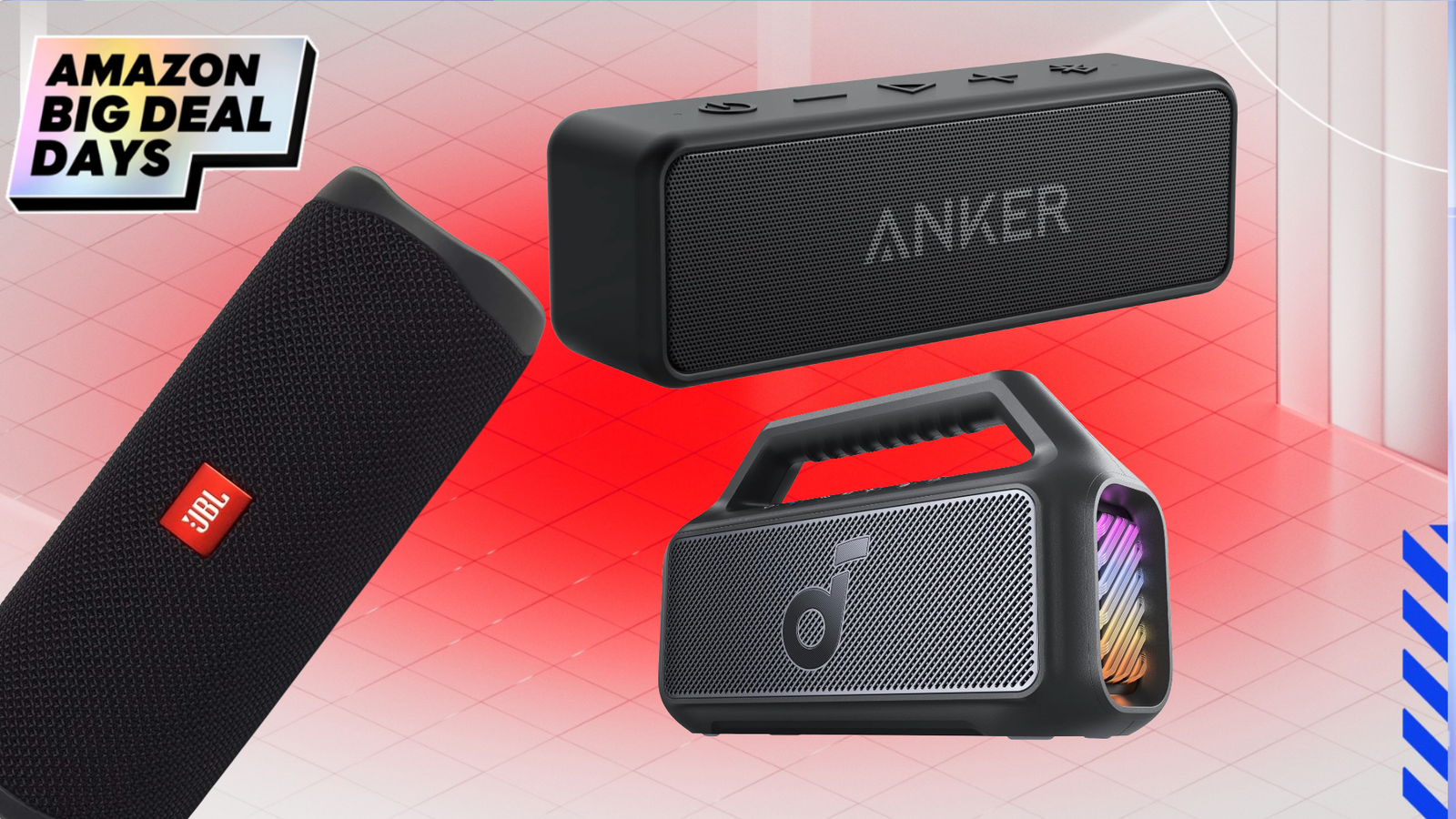
    Updated July 21: Your favorite playlist not hitting like it used to? Change it up and hear your tunes like they’re meant to be heard with a new set of speakers. You don’t ever have to pay full price here, though. I drilled through the audio offerings from all the major retailers to pick out tons of price cuts on top-rated home theater towers, compact portable Bluetooth boom boxes, and everything in between.

    At PCMag, we deploy a well-tuned method for testing speakers to give you everything you need to know before you make a purchase decision. Each unit we evaluate is tested with its primary connection method (Bluetooth, Wi-Fi, or wired connection) in real-world situations and then put through a number of quantitative comparisons. For units that work with TVs (like soundbars), we screen a selection of movies and shows with dynamic sound, potent sound effects, and assertive soundtracks. We also test other functionality for speakers with voice assistants, like connecting to Bluetooth and setting reminders.

    Bluetooth and Wireless Speaker Deals

    Beats Pill Bluetooth Speaker

    Bluetooth, mono, 24 hours battery life


    $99.95
    at Amazon

    $149.95
    Save $50.00


    Get Deal

    The Beats Pill is our Editors’ Choice award for the best Bluetooth speaker for iPhone and iPad users, and in our review, we gave it an Editors’ Choice award. PCMag expert Tim Gideon said it delivered an “excellent, bass-focused sound signature” with bright highs and a good-quality microphone for speakerphone use. It runs for 24 hours on a single battery charge, with Bluetooth audio using the AAC and SBC codecs, or USB-C wired playback at up to 24-bit/48kHz. Controls are simple and intuitive, and the housing is IP67 rated for dust and water resistance. This is a mono speaker, but the Beats app lets you pair two of them for true stereo sound. Get $20 off right now at Amazon.

    Do you want even more detail about what makes a Bluetooth or wireless speaker the best? Then take a deeper dive into our top-tested picks.

    Other Bluetooth and Wireless Speaker Deals

    Even More Bluetooth & Wireless Speaker Deals

    *Deals are selected by our commerce team

    Tower Speaker Deals

    Klipsch RP-640D Tower Speaker

    Wired, 1″ tweeter, 3.5″ woofers


    $449.99
    at Amazon

    $649.00
    Save $199.01


    Get Deal

    For your home theater, the speakers of choice are going to be towers, because you want to ensure spatial audio and stereo separation, especially when you also pick up a subwoofer for room-rattling bass. Klipsch makes a wide range of consumer home theater speakers. The RP-640D is an attractive and high-quality unit, with 90×90 Tractrix horns, spun-copper cerametallic woofers, and linear travel suspension titanium tweeters in a modern design. If you don’t like the exposed style, it also comes with a wrap-around grille that attaches easily to the front. Amazon has this model on sale for 31% off retail, making it our top tower speaker pick of the month.

    Other Tower Speaker Deals

    Bookshelf Speaker Deals

    Ultimea BS-3 Bluetooth Bookshelf Speakers

    Wired, 1″ tweeter, 2.75″ driver, 5.25″ woofer, Bluetooth, HDMI ARC, optical, RCA, USB, AUX


    $179.99
    at Best Buy

    $399.99
    Save $220.00


    Get Deal

    Bookshelf speakers typically are designed for wired connections, but this pair from Ultimea couple all of the standard inputs (optical, AUX, USB) with some less-common ones like HDMI ARC and wireless Bluetooth, making them a very versatile choice for any home entertainment system. The 3-way driver design gives you rich, robust stereo sound, with a 5.25-inch long-throw woofer holding down the low end with bass response as deep as 50Hz. They’re easy to set up, connect effortlessly to a wide range of sound sources like TVs, game consoles, media players, and more, and look pretty cool. Best of all, you can get them at a 55% discount.

    Other Bookshelf Speaker Deals

    Portable Speaker Deals

    Sony ULT Field 5 Portable Bluetooth Speaker

    2-inch tweeter, 3.2-inch woofer, Bluetooth, wireless


    $198.00
    at Amazon

    $349.99
    Save $151.99


    Get Deal

    Speaker size determines a lot about how loud they can get and how low they can go, so the incredible bass fidelity and booming volume of the Sony ULT Field 5 make it our top portable pick for the month, especially at a 46% discount. In our review, we raved about this attractive unit’s features, including responsive tunable EQ through the Sony app, customizable LED lights, and IP67 dust and water resistance. It’s a terrific speaker for just about any situation, and 25 hours of battery life is excellent.

    Recommended by Our Editors

    Other Portable Speaker Deals

    Computer Speaker Deals

    Onkyo Creator Series GX-10DB Speakers

    .5-inch tweeter, 3-inch woofer, USB-C, optical, stereo RCA


    $159.99
    at Best Buy

    $249.00
    Save $89.01


    Get Deal

    These aren’t explicitly designed for PC usage, but their small form factor and solid all-around sound make them a solid choice, especially at a massive discount. We reviewed the Onkyo Creator Series speakers and gave them a positive overall rating, noting that their audio profile was warm and rich for their size, with good volume and lots of connectivity options. They also have a subwoofer output if you want to hook one up for additional bass. They do rely on an external power brick instead of a built-in power supply, so plan your cable management around that. Although some physical controls are awkwardly located on the back of the speaker, the included remote means you never have to use them.

    Other Computer Speaker Deals

    Outdoor Speaker Deals

    Sonance Mag Series 2-Channel Outdoor Speakers

    1-inch tweeter, 6.5-inch woofer, Bluetooth, wireless


    $999.00
    at Best Buy

    $1,499.00
    Save $500.00


    Get Deal

    Powered by Sonos technology, these all-weather speakers give you access to your streaming music anywhere. The 6-inch speakers can be easily mounted to most surfaces, and boast a wide frequency range of 65Hz – 30kHz with 89dB of sensitivity, great for all kinds of audio content from podcasts to party jams. These are wired, so you’ll need to run power to their installation points, but aside from that they’re a breeze to set up. See how they compare on our list of the best outdoor speakers.

    Other Outdoor Speaker Deals


    FAQ

    Do Expensive Speakers Really Sound Better?

    This depends on what “better” means and on many of the things mentioned above. Expensive speakers are often designed differently than mass-produced speakers, with a focus on quality rather than factors like keeping the price in check. Some expensive speakers use higher-quality materials, which can lead to better sound, but design plays a big role here. Also, what sounds better to one person may not sound better to you.

    What’s a Good, Affordable Speaker?

    Speakers can cover a wide range of uses, so there might not be a single answer to this question. Our favorite affordable computer speakers are the Creative Pebble Pros, which typically retail for $59.99 and have solid sound and real stereo separation. For spatial audio and Dolby Atmos compatibility, the Sonos Era 300 is a little pricier but offers professional sound quality and ease of use.

    What Is the Best Bang for the Buck Portable Bluetooth Speaker?

    In terms of cost-to-performance comparison, the super-cheap Tribit XSound Go is probably the biggest value on the market. At a ludicrously low $28.99 at Amazon, it’s competitive in price with shoddy no-name dropshipped brands but delivers sound quality that punches way above its weight with dual 40mm 8-watt drivers for true stereo audio, a fully waterproof casing, and an included lanyard. Even at top volume, the XSound Go sounds clear and bright, making it a great bang for the buck.

    Which Budget Bluetooth Speaker Should I Get?

    If you’re looking for a do-it-all smart speaker with decent sound that can also help with home automation and more, the Amazon Echo is a great choice at $99.99 and often goes on sale for less. For budget waterproof Bluetooth speakers, we like the Anker Soundcore Mini 3, which sells for $40.99. It’s a pocket-sized powerhouse with adjustable EQ, high-quality microphones, and an IPX7 rating.

    What Are the Best Speaker Options Under $200?

    While it’s possible to spend thousands of dollars on a speaker system, modern audio technology means you don’t have to. We have tested hundreds of speakers extensively, and one of the best in the sub-$200 price range is the Editors’ Choice-winning Beats Pill. It is a compact and potent portable that plays nice with iOS devices and retails for just $149.95. It doesn’t get discounts often, but it’s a great all-around speaker.

    What Is the Best Speaker for Under $100?

    We have a complete rundown of the best Bluetooth speakers under $100. One of our favorites is the Anker Soundcore Motion 300, which typically retails for $79.99. We gave it an Editors’ Choice award in our review, praising its customizable EQ through the Soundcore app and LDAC support for higher-quality audio from compatible sources. It’s definitely one of the best choices at that price point, but other good options include the JBL Go 3 and the Amazon Echo.

    What Is the Loudest Speaker Watt?

    Most of the speakers you might buy from electronics retailers are going to top out around 100 or 125 watts. These are your higher-end Bluetooth, bookshelf, home theater, and soundbar speakers. The majority of such speakers will be rated for 50 watts or less. In order to reach watts in excess of 200, you’ll need to turn to public address (PA) speakers, like those used in conference rooms, classrooms, and event venues. Some PAs reach as high as 2,000W, which is enough to fill event venues with loud sound.

    How Loud Is a 1,000W Speaker?

    A 1,000W speaker produces more volume than anyone needs in their home. Depending on the speaker’s efficiency and sensitivity, 1,000W is enough power to fill a medium-size event space with more than 100 people. This amount of power can produce in excess of 130dB, which is enough to cause hearing damage in a short amount of time. Unless you’re throwing raves in your backyard or deejaying weddings, no one needs any home speaker or system that delivers more than 100 watts.

    Does Higher Wattage Mean Better Sound?

    Absolutely not. Many factors determine the sound quality of any given speaker, including the design, components, efficiency, sensitivity, and even the room in which it is used. Other variables include the quality of the source material (vinyl or MP3) and the type of power being supplied (analog or digital). Low-wattage speakers and amplifiers are easily capable of producing outstanding-quality sound.

    What Are the Best Times of the Year for Speaker Sales?

    We hunt deals all year long, and while price drops can happen any time, they’re more likely to be timed to tech world events like Amazon Prime Day or holidays like Christmas and Valentine’s Day. In general, the absolute lowest prices on most electronics surround Black Friday, the weekend after Thanksgiving in the United States. Another good time to shop is early January when many retailers have open box deals on returned merchandise from the winter holiday season.

    Are Bluetooth and Smart Speakers Included in Prime Day and Cyber Week Sales?

    Yes! Amazon’s Alexa-powered speakers often receive the deepest discounts during sales periods. But Amazon is also known for knocking down the price for Bluetooth speakers from JBL, LG, Marshall, Soundcore, Sony, and others.

    About Our Experts

  • These Massive Antivirus Deals for July Will Keep Your PC, Phone, and Tablet Safe and Secure

    These Massive Antivirus Deals for July Will Keep Your PC, Phone, and Tablet Safe and Secure

    Updated July 21: Maintaining good digital hygiene is more important than ever in this age of black hat hackers, phishing schemes, and lots of other ways to compromise your PC and other devices. Performing regular safety checks is a first step, but your security solution isn’t complete without an antivirus program that will detect and eliminate malware, Trojans, rootkits, spyware, adware, ransomware, and more on your desktop computer, laptop, smartphone, or tablet.

    Security has always been a major priority at PCMag, and we’ve been testing and reviewing antivirus software for decades. We use hundreds of authentic pieces of malware on our test hardware in order to test thoroughness, along with a full suite of other digital threats and incursions from multiple angles. We also go through extra bundled features, including parental controls, firewalls, phishing protection, and more. Our process closely replicates real-world scenarios to keep our reports up-to-date. While many antivirus programs do offer free versions, those are not as regularly updated or dependable as the paid versions, so for better protection, a subscription is recommended. Here are the five best antivirus deals we have in July.

    Why You Need Antivirus

    PCMag Logo

    Why You Need Antivirus

    Bitdefender Deals

    Bitdefender Total Security

    5 devices, Windows, MacOS, iOS, Android


    $54.99
    at Bitdefender

    $109.99
    Save $55.00


    Get Deal

    We’ll start off with one of the best protection suites on the market at a 50% price drop. Bitdefender Total Security received the PCMag Editors’ Choice award as a “feature-rich suite that protects all your computers, phones, and tablets.” They’re currently offering a 365-day plan on five devices for $54.99, a big discount from the standard subscription price. As the name implies, you get total protection for Windows, macOS, iOS, and Android, including malware scan and browser protection, a spam filter, and even anti-theft features.

    Avast Deals

    Avast One Ultimate

    5 devices, Windows, MacOS, iOS, Android


    $49.99
    at Avast

    $109.99
    Save $60.00


    Get Deal

    Avast One Ultimate excels at all the antivirus marks we evaluate, with additional features not found in other packages that make it worth considering. That includes a robust VPN with no bandwidth or server limits, and an Email Guardian that scans messages in the cloud and filters out malicious attachments before they land on your PC. Protection is available for up to 30 devices, depending on your plan, which should be enough coverage for most users. Avast does offer a free version called Avast One Essential, but the paid version is definitely worth it, especially at a 57% discount.

    McAfee Deals

    McAfee+ Advanced

    Unlimited devices, Windows, MacOS, iOS, Android, ChromeOS


    $89.99
    at McAfee

    $199.99
    Save $110.00


    Get Deal

    McAfee+ Advanced has one of the most thorough product offerings in the business. Users get all-in-one protection for an unlimited number of Windows, Android, macOS, iOS, and ChromeOS devices from the start — a rarity these days. Financial tools include bank and credit card transaction monitoring, monthly credit score and reports, identity monitoring, personal data cleanup, and more, in addition to the antivirus protection that comes standard with every tier. This offer is for the individual plan, but there’s also a family plan available that covers up to two adults and four children on unlimited devices. PCMag’s expert gave McAfee+ high marks for its top test scores and praised its ability to remove abandoned online accounts and its effective social media privacy controls, earning it an “Excellent” overall rating.

    Norton Deals

    Norton Antivirus Plus

    3 devices, Windows, MacOS, iOS, Android


    $39.99
    at Norton

    $94.99
    Save $55.00


    Get Deal

    Norton AntiVirus Plus racked up impressive scores in independent lab tests and our own hands-on evaluation, and it offers a wealth of useful features, such as Data Protector, which battles ransomware by preventing malicious programs from modifying documents in specified directories. Norton’s intelligent firewall taps into a massive online database to evaluate network permissions for known programs individually, without bombarding you with notifications. The suite’s straightforward online backup also gives you access to up to 2GB of cloud storage, the ultimate security against attacks on your data. With this deal, the $94.99 annual fee for a single license drops to $39.99.

    Recommended by Our Editors

    Surfshark Deals

    Surfshark One

    5 devices, Windows, MacOS, iOS, Android


    $67.23
    at Surfshark

    $444.15
    Save $376.92


    Get Deal

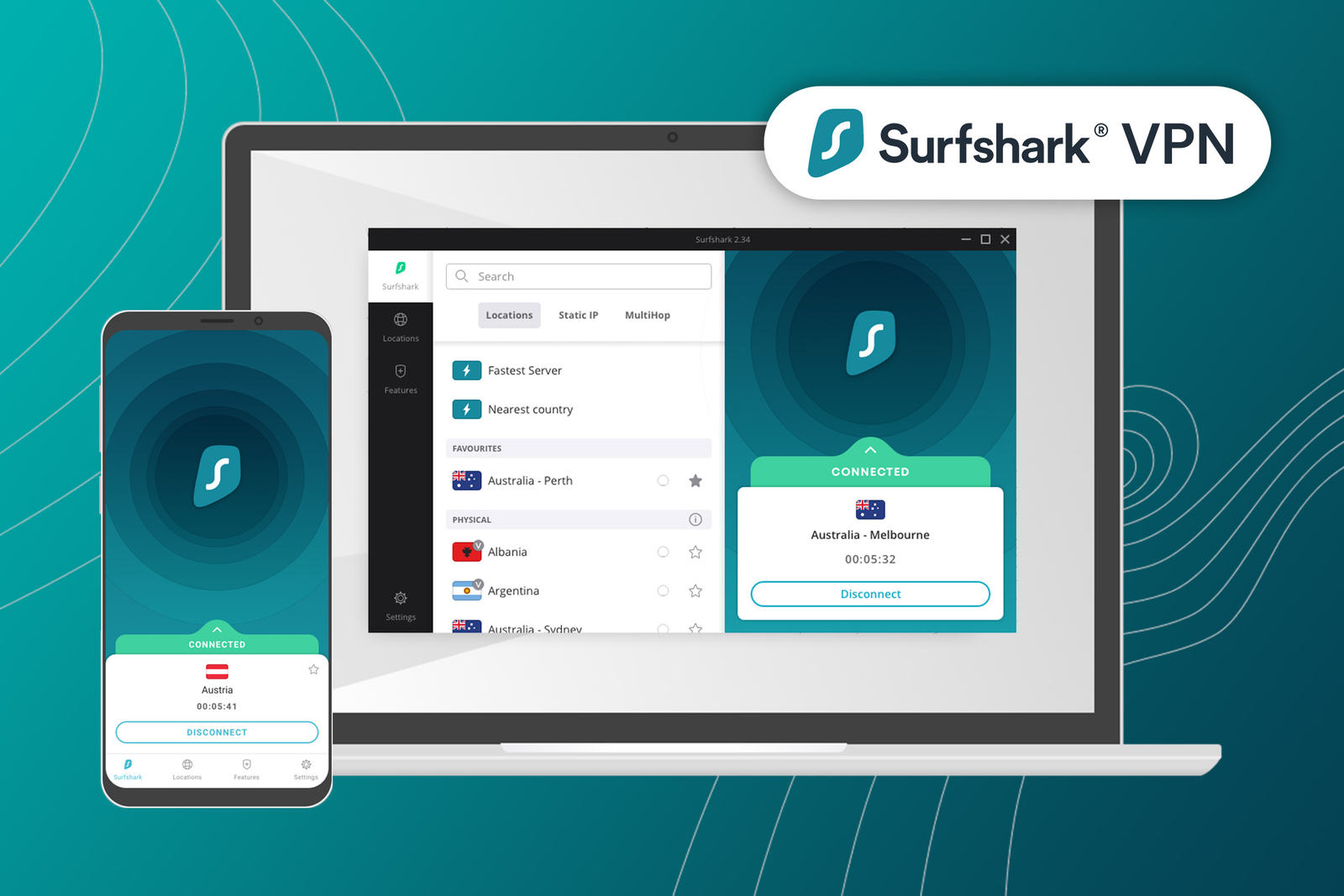
    Surfshark is best-known for its award-winning virtual private network, but adding a robust security suite on top is a logical extension of its brand. Surfshark One scored well during a hands-on malware protection test, and our expert appreciated that it supports Windows, macOS, and Android. Recent revised testing has impressed us with its thoroughness and diverse feature set, though we did note that its long-term commitments can be cumbersome. Your mileage may vary, but if you need VPN-centric features over others, this is a good option at a discounted price.

    More Antivirus Deals

    *Deals are selected by our commerce team

    Want to save even more on all of today’s hottest hardware and software? Our deals page should be your destination.

    FAQ

    Why Do I Need an Antivirus Program?

    Being connected online opens up your devices to a host of threats and they can become infected by downloading malware from a malicious attachment, visiting sketchy websites, or even hidden on an innocuous USB drive. A quality antivirus product will stand between you and the hazards of the World Wide Web.

    What Is the Best Antivirus?

    Bitdefender Antivirus Plus and Norton AntiVirus Plus received perfect and near-perfect scores from independent testing labs, Bitdefender from three labs and Norton from four. Both earn high scores in our hands-on tests, and both offer more features than some security suites, including a hardened browser for financial transactions, Wi-Fi security monitoring, a feature that blocks ad trackers, and automatic detection of missing security patches. These two get our Editors’ choice stamp of approval and should be at the top of your list of possible options.

    What Is the Best Free Antivirus? 

    Avast One Basic received the PCMag Editors’ Choice award in addition to its “Outstanding” rating, earning excellent lab scores on multiple platforms and offering protection for Android, iOS, MacOS, and Windows—all for free. If you’re looking for a more typical antivirus rather than an almost-suite, AVG Antivirus Free uses precisely the same antivirus protection engine as Avast, but without the crowd of suite-level features. Our experts have put together a comprehensive list of free antivirus solutions for you to check out at your leisure. 

    Can I Get a Free Trial?

    The nice thing about free antivirus apps is that you can try a bunch before picking your favorite. But really, you can do the same with most commercial antivirus apps. Our top antivirus picks all offer a free trial, either for 30 days or 14 days. With some there are no strings attached. Others, such as Norton and McAfee, require that you sign up with a credit card and cancel before the trial ends. In addition, many of them also offer a 30-day or 60-day money-back guarantee.

    Which Antivirus Brands Offer the Biggest Discounts?

    Just about every antivirus rewards new customers with a first-year discount, meaning you don’t pay list price until the second year. These discounts change frequently, but they’re always clearly marked on the app’s pricing page. If price is a big factor for you, do a price-check on all the antiviruses you’re considering and then purchase the one you prefer right away, while the discount is still current.

    About Our Experts