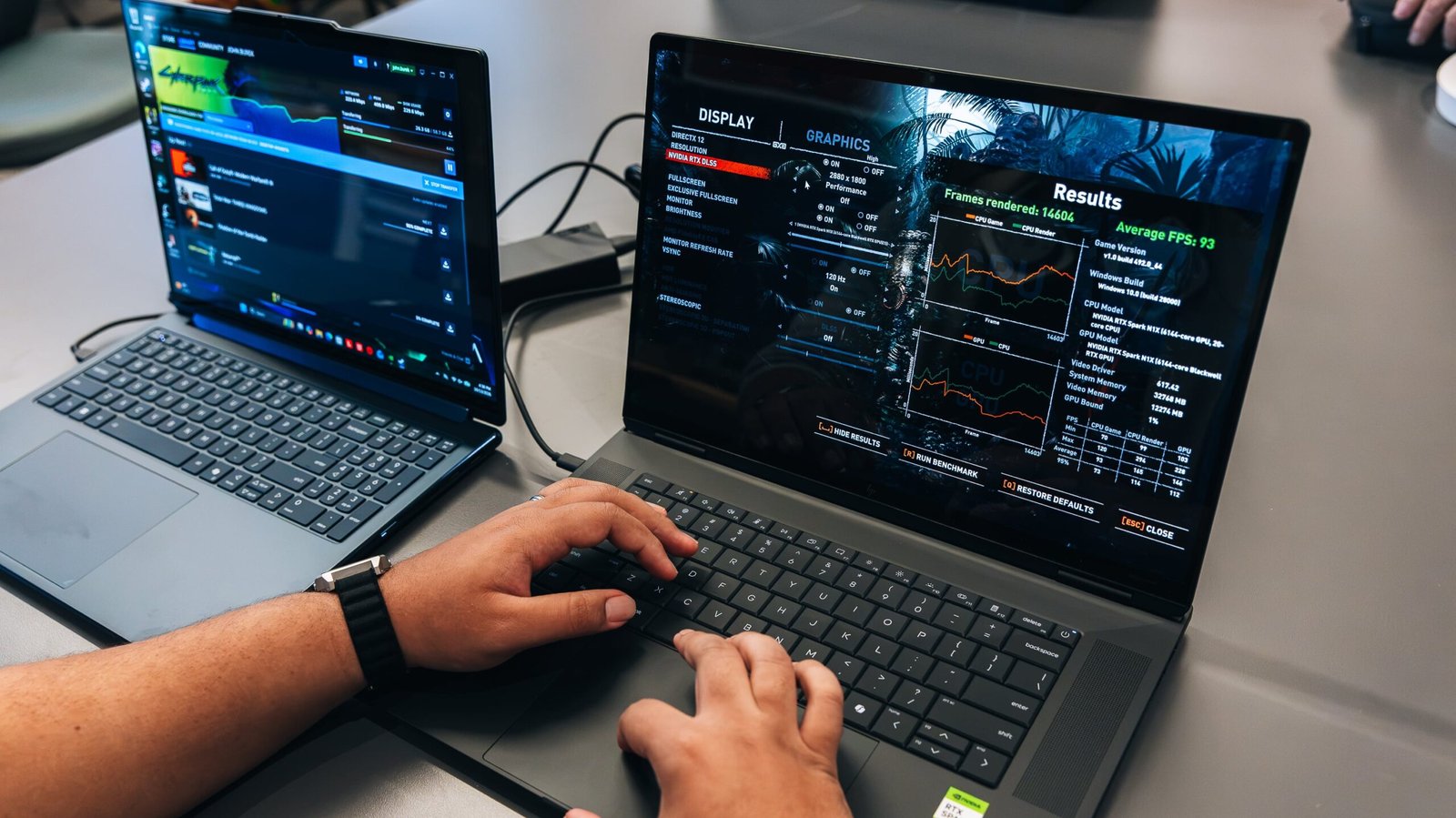
Nvidia is now the fifth (fifth!) major chipmaker for laptop processors, simultaneously impressing us with its RTX Spark’s broad and potent capabilities and stretching our testing capacity thinner than Cary Elwes’ Westley in The Princess Bride. Entering a crowded space while trying to stand out in the burgeoning AI laptop category, Nvidia has made sure the RTX Spark addresses as many of its audience’s demands as possible: AI development, content creation, and other power-user tasks.
In large part due to Nvidia’s legacy, that also includes PC gaming. When Nvidia’s name is attached to a product, it had better do something for games. Nvidia knows this, so it made sure that its Arm-based RTX Spark chips can play games well. The company is also in the process of forming partnerships with several top-tier game publishers, including Capcom, EA, Sega, and Ubisoft. No, gaming’s not the first or even the second target for these machines, but plenty of demanding users will want to kick back with their machines now and then.


HP’S OMNIBOOK ULTRA 16 LAUNCHES AND IT’S PACKING RTX SPARK
So, with help from fellow staffers Francisco La Hoz and Joseph Kaminski, I had to put this side of the chip to the test, too. When a chipmaker says that it’s ready to play games, I’m immediately drawn to see what it can do, even if just a moonlight fantasy. And hey: When you’re paying this much for a top-tier laptop, inquiring minds just gotta know.
An Nvidia Face-Off: The RTX Spark N1X GPU vs. GeForce RTX 50-Series Laptop GPUs
Before we dive into the numbers, let’s set the stage. The RTX Spark N1X graphics processor (GPU) that we tested here is the more advanced of the two Nvidia has issued with this first line of RTX Spark laptop SoC designs.

(Credit: Joseph Maldonado)
Sitting inside an HP OmniBook Ultra 16 (pictured above), it’s a 3-nanometer, 6,144-CUDA-core GPU that’s part of the N1X SoC. It runs on unified memory using a 256-bit memory interface and with a peak bandwidth of 300GBps. Models of the OmniBook Ultra 16 start at $3,199.99, but the specific one we tested costs $4,999.99.
Check Out the HP OmniBook Ultra 16 RTX Spark…

In terms of pure CUDA core count, that puts the N1X GPU above a GeForce RTX 5070 Ti Laptop GPU, which has 5,888 CUDA cores, but with an even wider memory interface than the RTX 5070 Ti’s 192-bit bus. However, the N1X has access to much less power, capping out at 80 watts (W) of thermal design power (TDP). Compare that with Nvidia’s dedicated GeForce mobile GPUs, which start with up to 100W of TDP and climb up to 150W, and you might already see where this is going.
The two traditional gaming laptops we’ve pitted against the HP OmniBook Ultra 16 were chosen specifically to bracket the RTX Spark’s rough equivalence to the RTX 5070 class. The Acer Predator Helios Neo 16S AI we tested a few months ago packs a GeForce RTX 5060 GPU, and an Alienware 16 Area-51 with a GeForce RTX 5080 GPU is on my bench.

(Credit: Joseph Maldonado)
Those two mobile GPUs can draw up to 100W and 150W, respectively. You’ll see this TDP difference play out throughout the benchmark results below. The results suggest that the RTX Spark’s gaming ambitions, while no slouch, are a welcome extra rather than a first-line reason to buy one of these machines.
Modern Game Testing: The Ray-Tracing Crucible
Since RTX Spark chips are based on Arm architecture, that alone limits which games you can run on laptops that use them. Nvidia has gone to great lengths to secure support from game publishers, but many titles remain unsupported at the time of writing. Only Cyberpunk 2077 survived the culling from our traditional benchmark suite, for example. (We usually use F1 2024, as well, which served up a no-Arm-version-available error message, and Call of Duty: Modern Warfare III, which was thwarted by lack of support for its anti-cheat tech, though Nvidia says that is coming in 2027.)

(Credit: Joseph Maldonado)
With that, we’ve borrowed four modern games that we normally use to test desktop graphics cards, slightly modifying some settings (mostly, the test resolutions). Each of these games natively supports ray tracing, an advanced, demanding rendering technique for lighting, shadows, and reflections. That’s just fine, as the “RT” in “RTX” stands for ray tracing. So all of these GPUs are up to the task.

(Credit: Joseph Maldonado)
We’ve generally tested all of the games below at high or their highest detail preset, each at 1080p and 1440p resolution, with performance measured in average frames per second (fps). However, Black Myth: Wukong supports only 16:10 resolutions, specifically 1200p and 1600p.
Because ray tracing was built into the native rendering pipeline in most of these games, they also force a certain level of resolution upscaling or image optimization that you can only manage, not turn off. Without that, most of those lighting effects simply wouldn’t be possible.
Avatar: Frontiers of Pandora
We started our modern games testing strong with one of the most impressive-looking PC games of the past five years: Avatar: Frontiers of Pandora. It’s a highly GPU-bound game with heavy video memory (VRAM) demands, and it doesn’t run without some form of image optimization to support its ray-tracing techniques. (In our testing, we ran it with temporal anti-aliasing.) In short, it’s a highly demanding game, as these results show.
The OmniBook Ultra didn’t land in the middle of these competing gaming laptops, as its CUDA core count suggests it might, but was markedly behind both. Even at 1080p resolution, the RTX Spark GPU couldn’t maintain a playable 60fps. In contrast, the two GeForce-equipped laptops here managed it—if only by a hair on the Acer system with an RTX 5060. Even just another 20W of TDP can make a significant difference.
Black Myth: Wukong
Next, we move on to an even more advanced ray-tracing benchmark (known as path tracing) that exclusively runs with AI-assisted resolution upscaling (in this case via DLSS), making it one of the most demanding PC games yet to run on Unreal Engine 5. Path tracing is an advanced form of ray tracing that’s among the most demanding graphics-rendering techniques today, often requiring upscaling and frame generation to achieve a playable frame rate.
Upscaling is a setting you cannot turn off during the Black Myth: Wukong benchmark, so you’ll notice much more uniform results across systems, except for the RTX 5080, which is a consistent outlier throughout these tests.
As you can see, the RTX Spark laptop and the RTX 5060 system were nearly matched in speed at both resolutions we tested. However, neither could meet the 60fps gold standard. The RTX 5080 system, naturally, was able to reach it at 1200p, but couldn’t hack it at 1440p. Again, this is among the most resource-hungry benchmarks you can throw at gaming PCs today. With DLSS frame generation, you’d likely see higher playable frame rates on each laptop if you’re willing to put up with additional visual quirks.
Cyberpunk 2077
Now, for our pièce de résistance, the Crysis of our time: Cyberpunk 2077. This game has served as our PC gaming stress test for years. Cyberpunk 2077 is a bit of an engineering marvel, able to scale down to run on mobile devices like the Nintendo Switch 2 while simultaneously scaling up to challenge the most decked-out gaming PCs imaginable.
You’ll see that play out between the two separate detail presets we run each system through: the standard Ultra preset without any ray tracing, and the punishing Ray-Tracing Overdrive preset, which pushes beyond ray tracing into a more demanding path-tracing workload. So, don’t be surprised by some slideshow-like frame rates here. This game can notably run without any resolution upscaling, which is how we use it as a benchmark.
The Ultra version of the test proved feasible on the RTX Spark laptop, delivering playable frame rates even at 1440p resolution. Yes, sub-60fps isn’t ideal, but it’s definitely workable without frame generation or upscaling if you’re averse to using those AI rendering techniques. This speaks as much to Cyberpunk 2077’s impressive optimization as to the RTX Spark GPU’s capabilities.
However, that all expectedly fell apart in the brutal RT Overdrive test, bringing even the RTX 5080 system down to borderline less-than-playable frame rates. Path tracing requires even more resources than standard ray tracing, which is among the most demanding graphics-rendering tools today, and often requires upscaling and frame generation to achieve a playable frame rate. Based on these results, you could likely reach 60fps on the RTX Spark systems with those techniques running in tandem.
Returnal
Our final modern game benchmark, in alphabetical order, is the Sony-published, Housemarque-developed PC port of the PS5 shooter Returnal. This is also a demanding game, like all the others above, with a focus on memory bandwidth and capacity, requiring at least 8GB of VRAM and even more system memory (recommended: 32GB). The game makes heavy use of ray tracing and multiple particle effects on-screen at once, as well as volumetric fog and other effects over dense geometry.
As demanding as this game is at its highest Epic detail settings, the RTX Spark system managed generally playable frame rates at both resolutions, though it was narrowly below 60fps without AI assistance. Both the RTX 5060 and 5080 systems outpaced it, but that again likely comes down to available TDP more than anything else. What’s important here is that not only is the RTX Spark GPU capable of running this game without AI acceleration, but even a small amount of DLSS processing would send it over that 60fps hump.
Legacy Games Testing: Quite Capable of AI-Free Gaming
We’ve added four more games to this gauntlet that were released before or shortly after 2020, to give the lower-power Spark RTX GPU (in terms of TDP) a little break and see where it can produce 60fps gameplay without AI assistance. These games are also lighter in terms of ray-tracing demands, running on the first versions of the technology, which were widely toggleable and focused on more realistic reflections and shadows.

(Credit: Joseph Maldonado)
Many of these titles also support early versions of resolution upscaling and image optimization techniques, and I’ve detailed which are in use below. Although this was a much more positive showing for the RTX Spark, it ran into one classic game that refuses to go down easily to this day.
Borderlands 3
Our first legacy game benchmark runs on Unreal Engine 4, and it doesn’t support ray tracing, relying instead on traditional lighting and rendering techniques. It was also quite demanding in its own time, working best with 8GB of VRAM at its 2019 release. That’s because it combined cel-shaded, highly detailed textures with heavy volumetric fog and lighting effects. Due to its relative age, we run the test on the highest possible settings, which it calls “Badass”—the publisher’s word, not mine. No resolution upscaling here.
Recommended by Our Editors
The RTX Spark laptop handled this test quite well, posting easily playable frame rates at both resolutions. Of course, with more power draw available to them, the RTX 50-series laptops outpaced the Spark system handily.
Far Cry 6
The latest release in the mainline Far Cry series is five years old now, but it is recent enough to use light, early-generation ray-tracing techniques, such as advanced reflections and shadows. Those are active during this test. While the game generally requires significant VRAM stores, we did not run this test with the HD texture pack enabled, which is even more demanding in that regard. Far Cry 6 also supports early resolution upscaling, but we deactivate it for this benchmark.
Here’s another example of the RTX Spark system showing its ability to render less complex native visuals, as expected. The OmniBook posted playable frame rates at both resolutions, which could be improved further with additional DLSS processing. However, if you’re not a fan of those techniques, you don’t necessarily need them to play the game. The other two laptops again outstripped the RTX Spark model, thanks largely to their higher TDP thresholds.
Shadow of the Tomb Raider
This is our oldest legacy PC game test, released in 2018, and it was one of the earliest games to showcase Nvidia’s then-fresh ray-tracing capabilities. Like Far Cry, Shadow of the Tomb Raider uses localized ray-tracing effects on reflections and shadows rather than overall ray-traced lighting, which came later. This game supports DLSS upscaling, but we turn it off for this test.
You shouldn’t be surprised by these overwhelmingly positive results, as I’d be shocked if the RTX Spark laptop couldn’t handle this game. This title is more than playable without any DLSS assistance these days, and adding it would just sacrifice some image quality for even more frames per second than you need.
Total War: Three Kingdoms
Here’s that tetchy game I mentioned: Whether it’s due to poor optimization or simply the sheer number of independent characters rendered on-screen at once, the Total War series has always been relatively punishing in benchmark tests. This game was released way back in 2019, and it doesn’t support even basic ray tracing.
However, because of its outsized dependence on the CPU for handling dozens to hundreds of individual unit models, combined with rendering each of those units in full 3D, the game still demands quite a lot even today. While ray tracing is out, the game does apply selective resolution scaling, rendering the user interface at native resolution while upscaling the 3D elements to the selected native resolution. This technique is active for the test, because you’ll soon see it’s sorely needed.
All of that should help explain why the RTX Spark laptop couldn’t reach 60fps on a 7-year-old game. Even the RTX 5060 laptop was humbled by the game at 1440p resolution, just barely able to post a playable frame rate. Of course, the RTX 5080 system can strong-arm almost any game with its ample VRAM and power resources.
RTX Spark Can Hang With Other Gaming Machines, But Not Without AI Assistance
With all the numbers behind us, the early verdict on RTX Spark’s gaming chops is that, yes, it can play games just fine. However, that statement comes with two big caveats.
First, the list of titles that RTX Spark supports is limited. The only game that we could use from our usual benchmark suite on the Arm-based RTX Spark was Cyberpunk 2077, due to app compatibility issues. So, that shrinks your pool of available games to play from the jump, but I expect this list to grow over time, especially with Nvidia’s many burgeoning partnerships with EA, Sega, Ubisoft, and other publishers.

(Credit: Joseph Maldonado)
Second, and perhaps more important, is that demanding recent releases (and any going forward) may not result in a smooth gameplay experience at high detail settings without some form of AI rendering assistance. Whether that’s just image resolution upscaling, frame generation, or both, you’ll have to accept whatever image-quality reduction it entails to reach that 60fps standard.
Then again, these are AI-first laptops, so anyone buying one of these RTX Spark systems should already be comfortable with heavy AI use. In that case, what’s a few more toes dipped into the AI pool? For a bit of fun after spending all day working with agentic models or developing new AI tools, the RTX Spark systems are consummate gaming systems, much like Apple’s MacBook Pro laptops, backed by Nvidia to push those capabilities even further. Just know that you can get just as much or more gaming bang for your buck from a well-apportioned, high-TDP RTX 5060 laptop.
About Our Expert

Joe Osborne
Deputy Managing Editor, Hardware
Experience
After starting my career at PCMag as an intern 16 years ago, I’m back as one of its editors, focused on managing laptops, desktops, and components coverage. With more than 15 years of experience, I have been on staff and published in technology review publications, including PCMag (of course!), Laptop Magazine, Tom’s Guide, TechRadar, and IGN. Along the way, I’ve tested and reviewed hundreds of laptops and helped develop testing protocols. I have expertise in testing all forms of laptops and desktops using the latest tools. I’m also well-versed in video game hardware and software coverage.
Leave a Reply