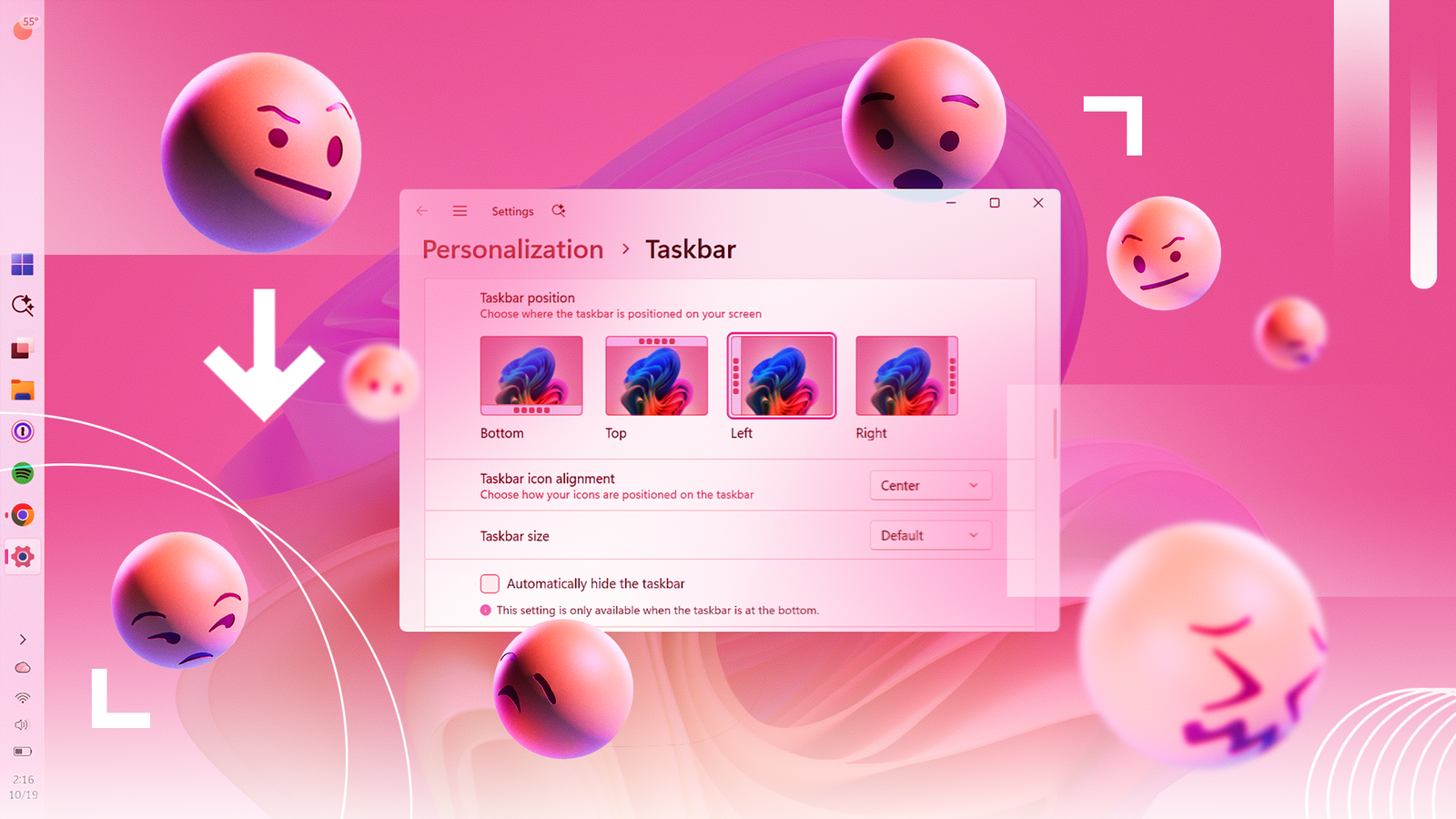
You wouldn’t be wrong to call out Windows 11’s movable taskbar as the best upgrade to the OS so far this year, even if it were something available in Windows 10. But some people still aren’t happy, and I don’t blame them.
Mikhail Parakhin, who oversaw Windows for six months back in 2024, says it’s missing critical features. Specifically, he wants Microsoft to restore the ability to auto-hide (and fully resize) the taskbar, regardless of its position, something that the company promised was “coming soon” six months ago, but which I haven’t seen progress on since.
In the meantime, Microsoft is shipping a revamped Photos experience that splits functionality across Gallery and Viewer apps, the former of which, unfortunately, still relies on web-based technologies rather than being truly native. But, speaking of updates, Windows 11 got a massive one last week, with a record-breaking number of security fixes to protect your PC.
Read on for a look at the taskbar features a previous head of Windows misses, the lowdown on Windows 11’s new Photos experience, and why the latest OS security updates are more important than ever.

Windows 11 is Finally Getting Better Search
A Former Windows Lead Still Isn’t Happy With the Taskbar
As mentioned, Mikhail Parakhin was in charge of Windows at Microsoft until he stepped down in 2024. Now Shopify’s chief technology officer, Parakhin is publicly criticizing Windows 11’s new taskbar in an X post first spotted by Windows Latest.
Parakhin says he was looking forward to using a vertical taskbar after installing the 26H2 update, but came away disappointed. He explained, “Autohide doesn’t work and I can’t adjust the size,” going as far as calling it ”not usable yet.” His public post challenges Windows team lead Pavan Davuluri to add these features, but I haven’t seen a formal response as of yet. A Microsoft blog post from May 2026 mentions that the auto-hide feature for alternate taskbar positions was coming soon, but I haven’t seen any evidence of this in any Insider build I’ve tried.
As a longtime fan of the vertical taskbar, Parakhin says he “fought hard” against Microsoft’s decision to remove this option in Windows 11. For its part, the company had previously said that adding a vertical taskbar would require a “huge” amount of work. Microsoft’s willingness to accommodate user feedback has evidently changed, as alternate taskbar positions are now supported, so it’s surprising that a former Windows lead even has to ask about customization options that seem so basic. You can currently make the taskbar itself smaller, but only in horizontal mode. In vertical mode, the taskbar size option just makes the taskbar icons smaller.

Windows 11 lets you auto-hide the taskbar only when it’s at the bottom of your screen (Credit: Microsoft/PCMag)
Two New Photo Apps, But One Big Problem
Microsoft says Windows 11 is getting a new Photos experience that splits functionality between Gallery and Viewer apps. The Gallery app appears to be an expanded version of the OneDrive Photos app that mysteriously appeared on Windows PCs a few months ago. It lets you browse a gallery of images from Apple iCloud Photos and Microsoft OneDrive, as well as those on your PC. Microsoft says it supports AI-powered natural-language search, which is currently available only in the web version of OneDrive Photos.
When I tried the Gallery app (currently called Photos) on my PC running an Insider build, I found that browsing images required over 500MB of memory and spawned multiple WebView processes. I’m disappointed that Microsoft is still investing in web-based apps on Windows, despite some employees recently extolling the importance of native apps.
On the bright side, Microsoft also says Windows 11 is getting a “redesigned native Viewer” that “opens photos up to 30%” faster. I haven’t been able to test this experience yet, but the current Photos app can be very slow when loading images, so I’m optimistic that the new viewer is as fast as the company claims. Microsoft promises “a new native Editor” with various photo manipulation tools that “loads 25% faster,” too. These apps should arrive on all Windows 11 PCs “later this year,” and I’m looking forward to testing them more fully when they do.

Windows 11’s new photo gallery app in an Insider build (Credit: Microsoft/PCMag)
Patch Tuesday Sets Another Mind-Blowing Security Record
Windows 11 received a major set of fixes during last week’s Patch Tuesday. The KB5127648 update fixes 1,411 flaws, breaking a record for the most security fixes in a Windows update. Record-breaking updates are now common, likely due to AI-assisted security scans that discover bugs in the OS. October’s monthly update doesn’t include any significant new features, otherwise.
The eye-popping patch numbers illustrate the importance of running Windows Update to keep your PC safe. Thankfully, Windows 11 automatically installs updates unless you’ve chosen to pause them via Settings > Windows Update. I still recommend installing updates as soon as possible.
Recommended by Our Editors
Do you have a question about Windows? I’m here to share my knowledge! You can submit your question here, and I may answer it in an upcoming Windows Guide newsletter. If you’re not subscribed to the newsletter, head here to sign up, and check your inbox each week for the latest Windows updates from me. Now, on to this week’s question!
A reader asks: “Does Microsoft have any plans to allow toolbars on the Windows 11 taskbar?”
Hey, great question! While Microsoft restored several taskbar features over the past few months, it hasn’t announced the return of taskbar toolbars. But I have a solution that might be just as good for your workflow.
For the uninitiated, taskbar toolbars existed from Windows 95 through Windows 10. They let you add folders, search boxes, and other elements directly to your taskbar. The famous Quick Launch area from Windows XP, which let you launch applications in a single click before Windows 7’s pinned taskbar buttons arrived, is one example. Apple iTunes also had a toolbar that put playback controls directly on your taskbar on Windows XP.
For now, the best thing you can do to restore this functionality is customize your taskbar with Windhawk, my favorite Windows-tweaking tool. The Taskbar Folder Menus mod lets you add folders full of files and shortcuts to your Windows 11 taskbar; for example, the Taskbar Fluent Media Player lets you embed a media player widget right on your taskbar, too. The possibilities are vast.
About Our Expert

Chris Hoffman
Senior Writer, Software
Experience
I’ve been writing about technology for more than 15 years and using it in earnest for over twice as long. As a member of PCMag’s software team, I focus on Windows coverage, but also write about other key desktop operating systems and system apps. (I used Windows 3.1 upon its release and have followed every subsequent release closely).
Prior to joining PCMag, I wrote for How-To Geek starting in 2011, and my articles amassed over a billion page views. I went on to run the publication as editor-in-chief for four and a half years. I have also contributed to Computerworld, Fast Company, PCWorld, Reader’s Digest, The New York Times, and many other outlets about everything from AI to PC hardware to Windows. I founded and ran my own direct-to-reader Windows-focused newsletters, Windows Intelligence and The Windows ReadMe, working in partnership with Thurrott.com.
Leave a Reply