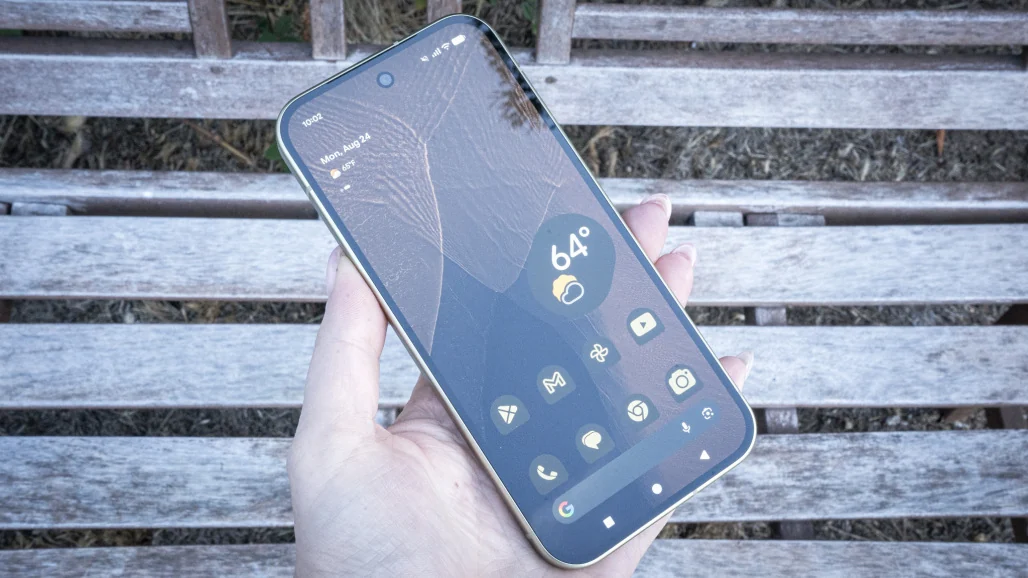
It’s not a holiday, but you can pretend it is if you’re wielding the Pixel 10 or Pixel 11 series. With Google officially rolling out the November Pixel Drop, Gemini can finally make those restaurant reservations on your behalf without you having to talk to a soul, while capabilities teased at Google I/O, like Rambler and Create My Widget, are finally available on the Pixel 10. And if you’re tired of losing your stuff, the latest update adds Pixel Tag compatibility.
November’s Pixel Drop
Pixel 11 and Pixel 10 users are the first to use Gemini to make calls on your behalf, a feature that initially rolled out to beta users in September. A common use case is asking it to make or change a reservation, or call a brick-and-mortar store to ask about inventory for something you’re looking for. The feature is strictly US-only and English-only at launch. Apologies to our neighbors in the north, who will have to keep enduring real-life peer-to-peer voice interactions.

Rambler is the real magic of Gemini intelligence. (Credit: Google)
Pixel 10 devices are finally getting the Gemini Intelligence features teased months ago. Features like Rambler, which cleans out conversational “ums” and “ahs”, cross-app automations, and proactive contextual actions, like grabbing text from one app and automatically exporting it to another, are now available.
The Create My Widget feature lets you chat with Gemini to create a custom Home screen widget designed around a specific need. For example, you could make a widget with a dedicated countdown card for an upcoming trip and have the predicted weather forecast alongside it.

Let Gemini help you create a widget with things! (Credit: Google)
Pixel 10 users aren’t getting all of Gemini Intelligence’s full features. The Pixel 11 is the only model that can access the new Pixel Solver, a Calculator-based Gemini capability, and notification additions to HiLight. Manual Call Screen is a new feature that screens incoming calls on demand and presents you with options before you even answer. It’s currently only available on the Pixel 11.
The Pixel Drop for Everyone Else
If you’re on an older Pixel device, fret not. This month’s Pixel Drop includes the new Transit Mode 2.0, which switches the device over when it detects you’re on the bus or train, and Family Hub, which consolidates all the Family Link parental settings with real-time FindHub alerts to notify when Junior is out of bounds. The Calculator is also getting a boost on Pixel 6a devices and above with inline mathematics and unit conversion. Unfortunately for my math-averse self, writing that paragraph felt like nails on a chalkboard.
The Pixel Tag

Pixel Tag (Credit: Florence Ion)
The Pixel Tag is on sale starting tomorrow. The lozenge-shaped tracker (don’t swallow it) costs $29 for a single tracker and $99 for a pack of four. It taps into the Android Find Hub network for lost-and-found tracking. It’s slimmer than an Apple AirTag and uses Bluetooth 6.0, Channel Sounding, and UWB for precision tracking. It also features two-way interactions so you can double-click a physical button on the device to ring your paired phone. We’re putting the Pixel Tag tracker through its paces in an upcoming full review.
Recommended by Our Editors
Pixel Watch Drop, Too

Step-by-step workouts can now be started from the Pixel Watch with this latest update. (Credit: Google)
Pixel Watch users, a few updates are coming to the Pixel Watch 3 and up. Guided step-by-step workouts can now be started from the watch without the phone nearby. Call screen summaries and notification recaps are also coming soon to the smartwatch.
The November Pixel Drop is dropping right now. These software updates tend to roll out in phases, so don’t panic if you don’t see an update pending quite yet. Check your Settings to see if it’s waiting.
About Our Expert

Florence Ion
Senior Writer, Mobile
Experience
I’m PCMag’s Senior Mobile Writer. I write about Android, iOS, and the myriad intricacies in between. I’ve been covering these worlds for more than 15 years. Before joining PCMag, I was a staff reporter for Gizmodo, PCWorld, and Ars Technica.
Leave a Reply