Category: Technology

  • Google Gemini Has Upgraded My Morning Commute. 9 Clever Ways I Use It With Android Auto

    Google Gemini Has Upgraded My Morning Commute. 9 Clever Ways I Use It With Android Auto

    I’m primarily an iPhone and CarPlay user, but I do sometimes use my Android phone and Android Auto when I’m driving. Now that Google Assistant is going away, the ability to chat with Gemini AI has been a huge boon for Android users.

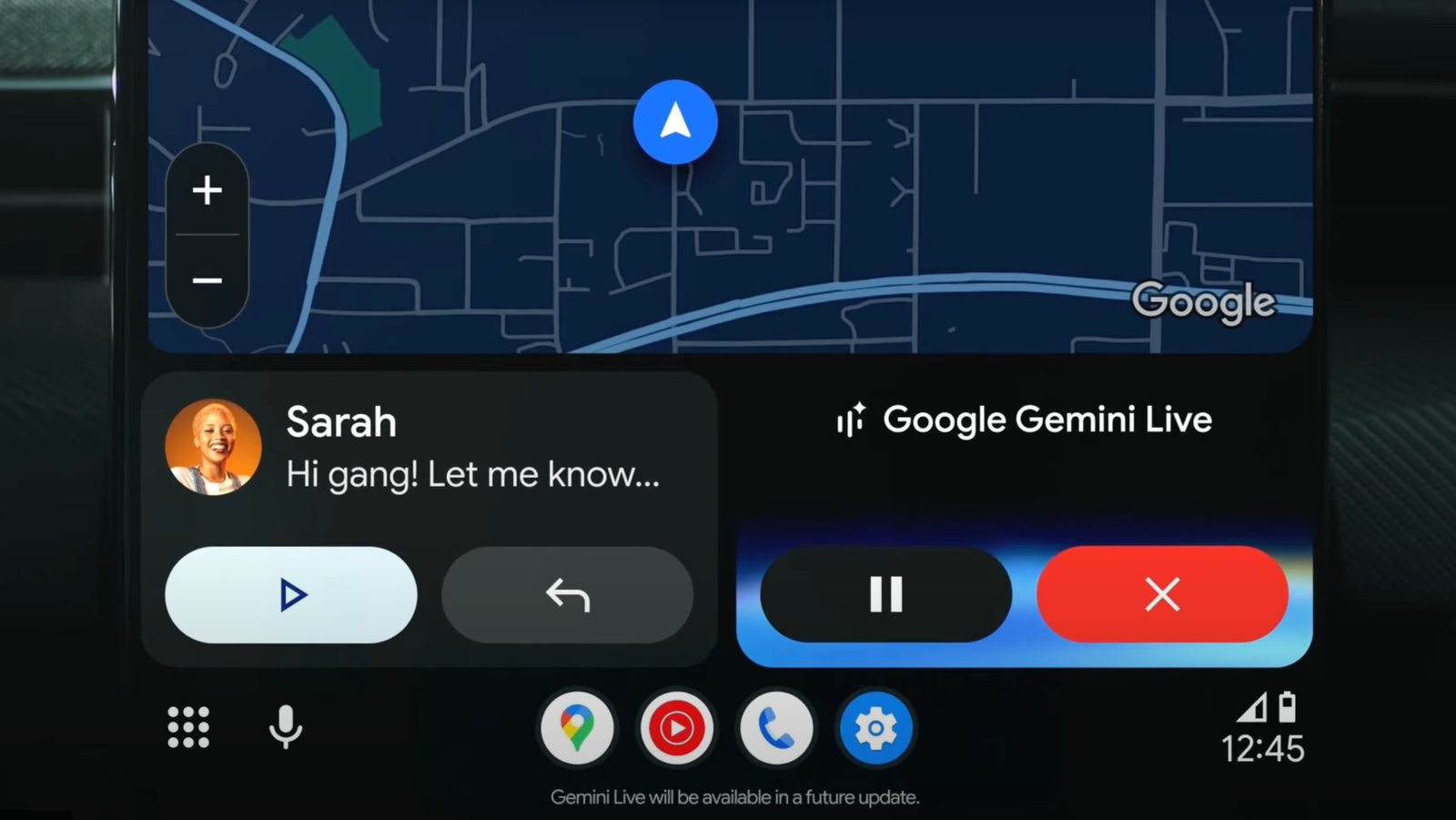
    Google’s AI allows me to send emails and messages, ask for playlist suggestions, get information on local restaurants and businesses via Google Maps, set reminders, ask questions, play games, and listen to stories. To get started, you’ll need an Android phone and a car that supports Android Auto. With that settled, here’s how to set it up.


    Set Up Gemini on Your Phone

    First, set up Gemini as your AI assistant on your phone. If you haven’t already downloaded the Gemini app, grab it from Google Play. To enlist Gemini as your default assistant on most Android phones, go to Settings > Apps > Assistant > Digital assistants from Google. Tap Gemini, then Switch to confirm your action, and then tap Use Gemini. Once Google Assistant is fully removed from Android, you may no longer need to take this step.

    Set Gemini as your default assistant on most Android phones

    (Credit: Google/PCMag)

    The process is different on Samsung phones. Head to Settings > Apps and tap Choose default apps. Tap Digital Assistant app and make sure it says Google. To confirm that Gemini is the default on your Samsung phone, hold down the power button. A window should pop up telling you that Gemini is your new AI assistant from Google.

    Set Gemini as your default assistant on Samsung phones

    (Credit: Google/PCMag)

    For easy access, make sure Gemini is activated for hands-free use in your car. Open the Gemini app, tap your profile icon, and select Settings > Talk to Gemini hands-free and then enable Hey Google. Tap the Turn on button, confirm your action, and then tap Done.

    Set Up Gemini for Hands-Free Use

    (Credit: Google/PCMag)


    Connect Your Phone to the Car

    Next, connect your Android phone to your car. You can do this through a wired USB cable or a wireless Bluetooth connection. After connecting your phone, go back to the Android Auto settings on your device and tap Connect a vehicle. If your phone is plugged in via USB, the connection is automatically established. If you’re going the wireless route, choose the option to connect using wireless Android Auto and then opt to connect using Bluetooth.

    Connect Your Phone

    (Credit: Google/PCMag)

    On your car’s multimedia screen, go to Settings, select Bluetooth and devices, tap the button to add another device, and then tap the button to search for devices. Select the name of your phone on your car’s screen after it pops up.

    Select the name of your phone

    (Credit: Google/PCMag)

    Back on your phone, tap the link for Pair a vehicle. A pairing code appears on your phone and the car screen. Confirm the code on both devices. On the car screen, tap Yes when asked if you want to use Android Auto. You should then see the Android Auto interface on your screen.

    Pair the phone with your car

    (Credit: Google/PCMag)


    Ways to Use Gemini in Your Car

    Are you actually on Gemini now? Since the AI chatbot is still rolling out as a voice assistant for Android Auto, there’s a chance you may still be stuck on Google Assistant. You can check in the car by asking “Hey Google. Are you using Gemini?” If the assistant doesn’t understand your request, then you’re still on the older version. If it declares that Gemini is in use, you’re now ready to chat. Here are a few ways I like to use Google’s AI to assist me when I’m driving.

    1. Provide Details on Local Businesses

    Whether I’m hungry for a meal or am trying to find a certain store or other business, Gemini can help. As one example, I’m able to ask Gemini to recommend restaurants of a specific cuisine and give me details about any of them. For this one, I asked the AI to recommend some nearby Italian restaurants. After a list of the choices popped up in Google Maps, I enquired further about one of them, asking for the ratings and reviews and the hours of operation. After Gemini supplied all the details, it then asked me if I want to go there. In the mood for Italian, I said Yes, and the directions guided me from there.

    Provide Details on Local Restaurants and Other Businesses

    (Credit: Google/PCMag)

    2. Play a Selection of Songs

    Sometimes I feel like listening to songs of a certain theme. Here, I can ask Gemini to play a playlist of songs based on my request, and the AI will fire up YouTube Music to play them. In this case, I asked the AI to play a list of outer space songs similar to Elton John’s “Rocket Man” and David Bowie’s “Space Oddity.” In return, Gemini launched YouTube Music and started playing a collection that included “Mr. Spaceman” by the Byrds, “Supersonic Rocket Ship” by the Kinks, and “Calling Occupants Of Interplanetary Craft” by Klaatu.

    Play a Selection of Songs

    (Credit: Google/PCMag)

    3. Set a Reminder

    Often an idea pops into my head that I need to remember. The best way to do that is to set a reminder, and Gemini can certainly help there. Just say: “Hey Google” and then describe the item for which you need a reminder. Forget to set a date and time, and the AI will ask you for it. Here, I told Gemini to set a reminder for 10 a.m. the next day to call the vet about my cat Mr. Giggles. The AI complied, and I got my reminder the following day.

    Set a Reminder

    (Credit: Google/PCMag)

    4. Send a Text

    If I need to contact someone while driving, I can ask Gemini to call or email the person. But sending a quick text is often easier. For this one, I told the AI to text someone to tell them that I had to cancel our dinner together for the following evening. In this case, I started by asking Gemini to text the person and giving it the subject of the message. After showing me the text on the screen, the AI then sent it. Quick and easy.

    Recommended by Our Editors

    Send a Text

    (Credit: Google/PCMag)

    5. Answer a General Question

    As an AI, Gemini should be able to answer most questions I throw at it. And that’s been the case so far. In this example, I asked it to explain Einstein’s Special Theory of Relativity. Gemini’s description was succinct but detailed and easy to understand.

    Answer a General Question

    (Credit: Google/PCMag)

    6. Answer a Specific Question

    Gemini also comes in handy when I want an answer to a more specific question. For this one, I told it that I like science fiction books about time travel and asked it to recommend a few recent titles. Gemini named such recent books as The Third Rule of Time Travel by Philip Fracassi, Echoes of Times by Douglas E. Richards and Brandon Ellis, Hive by D.L. Orton, and The Ministry of Time by Kaliane Bradley.

    Answer a Specific Question

    (Credit: Google/PCMag)

    7. Play a Game

    I often like to play interactive games, especially when driving on a long car ride. And Gemini is a good gamemaster. I typically request different types of games, but my favorite is a trivia quiz. Here, I asked the AI to give me a quiz about US history. At first, the questions were too easy. But then I told Gemini to make them more difficult, and that’s where it got more challenging and more interesting.

    Play a game

    (Credit: Google/PCMag)

    8. Tell Me a Story

    Another way I like to pass the time while driving is to listen to an imaginative story. And Gemini is a clever storyteller. For this one, I asked it to tell me a story about my cat, Mr. Giggles, traveling to the moon. Gemini spun a short but creative tale about how Mr. Giggles just leaped to the moon from a tree branch, using his fluffy tail like a rudder. He then spent the day on the moon batting at floating space dust and chasing his own shadow. Yep, that’s just what he would do.

    Tell Me a Story

    (Credit: Google/PCMag)

    9. Chat With Me

    When I’m taking a long car trip by myself, I often just want someone (or something) to chat with. And for this, Gemini is an interesting and entertaining conversationalist. Here, I simply asked it to chat with me to pass the time. The AI cleverly tapped into the story about Mr. Giggles traveling to the moon to engage me in conversation, asking me where I would go if I went into space and what food I’d take with me. I told it I wanted to visit the closest Earth-like planet, and it zeroed in on Proxima Centauri b. From there, we talked about what food I’d bring (I opted for PB&J sandwiches). The chat was not only imaginative but engaging, a great way to pass the time during a long car ride.

    Chat With Me

    (Credit: Google/PCMag)

    About Our Expert

  • Now Here’s a Tactical Deal: The Garmin Instinct 3 Is a Strategic $150 Off

    Now Here’s a Tactical Deal: The Garmin Instinct 3 Is a Strategic $150 Off

    OK, maybe your afternoon nature hike isn’t going to be an epic Lord of the Rings-type of journey, but you’ll still need a smartwatch that can keep up with your pace. Garmin is a household name in the smartwatch space, and if you’ve been eyeing one of its wearables, you’ve chosen the perfect time to shop. 

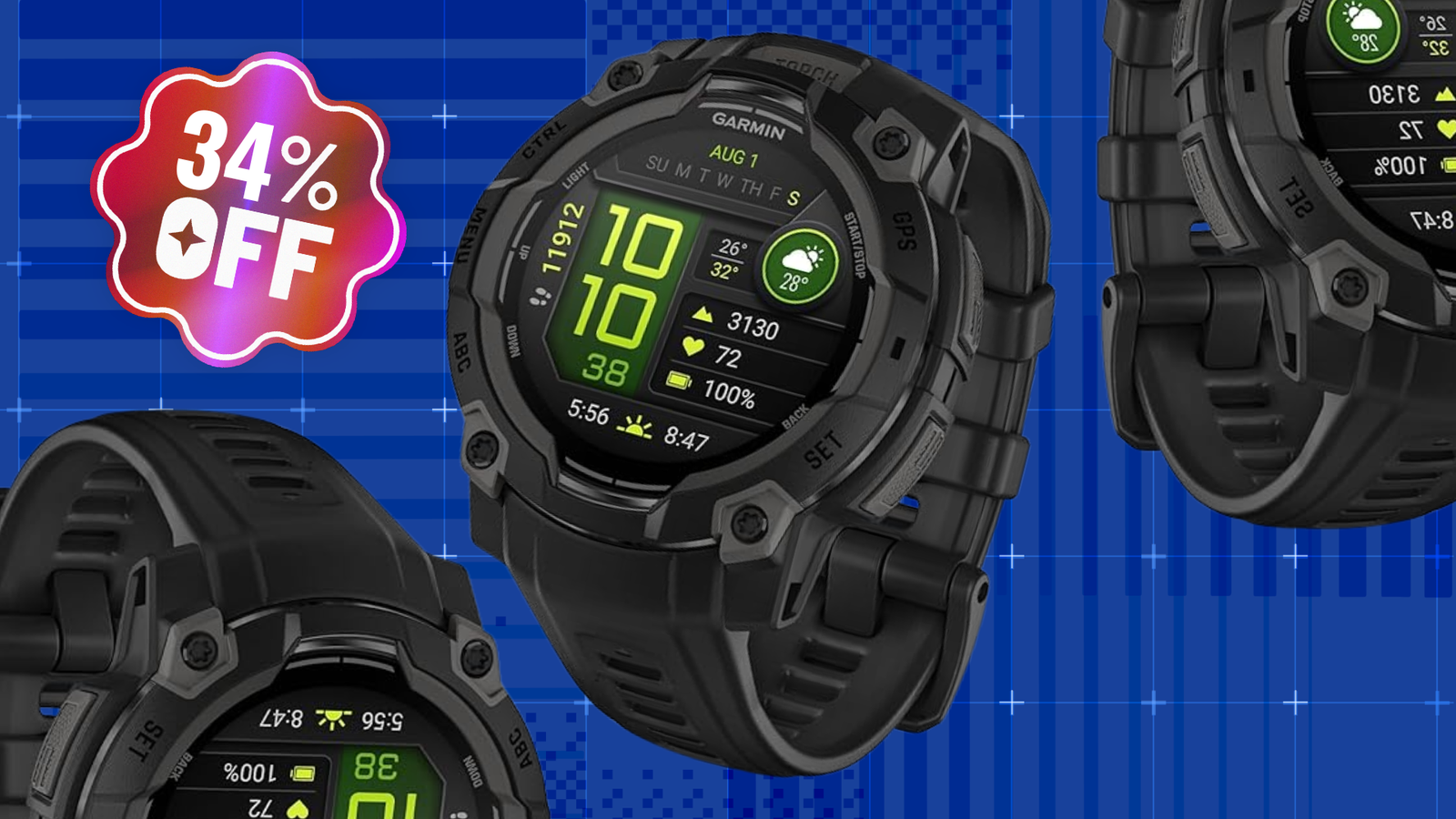
    The Garmin Instinct 3 is a beautiful, bold smartwatch built to handle everything from a brisk afternoon walk to going off-grid camping for over a week. With a rugged design, shockingly long battery life, and highly detailed health and wellness features, it can be on your wrist for a massive 34% off right now. Amazon has the Instinct 3 on sale for less than $300, down an impressive $150 from its $449.99 asking price. 

    Garmin Instinct 3 Smartwatch

    AMOLED, GPS, 4GB, Activity tracking, alarm clock, 100-meter water resistance


    $299.00
    at Amazon

    $449.99
    Save $150.99


    Get Deal

    This GPS smartwatch is something every adventurer should have in their arsenal. Firstly, it’s totally protected against the elements and water-resistant up to 100 meters in case your activities take a watery turn. The bezel is metal-reinforced, and its scratch-resistant 1.2-inch AMOLED display shows way more than just the time—a quick glance also reveals the date, weather, elevation, sunrise and sunset, your steps, and more. The menu looks slick and tactical, too, for a more unique aesthetic. Plus, because it syncs up to your other devices, you’ll also see smart notifications throughout the day (as long as you aren’t trying to go off-grid, of course). 

    But if you are trying to unplug from the real world for a few days and still want to take advantage of some of this watch’s fancy features, the Instinct 3 can last up to a shocking 18 days on a single charge in smartwatch mode. If you get lost or just need more visibility in the dark, the watch even has a built-in flashlight with multiple intensity levels and a red light mode! 

    And of course, the Instinct 3 is a data monster when it comes to your health and movement. It suggests daily workouts throughout your week and tracks up to 93 different workouts and sports profiles. From the standard walking and biking options all the way to niche activities like backcountry snowboarding, this watch has you covered. And all the while, it keeps tabs on your fitness progress, sleep health, and overall health to help you paint a full picture of your fitness. 

    Recommended by Our Editors

    For under $300, the Garmin Instinct 3 is a ridiculously rugged smartwatch that can help you take your health and adventuring to the next level. But if you’re feeling out all the options, check out our editors’ picks for the best smartwatches of 2026!

    More Smartwatch Deals

    *Deals are selected by our commerce team

    About Our Expert

  • Want a Foldable iPhone? Good Luck Getting Your Hands on It Outside the US

    Want a Foldable iPhone? Good Luck Getting Your Hands on It Outside the US

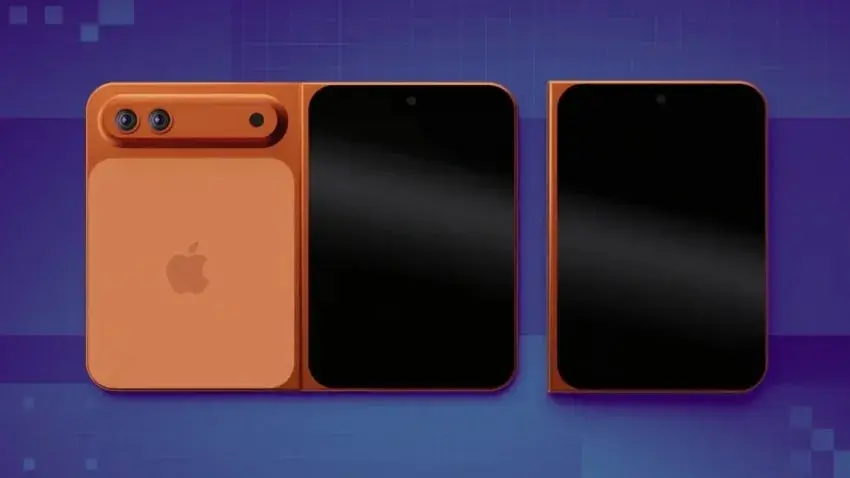
    If you’re looking forward to seeing Apple’s first ever foldable phone, you might not have long to wait—but good luck actually getting your hands on it when it does eventually launch. Early adopters outside the US or with limited funds could be out of luck.

    A major Chinese component supplier told Channel News earlier this month that Apple plans to reveal its first foldable iPhone, which may be called the iPhone Ultra, at its September 8 US launch event, alongside the iPhone 18 Pro and iPhone 18 Pro Max.

    However, the supplier said Apple is battling supply, testing and pricing issues which could mean a staggered rollout in countries outside of the US, such as in Australia, with larger markets like China next in line after the US.

    The supplier claimed that Apple had been hit by “more issues than expected” during production verification tests, with the hinge and foldable display highlighted as the major issues. Apple now reportedly plans to manufacture 7 to 8 million units of the new device in the second half of 2026.

    Mass production has repeatedly been pushed back according to the supplier, from its original target of June 2026, with Taiwanese manufacturing giant Foxconn making “adjustments” to its plans.

    The reports line up with those of well-known Apple leaker and analyst Ming-Chi Kuo, who also predicted supply issues constraining production, estimating Apple may only make 0.5 to 1 million units available in the third quarter of 2026, compared with 20 to 22 million units of the iPhone 18 Pro and Pro Max total in 3Q26.

    Kuo compares the situation to that of the iPhone X in 2017, where supply constraints linked to new tech like Face ID meant shortages over the holiday season and sky-high costs among retailers. It was the most expensive iPhone ever at launch.

    Recommended by Our Editors

    The foldable is expected to have a passport-style design that flips horizontally, as opposed to a vertical flip like the Samsung Z Flip 7 or the Motorola Razr Ultra, according to Bloomberg’s Matt Gurman.

    If the new foldable does actually launch in September, it will be the fulfillment of a long-held ambition for Apple. Rumblings of Apple working on a foldable started appearing as far back as 2016.

    If you can’t wait that long for a cutting-edge foldable, Samsung’s Galaxy Z Fold debuted last month.

    About Our Expert

  • Apple’s Vision Pro, Siri Teams Set for Major Job Cuts

    Apple’s Vision Pro, Siri Teams Set for Major Job Cuts

    The Apple Vision Pro may have broken new technical ground when it debuted two years ago, but after the first wave of early adopters, sales of the $3,499, 22-ounce headset haven’t exactly reached blockbuster levels. Apple reportedly cut production at the start of 2026, following Q4 sales that were estimated at just 45,000 by IDC. Unconfirmed reports even circulated of Apple’s incoming CEO John Ternus axing plans for a Vision Pro 2 or lightweight Vision Air entirely.

    Now, Apple is reportedly slicing roughly 200 jobs from across its Apple Vision and Siri teams, with about 100 staff from each segment up for the chop.

    According to Bloomberg’s Mark Gurman, the Vision Pro gaming team is set to be one of the worst affected, and will be largely shut down. This team had worked on developing the gaming ecosystem surrounding the headset.

    It’s also reportedly reducing the size of the Vision Pro immersive video content team, which works on building custom VR content for the platform, though it will still produce smaller-budget videos and encourage third-party producers to develop content for the platform. Bloomberg notes that production costs for these types of videos can run into the millions.

    Meanwhile, Apple’s decision to reshuffle the Siri team is reportedly due to pleas for the next version to be built on new technical infrastructure, “prompting the company to eliminate a small number of existing roles, reallocate resources, and create new positions supporting the updated Siri.” Some members of Apple’s Intelligent Systems Experience, a software engineering team that works on some AI features on its devices, are also set to lose their roles.

    Apple chalked up the changes to an attempt to realign priorities based on how customers were using the device, and allocate resources toward other products.

    Recommended by Our Editors

    Consumers interested in investing in an Apple headset may have more options soon, despite the cuts to the Vision Pro division. Apple is reportedly set to debut its new range of smart glasses, which will compete with Meta’s Ray-Ban line-up, at some point in 2027, though a release timeline hasn’t been officially confirmed.

    Gurman added that Apple is still considering a new Vision Pro model for release by the end of 2028 at the earliest.

    About Our Expert

  • Land 8 Hours of Practical Claude AI Training for Just $15

    Land 8 Hours of Practical Claude AI Training for Just $15

    TL;DR: Get four Claude AI courses with 100+ lectures, eight-plus hours of video, five projects, and quizzes for just $19.99 (MSRP $159).

    The Claude AI Professional eDegree teaches practical ways to use Claude for prompting, coding, integrations, and workflow automation. It includes four courses, more than 100 lectures, eight-plus hours of video, quizzes, five projects, and a professional certificate.

    The prompting module covers context management and techniques for producing more accurate, relevant responses. Claude Code lessons focus on AI-assisted code generation, debugging, agentic workflows, and VS Code integrations.

    Automation training covers Claude CoWork, plug-ins, sub-agents, and workflow systems. Students also learn to connect Claude with Gmail, Google Drive, Calendar, Chrome, MCP connectors, and other productivity tools.

    Five projects apply these skills to marketing workflows, AI websites, automation systems, educational content, virtual assistants, and AI-powered applications.

    The program is designed for developers, entrepreneurs, freelancers, creators, and professionals who want to reduce repetitive work and build more efficient workflows.

    Recommended by Our Editors

    Get the Claude AI Professional eDegree for $19.99 (MSRP $159) through Aug. 25.

    Claude AI Professional E-Degree


    $19.99
    at StackSocial

    $159.00
    Save $139.01


    Get Deal

    Prices subject to change. PCMag editors select and review products independently. If you buy through StackSocial affiliate links, we may earn commissions, which help support our testing.

    About Our Expert

  • The 5 Best Deals on Tech This Weekend From Garmin, Lenovo, Samsung, TCL, and More

    The 5 Best Deals on Tech This Weekend From Garmin, Lenovo, Samsung, TCL, and More

    Working in the deals department is surprisingly satisfying, because I treat every day sort of like a role-playing game. I venture into the dungeons of Amazon, Best Buy, and all the other top retailers and manufacturers, encountering products and dispatching them with my price-comparison tools and the spellbook of PCMag expert reviews that let me determine whether an offer is worth your time and money. The five deals that follow are some of the best treasure I looted, top-rated items from Samsung, Lenovo, and other top brands at discounts as high as 50% off.

    Lenovo Idea Tab Deal

    Lenovo Idea Tab

    11-inch 2.5K display, MediaTek Dimensity 6300 CPU, 8GB RAM, 256GB storage


    A price drop of 27% on Lenovo’s excellent all-purpose Idea Tab is a great way to start us off. Lenovo makes some of the most reliable Android tablets on the market, with crisp screens, solid builds, and speedy performance. This one is an entry-level model but still impresses, with a 2.5K display that boasts a speedy 90Hz refresh rate for smooth scrolling and gaming. Battery life is also a strong point, with up to 12 hours of video playback on a single charge. Not only do you get a discount, but it also ships with a folio case and a Lenovo Tab Pen stylus for faster note-taking and AI features like Circle to Search. It definitely dominates on our list of the best cheap tablets.

    More Tablet Deals

    *Deals are selected by our commerce team

    TCL S5 75-Inch 4K Smart TV Deal

    TCL S5 75-Inch 4K Smart TV

    75-inch screen, HDR 10, HDR 10+, HLG, Dolby Vision, 60Hz refresh rate, Google TV


    $399.99
    at Best Buy

    $649.99
    Save $250.00


    Get Deal

    If you don’t need the absolute latest model, there are some spectacular bargains to be found in Best Buy’s TV offerings. This TCL S5 hit stores two years ago, but seeing it discounted by 39% is a surprise. The S5 is one of the absolute best 75-inch displays you can get at this price, with support for a wide variety of picture modes including Dolby Vision, HDR 10, HDR 10+, and HLG (Hybrid Log Gamma). The high-brightness LED backlight makes it useable in lots of different environments, and a trio of HDMI Inputs, including one with eARC, let you hook up multiple consoles, streaming boxes, and other input sources. We have a review of an older S5 model where we marveled over how great the color range and accuracy was for the price.

    More TV Deals

    *Deals are selected by our commerce team

    SteelSeries Arctis Nova 3P Wireless Gaming Headset Deal

    SteelSeries Arctis Nova 3P Wireless Gaming Headset

    USB-C, Bluetooth,


    $59.99
    at Woot

    $109.99
    Save $50.00


    Get Deal

    We gave an “Excellent” rating to the Arctis Nova 3P in our review, calling it an incredible value at its $110 retail price thanks to well-balanced sound, support for spatial audio on PC platforms, and a huge amount of customization and EQ options. Now cut 45% off that already low price and you’ve got a deal that’s impossible to beat. These comfortable over-ear headphones are lightweight, fit well, and come with over 200 presets for top games like Fortnite, Call of Duty, and Minecraft. Battery life is also quite good at 40 hours, with a newly optimized fast charging system giving you 9 hours of playtime after just 15 minutes of plugging in. We did note that the onboard microphone wasn’t the sharpest we’ve ever tested, but it’s more than sufficient.

    More Gaming Headset Deals

    *Deals are selected by our commerce team

    Garmin Vivoactive 5 Smartwatch Deal

    Garmin Vivoactive 5 Smartwatch


    $186.97
    at Amazon

    $299.99
    Save $113.02


    Get Deal

    If you need a technological companion to keep you honest and motivated on your fitness journey, the Garmin Vivoactive 5 is one of the best exercise-focused wearables on the market, earning an “Excellent” rating in our review. With a gorgeous AMOLED touch screen that’s visible even in direct sunlight, great biometric sensors and health metrics, and a surprising amount of lifestyle features like contactless payments and phone notifications, it sits in the sweet spot between a dedicated fitness tracker and a general-purpose smartwatch. We loved its durability, with Corning Gorilla Glass 3 covering the face and 5ATM water resistance. Amazon has a 38% discount on this model right now.

    Recommended by Our Editors

    More Smartwatch Deals

    *Deals are selected by our commerce team

    Samsung G6 27-inch QHD Gaming Monitor Deal

    Samsung G6 27-inch QHD Gaming Monitor

    27-inch screen, QHD resolution, 240Hz refresh rate


    $397.99
    at Woot

    $799.99
    Save $402.00


    Get Deal

    Let’s close out with an unbelievable 50% discount on one of Samsung’s most impressive new displays, a QHD OLED gaming monitor designed for ultra-fast experiences thanks to a 240Hz refresh rate and 0.03ms gray-to-gray response time. While we haven’t taken this one into the lab yet, we do have a preview writeup where we noted that it delivered more vibrant colors and deeper contrast thanks to Samsung’s Quantum Dot material, with an impressive peak brightness of 1,000 nits. Support for both Nvidia G-Sync and AMD FreeSync Premium Pro let you play at high framerates without tearing or glitching. A new dynamic cooling system dispenses with the traditional graphite plate and introduces a pulsing heat pipe that claims to work five times better at preventing burn-in.

    More Gaming Monitor Deals

    *Deals are selected by our commerce team

    Want to see where all the savings come from? Our deals page is unbeatable.

    About Our Expert

  • A Deal Worth Amplifying: Save Over 25% With This Bose Bluetooth Speaker Today

    A Deal Worth Amplifying: Save Over 25% With This Bose Bluetooth Speaker Today

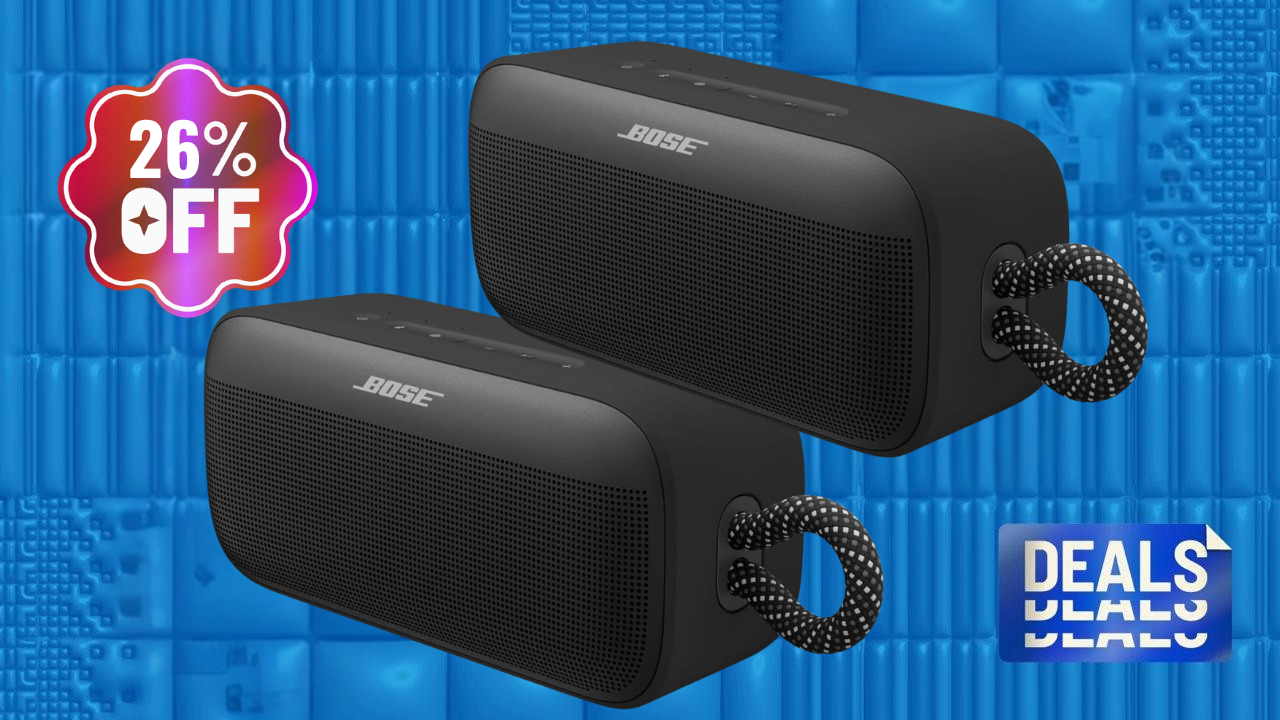
    Let the music play with this deal. Amazon has the Bose SoundLink Plus Bluetooth speaker on sale for $199, down from its regular $269 list price. This gives you a 26% discount on a premium portable speaker featuring resonant acoustics with booming bass, IP67 dust and waterproof durability, up to 20 hours of battery life, USB-C power-out charging, and Bose SimpleSync connectivity. Connect with this deal before it’s too late.

    Securing a premium, rugged outdoor speaker equipped with 20-hour stamina, custom app EQ tuning, and phone-charging capabilities for under $200 is an exceptional value. It makes this flash clearance the ideal window to upgrade your outdoor entertainment system or travel audio kit.

    This $70 price cut lowers the financial barrier typically tied to premium audio, giving hikers, beachgoers, and backyard hosts an opportunity to capture signature Bose acoustic warmth and go-anywhere durability without standard retail price strain. I’d grab it before the discount gets any ideas!

    AMAZON DEAL ALERT

    Bose SoundLink Plus Bluetooth Speaker

    Bold Bose audio, booming bass, IP67 waterproof, 20h battery, USB-C charge out, Bose SimpleSync


    $199.00
    at Amazon

    $269.00
    Save $70.00


    Get Deal

    The Bose SoundLink Plus speaker gets the party started with bold, resonant acoustic drivers with deep, booming bass. It comes with an IP67 dust proof, waterproof, shock-resistant, and rust-proof build with an integrated carry loop. PCMag expert Christian de Looper even rated it “Excellent” in his in-depth review, calling it a high-end portable speaker with a stylish and rugged design, good sound quality, and support for a wide range of Bluetooth codecs. Completed by up to 20 hours of battery life, USB-C device charging, custom app EQ tuning, and SimpleSync smart pairing, it effortlessly handles your on-the-go music needs.

    The Bose SoundLink Plus masterfully pairing rich acoustic depth with an adventure-proof design. At under $200, it places 20 hours of battery life, USB-C device charging, and IP67 weather resistance straight into your backpack. Get one, and make sure the party never stops.

    Recommended by Our Editors

    However, if you’re looking to overhaul your entire audio setup, check out PCMag’s Amazon Back-to-School roundup, which features epic discounts on speakers, headphones, and earbuds, along with a lot more.

    More Deals on Outdoor Speakers

    *Deals are selected by our commerce team

    • More Bluetooth Speaker Deals on Amazon

    • More Bluetooth Speaker Deals on Walmart

    • More Bluetooth Speaker Deals on Best Buy

    About Our Expert

  • Watch Out for This Deal: Take 37% Off the Gorgeous Garmin Vivoactive 5 Smartwatch

    Watch Out for This Deal: Take 37% Off the Gorgeous Garmin Vivoactive 5 Smartwatch

    Like to keep an eye on your physical health as much as you do the time? You can check both at once with a smartwatch, arguably one of the most popular wearable devices money can buy. Garmin is considered royalty in the wearable space, especially among athletes and runners, and has a whole assortment of smartwatches to choose from. 

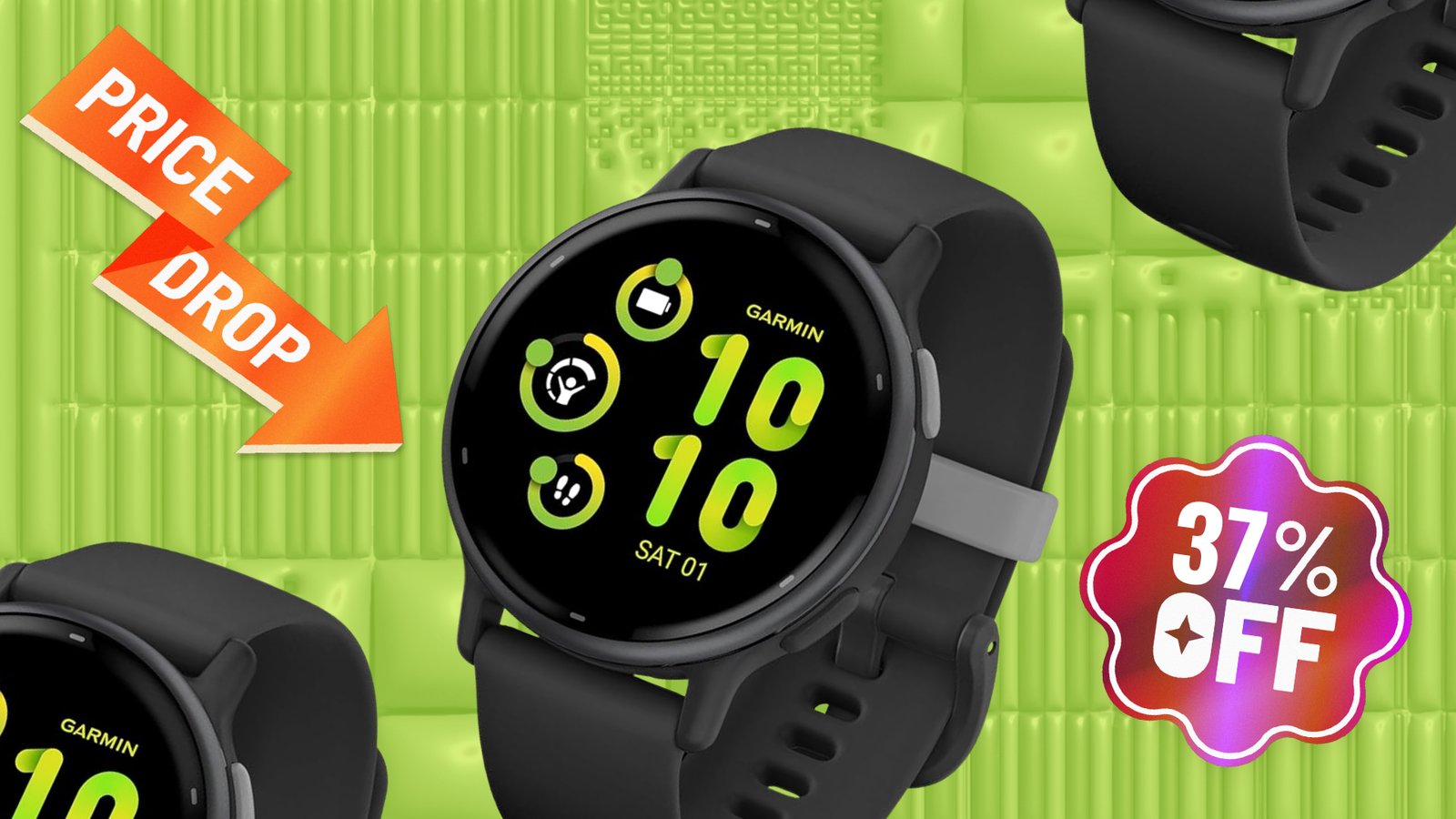
    But allow me to put the spotlight on the Garmin Vivoactive 5 smartwatch right now. Why? Not only does it pack GPS tracking, 11-day battery life, and health tracking into its bright display—it’s also a massive 37% off right now on Amazon. That cuts $110 off the $299.99 list price, bringing this smartwatch below $200. It’s savings time, baby! 

    Garmin Vivoactive 5

    4GB storage, 264-hour battery life, 164 feet water resistance


    $189.99
    at Amazon

    $299.99
    Save $110.00


    Get Deal

    Sure, the Vivoactive 5 can tell the time, but that’s the least interesting thing about this smartwatch. It has a gorgeous, vibrant 1.2-inch AMOLED display that gives you a quick status snapshot of your daily activity, along with the hour and minute, which you can customize to your liking. It might not be the newest version of the Vivoactive, but this smartwatch still packs all the punchy features you need to paint a holistic picture of your health. 

    It can track any way you move, with more than 30 preloaded GPS and indoor sports apps, including running, walking, swimming, and even wheelchair-based activities. But if you need a little guidance, you can follow exercises built right into your watch instead—or even create your own in the app. However, my favorite bit will pique your interest if you’re a runner: the watch also features the Garmin Coach, which provides free adaptive 5K, 10K, and half-marathon training plans right from the experts themselves. 

    The Vivoactive 5 also offers advanced health features such as menstrual and pregnancy tracking, HRV status, sleep data, heart rate monitoring, Pulse Ox, stress metrics, and more. The watch will also consolidate all the data it collects to deliver a Body Battery rating that shows your energy levels, sleep quality, and how stress might be affecting your day. It comes wrapped up in a morning report that helps you prepare for the day ahead! 

    Recommended by Our Editors

    All that with an 11-day battery life, 4GB of storage, and water resistance up to 164 feet? It’s enough to warrant an “Excellent” rating in our detailed review. PCMag expert Andrew Gebhart especially loved it for its rounded design and onboard music storage. And for $110 off, the time is ticking to snag your own! 

    And if you’re looking for something different, check out our experts’ list of the best smartwatches for 2026! 

    More Smartwatch Deals

    *Deals are selected by our commerce team

    About Our Expert

  • Can Google Flow Really Turn Your Prompts Into Movie Magic? I Had to Find Out

    Can Google Flow Really Turn Your Prompts Into Movie Magic? I Had to Find Out

    As a one-time aspiring filmmaker, I still like to play around with video editing software. Curious about what AI video generators can do for my movie-making experimentation, I gave Google Flow a try. But can it really replace traditional filmmaking? I had to test it out.

    I learned that Flow can generate videos using text prompts or uploaded images. You describe every detail about the scene, camera movements, and angles, then add sound effects, background noise, and even speech. Google’s tool then creates a video with multiple clips; select the one you like, then build, extend, and fine-tune it from there. Here’s how my experiment went, and how you can create movie magic with Flow.


    What You Need to Use Flow

    You can use Google Flow with either a free account or one of the paid AI subscription plans. To provide access to Flow, Google doles out a certain number of credits per day or per month:

    • Free accounts: 50 credits per day (credits refresh daily, so you don’t have more than 50 credits to use at any one time)

    • Google AI Plus: 200 credits each month.

    • Google AI Pro: 1,000 credits each month.

    • Google AI Ultra ($100): 10,000 credits each month.

    • Google AI Ultra ($200): 25,000 credits each month.

    The number of credits you chew up depends on the model you select and the duration of your videos. For the model, you can choose among Omni Flash, Veo 3.1 Quality, Veo 3.1 Lite, and Veo 3.1 Fast. The Omni Flash and Veo 3.1 Quality models generate higher-quality videos but take longer to run and use up more credits. The Veo Lite and Fast models are of lower quality but don’t take as long and use fewer credits. The credit allocation per model and duration works as follows:

    • Gemini Omni Flash: 15 credits for 4 seconds, 20 credits for 6 seconds, 25 credits for 8 seconds, 30 credits for 10 seconds. 40 credits to edit an uploaded video of any length.

    • Veo 3.1 Quality: 100 credits for 8 seconds of video.

    • Veo 3.1 Lite: 10 credits (5 credits for Ultra subscribers) to create a 4-second, 6-second, or 8-second video.

    • Veo 3.1 Fast: 20 credits (10 credits for Ultra subscribers) to create a 4-second, 6-second, or 8-second video.

    Omni Flash and Veo 3.1 Quality are only available to paid accounts. However, free users can use Omni Flash in YouTube through the YouTube Shorts and YouTube Create app features at no extra cost. Paid subscribers are able to choose among all four models, but should still keep track of how many credits are used for each video. I have an AI Pro subscription, so I can tap into any of the models, though I’m careful not to bump up against my monthly limit of 1,000 credits.

    Google's Veo 3 Helped Me Produce This Video

    PCMag Logo

    Google’s Veo 3 Helped Me Produce This Video


    Set the Model and Number of Videos

    You should be able to create your video from any desktop browser. Google recommends you use the Chromium-based Chrome or Edge, but I had no trouble using Firefox. Log in to the Flow website with your Google account, then click New project and select the Settings icon to the right of the prompt.

    Sign in to the Flow Website

    (Credit: PCMag / Google)

    Here, you can change the number of videos generated and which model to use. If credits are at a premium, click 1x to create one video; otherwise, you can go for two. For the model, I typically use Veo Lite or Veo Fast to limit the number of credits used and then turn to a Quality model only for a video I want to publish or share. Certain models also allow you to choose the duration of the video.

    Set the Model and Number of Videos

    (Credit: PCMag / Google)


    Create a Video From a Prompt

    Since I plan to describe the video using only text, I type what I want at the prompt. I’ll sometimes use an AI chatbot, such as ChatGPT or Gemini, to create a prompt for me based on details that I provide. After adding my description, I click the arrow to submit it. For this one, I submitted the following description:

    Create a photorealistic and cinematic video capturing a tense, epic aerial battle high above New York City at midday. The shot is a dynamic tracking medium close-up following a determined female superhero in a sleek, dark blue and silver suit as she dodges an energy blast. Shimmering golden energy crackles around her clenched fists. Her adversary is a massive, insectoid robot with a glinting metallic carapace and multiple glowing red optical sensors, which transforms its limbs into plasma cannons. The bright, high-contrast sunlight casts sharp shadows, emphasizing the action-packed and dangerous confrontation against a backdrop of towering skyscrapers.

    Describe the Video

    (Credit: PCMag / Google)

    Flow then creates the number of videos I specified. I can click the video to play it. Hovering over any video displays a small toolbar in the upper right. From there, I can click the three-dot icon to download, rename, share, or delete the video. Click Done, and the video is saved to your library.

    Review and Play the Videos

    (Credit: PCMag / Google)

    If you want to add music or dialogue, you’ll need to specify that in the prompt. For the music, I can just write something like “soft jazz music is playing in the background.” For the dialogue, I have to identify which character should be speaking and put the words in quotes. Here, I submitted the following prompt:

    “A man and a woman are in a crowded department store. Soft jazz music is playing in the background. The man is kneeling on one knee and holding an engagement ring. He says to the woman: ‘Will you marry me?’ The woman says: ‘Sir, this is a Walmart.’”

    Create a Video With Music and Dialogue

    (Credit: PCMag / Google)


    Create a Video From an Image

    You can also use still images to create your video, either by generating them within Flow or uploading them. To do this, New Project from the main screen, pick your model, then click the plus icon. At the media window, I clicked Upload media and picked the photo I wanted to use to create the video.

    Create a Video From an Image

    (Credit: PCMag / Google)

    In this case, I chose a photo of me sitting in the captain’s chair of the Enterprise at a Star Trek set recreation. Since Flow is relying heavily on the still image, I can keep the description brief and simple. I submitted the description as follows:

    A medium shot of a confident and determined male captain in his late 30s, sitting in the iconic command chair on the bridge of the Federation starship USS Enterprise. He is wearing a classic gold Star Trek captain’s uniform from the Original Series era, reminiscent of the one worn by Captain Kirk. The camera slowly pushes in on the captain’s face, capturing his focused gaze.

    Based on the image and my description, Gemini created the video, which I could then play and control.

    Recommended by Our Editors

    Generate the Video

    (Credit: PCMag / Google)


    Create a Video From a Video

    You can also create a new video from a video stored in your Flow library or uploaded from your computer. I added my video by clicking the plus sign at the prompt, selecting Upload media, and then choosing the video from my PC. I next clicked on the plus sign again, selected the video, and clicked Add to prompt.

    Here, I used a video of a large animated dinosaur model I had shot at a London museum. I kept the prompt simple and told Flow to create a video of a dinosaur wearing a Santa hat running rampant down a London street. In response, the AI generated a video using the dinosaur from the photo, but then expanded it to a London Street scene with Big Ben in the background.

    Create a Video From a Video

    (Credit: PCMag / Google)


    Create a Character

    You can also generate your own character to use in your videos. To do this, I selected Characters at the main screen. I was then able to choose one of the default characters, upload an image of a person or animal, or describe the character through text. I opted to upload an image of a goat. I was then asked to choose a name and voice for the character and describe how the character acts.

    Create a Character

    (Credit: PCMag / Google)

    When I was finished creating my character, I started a new prompt, clicked the plus icon, and then chose the character from the media window. I then described the video I wanted with the description: “Professor Goat is lecturing in front of a classroom of students and is drawing a mathematical equation on a blackboard.” In response, it created a clever video with a goat man teaching math before a class of students.

    View the video

    (Credit: PCMag / Google)


    Can Google Be Your Cinematographer?

    While the videos all looked great, very cinematic, and stylish, AI is still imperfect and glitches do pop up. In my experience, Flow didn’t always follow every detail in the prompt. As one example, the mouths of characters sometimes didn’t move when speaking. With time and tweaking, I could probably fix those errors. Still, as a first attempt in each case, Flow turned out to be a fairly adept filmmaker.

    About Our Expert

  • Apple’s Most Affordable Earbuds Are 23% Off at Best Buy Today

    Apple’s Most Affordable Earbuds Are 23% Off at Best Buy Today

    Music is everywhere, but the general population doesn’t want to hear what you’re listening to on the subway. You need a pair of headphones or earbuds to cultivate your own private Idaho soundscape, but you don’t need to shell out more than a Benjamin right now to get one of the best pairs of casual earbuds on the market. 

    Why? Because Best Buy has the Apple AirPods 4 on sale right now for $30 off, bringing the $129.99 list price down to $99.99. They might be the company’s most affordable wireless earbuds, but I’m sure you know—anything Apple puts its name on comes out of the factory looking (and sounding) fly, so this sale makes it the perfect time to grab a pair of your own. 

    Apple AirPods 4

    Personalized Spatial Audio, H2 chip, Voice Isolation, 30 hours of total listening


    $99.99
    at Best Buy

    $129.99
    Save $30.00


    Get Deal

    As Apple’s entry-level wireless earbuds, the AirPods 4 don’t automatically come with active noise cancellation, but you can buy the version that does, which is currently our top pick for open earbuds. However, the AirPods 4 without active noise cancellation are a far more economical choice, since they’re about $80 cheaper with this deal right now. So, if you don’t care about drowning out the world around you, these earbuds are perfect for you. 

    Besides looking cool, the AirPods 4 also deliver exceptional audio performance right to your ears. The bass is impressive, and the highs are extra crisp—all made more immersive by Personalized Spatial Audio with dynamic head tracking to make you feel like you’re in a movie theater. And thanks to Apple’s newest H2 chip that supports Voice Isolation to reduce background noise, even your calls sound crystal clear. 

    What if you need to ask Siri a question? Well, since AirPods are nestled deeply within Apple’s ecosystem, you can summon the voice assistant with a simple “Siri” or “Hey Siri.” And if she asks a question, you can respond with a simple shake of your head for “yes” or “no.” Pretty neat! The cherry on top is an impressive 30-hour total battery life (when you consider the charging case) and the fact that both the case and the buds themselves are IP54-rated for dust, sweat, and water resistance. 

    In our detailed review, PCMag expert Tim Gideon gave the AirPods 4 an “Excellent” rating, calling their audio performance “exceptional” for an open-ear design. So grab a pair of these excellently affordable buds for yourself! 

    Recommended by Our Editors

    But if you’re looking for something different, check out our experts’ list of the best wireless earbuds for 2026.

    More Earbud Deals

    *Deals are selected by our commerce team

    About Our Expert