Category: Technology

  • Stop Deleting Photos To Free Up Space When 1TB of Storage Is Only $160 for Life

    Stop Deleting Photos To Free Up Space When 1TB of Storage Is Only $160 for Life

    TL;DR: A Koofr 1TB lifetime cloud storage plan is $159.99 with code KOOFR (MSRP $810) through August 5—storage that never needs to be renewed or expires.

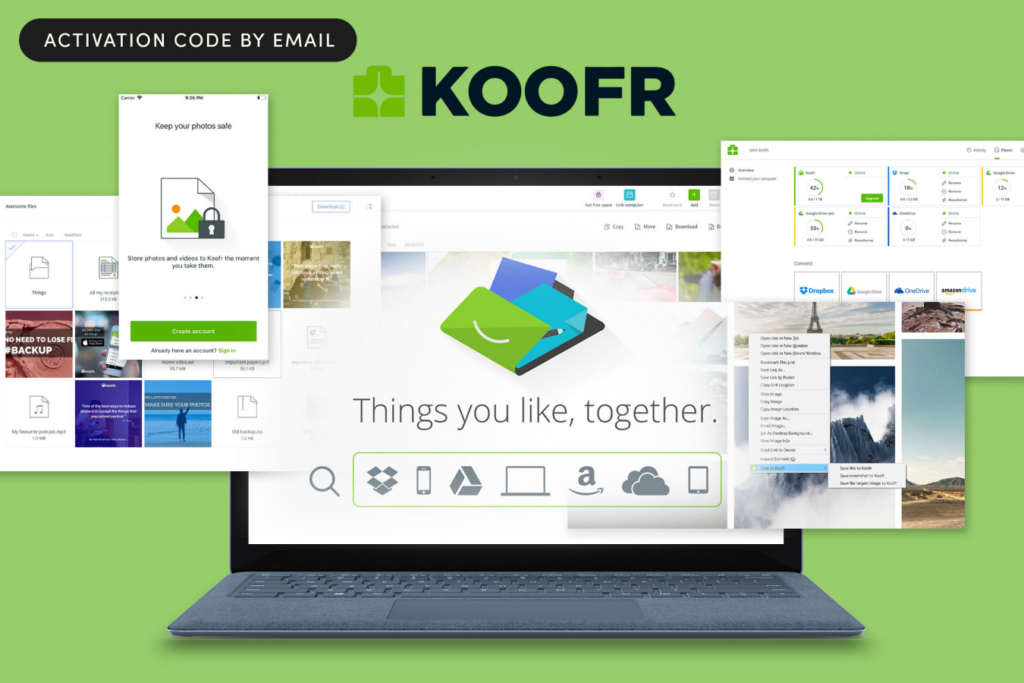
    A phone fills up faster than most people expect, and the usual fix is deleting things you’d rather keep. Koofr’s 1TB Lifetime Plan gives that media somewhere permanent to live instead.

    1TB covers roughly 250,000 photos, 500 hours of video, or millions of documents, more than enough room to digitize old media and offload what’s sitting on a device unnecessarily. Old photo libraries, home videos, scanned documents, all of it can move off a phone or laptop and into an encrypted storage space.

    Connects to the Places You’re Already Storing Stuff


    Koofr also connects directly to Google Drive, Dropbox, and OneDrive, so files can be moved and managed across platforms without having to download and re-upload everything by hand. A built-in duplicate finder automatically clears out redundant copies, which matters more once a decade of camera roll backups start piling up in one place.

    Everything is encrypted and accessible from any device, so the archive remains accessible without being local. It’s a single purchase that replaces years of monthly cloud bills and gives cluttered phones and laptops somewhere to offload to.

    Reviews and Accolades

    It’s not just us saying Koofr is worth it. The service is sitting at 4.6/5 on G2, GetApp, and Capterra, plus 4.3/5 on Trustpilot and 4.0/5 on TechRadar, and the 608 people who’ve actually bought this lifetime plan rate it 4.8/5.

    “In a world full of subscription models, I appreciate having this as an option to backup my photos,” one buyer, Brandon Nguyen, wrote, adding that the duplicate file finder is a nice touch for keeping storage in check.

    Recommended by Our Editors

    Another reviewer, Wan Marco, kept it simple: “great storage, good speed and sync logic, worth the money.”

    Get 1TB of Koofr cloud storage for $159.99 with code KOOFR at checkout, MSRP $810, before the offer ends August 5 at 11:59 p.m.

    Koofr Cloud Storage

    Lifetime Subscription (1TB)


    $159.99
    at StackSocial

    $810.00
    Save $650.01


    Get Deal

    Prices subject to change. PCMag editors select and review products independently. If you buy through StackSocial affiliate links, we may earn commissions, which help support our testing.

    About Our Expert

  • I Swapped My Apple Watch for an Analog Timex to See What I’d Miss Most

    I Swapped My Apple Watch for an Analog Timex to See What I’d Miss Most

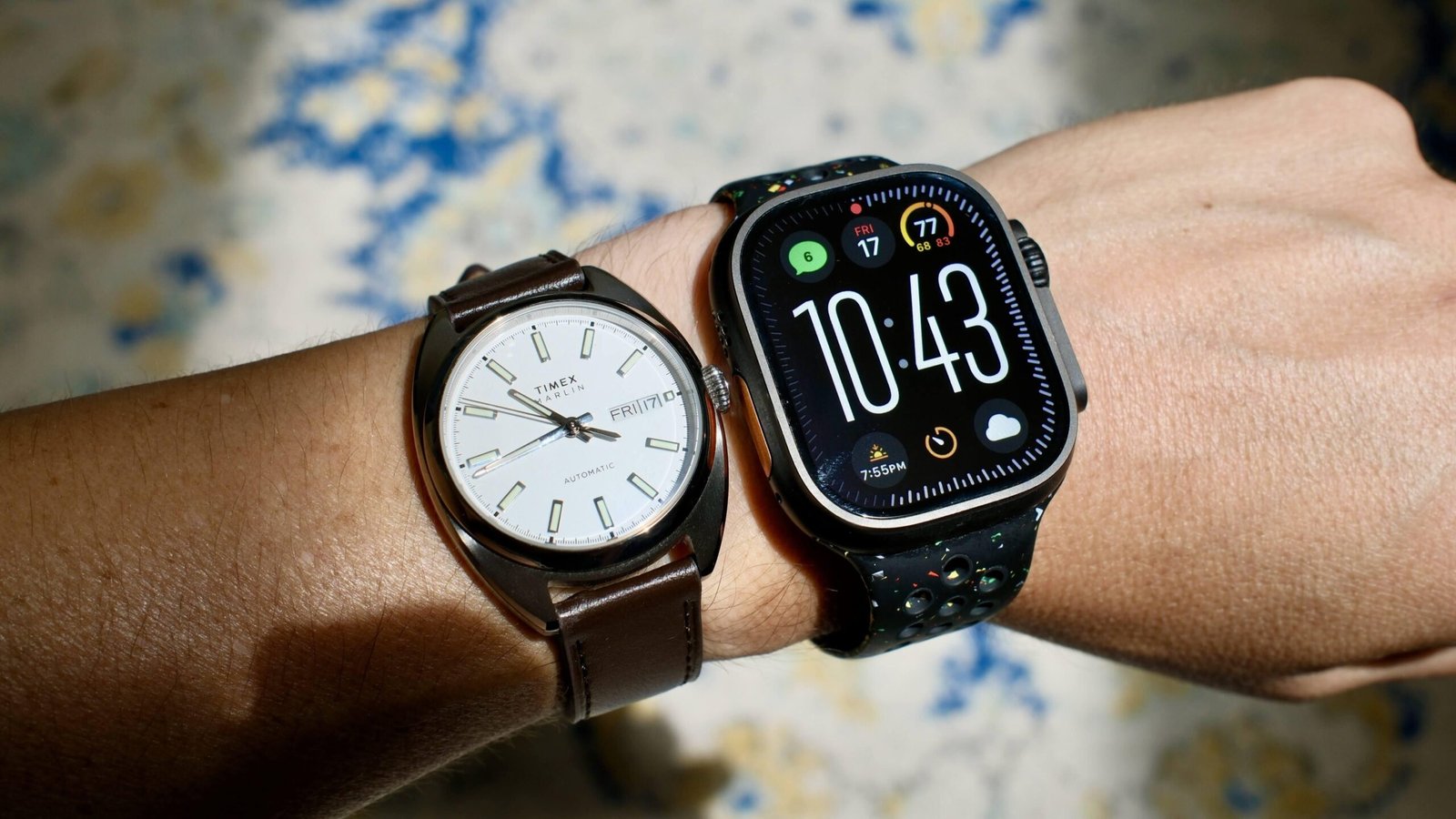
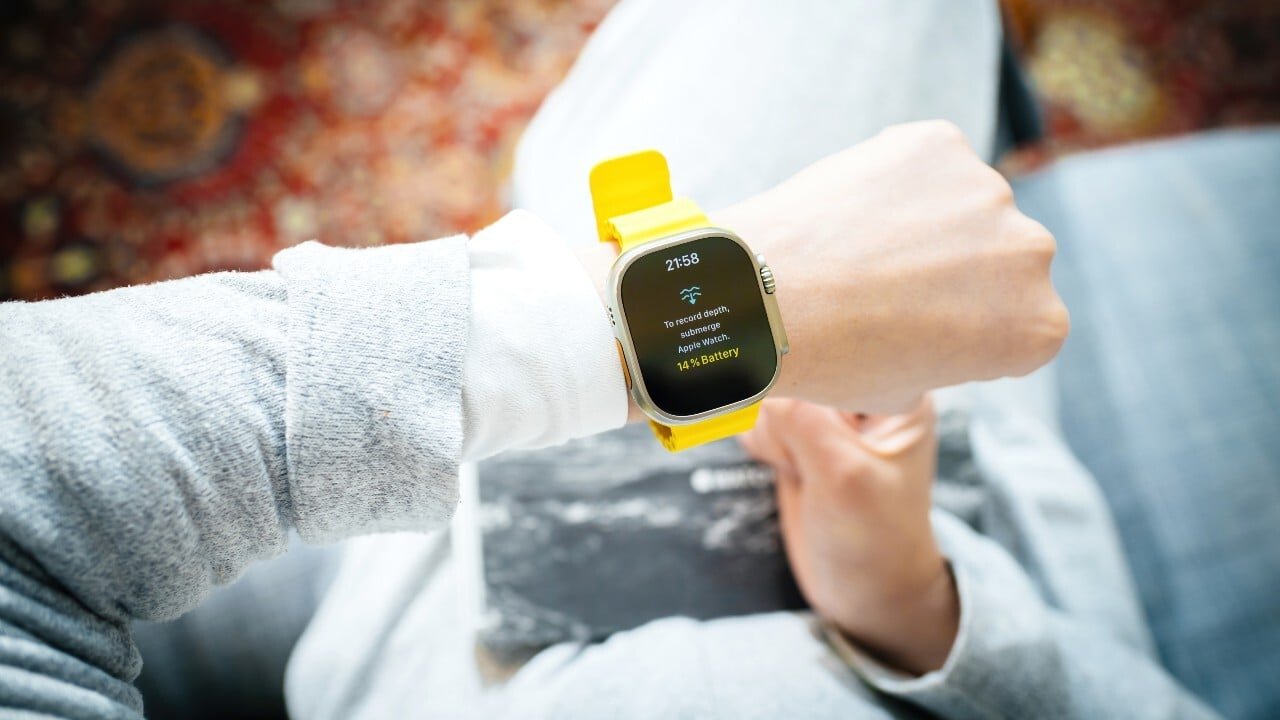
    After 11 years of wearing an Apple Watch almost daily, I stopped cold turkey, swapping my Ultra 3 for a relatively cheap automatic-movement Timex to get a sense of the kinds of problems Apple’s smartwatch is solving and where it falls short.

    As a technology journalist and creator who’s constantly evaluating gadgets, I didn’t use this time to question whether the Apple Watch is the best smartwatch. For iPhone users, it’s really the only option. Instead, I spent just over a week seeing whether wrist-based notifications, fitness stats, and other smartwatch features are critical to my daily life or just nice-to-haves.

    1. Critical: Notifications

    Before I started this experiment, I knew that I would miss getting notifications on my wrist. But would I miss being constantly notified? It’s a small, but important distinction.

    Whenever my son and I play wiffle ball in the backyard, a nearby motion-activated camera sends a flurry of alerts to my watch, which I check and dismiss. It’s enough that my son has commented on how often I peek at my wrist, so I’ve enjoyed getting a break from those interruptions while wearing an analog watch.

    However, not wearing an Apple Watch meant that I often returned to an iPhone full of notifications. The timely texts were particularly unfortunate to miss. After a couple of days, I made sure not to leave my phone in far-flung corners of the house so I wouldn’t miss anything pressing. If you want to stay on top of incoming messages, reminders, and alerts, an Apple Watch is a must-have.

    2. Nice to Have: Battery Life

    Screen shot showing ScreenTime Pickups

    The number of times I picked up my phone went way up when not wearing an Apple Watch. (Credit: Tyler Hayes)

    One area I wasn’t expecting to evaluate was battery life. As I started carrying my phone around the house more, I checked it more frequently—43% more than the week before, according to my Screen Time data—and my iPhone’s battery life took a hit. Using an Apple Watch would improve your iPhone’s battery life to some degree, but I wouldn’t recommend buying one just for this reason. It’s an added benefit but not a critical use.

    3. Nice to Have: Live Activities

    A wrist wearing an Apple Watch showing a live activity timer

    (Credit: Tyler Hayes)

    Live Activities and persistent widgets are still relatively new to watchOS, but I’ve grown pretty accustomed to them, and I missed seeing quick updates on MLB games, the World Cup, and F1 Grand Prix when I glanced at the Timex. That said, muscle memory only took a day to overcome, and I hadn’t relied on Live Activities as I did with notifications. So, unless you’re a sports professional or very eager to track your DoorDash order in real time, I don’t think this should be the sole reason to buy an Apple Watch.

    4. Nice to Have: Apple Pay, Homekey, and Carkey

    An Apple Watch showing a Homekey on the screen

    (Credit: Tyler Hayes)

    One day, I held my wrist up to my smart lock when arriving home. Nothing happened, of course, and it took a few swipes to realize I wasn’t wearing my Apple Watch and would need to use my phone or enter the code to get inside. I could imagine a similar scenario when using tap-to-pay with my Apple Watch. Both scenarios, however, are more a convenience than a critical feature.

    5. Critical: Workouts

    Wrist with Apple Watch showing Workout app

    (Credit: Tyler Hayes)

    This was a tough one for me. The Apple Watch has become so critical to my fitness routine that I had to break this experiment on my daily 35-minute run. All 8,000 miles I’ve run over the last six years have been captured on my Apple Watch and stored in Apple Health, and I didn’t want to break that streak. My strongest argument here is that I run without my phone, which offers a lightweight way to track my distance, heart rate, and location, make calls, and stream music.

    Recommended by Our Editors

    Even if you aren’t trying to close your exercise rings every day, the Apple Watch may be worth it for the health tracking alone, from alerts about high or low heart rates and falls to ECG readings and data about VO2 max and blood oxygen levels.

    The Verdict

    This experiment helped solidify how much I need and like using the Apple Watch. Notifications have changed how often I mindlessly pick up my phone, while the Workouts app has become an integral part of my fitness regimen. Everything else can be classified as a nice-to-have, but all those niceties add up and could push you into the Apple Watch camp if you’re deciding among a smartwatch, smart ring, or budget fitness tracker.

    So, I’m not ditching my Apple Watch. But my biggest realization is that I don’t need to wear it all day, every day. Apple needs to keep innovating (ahem, battery life for sleep tracking) if it wants its wearable to remain on top.

    One way Apple could make its Apple Watch feel more necessary to more people is to deeply integrate its new Siri AI and make the watch a fully capable personal assistant. Stay tuned for the watchOS 27 launch this fall to see if Apple can deliver.

    About Our Expert

  • Microsoft May Soon Let You Digitize Your Xbox Game Discs

    Microsoft May Soon Let You Digitize Your Xbox Game Discs

    Microsoft may quietly be laying the foundation for an all-digital future for Xbox games. A leaked document has revealed that the company is planning to launch a disc-to-digital program this month to help gamers digitize their physical Xbox games.

    The program will reportedly let users insert a disc into an Xbox console and receive a digital license for the game via their Xbox account. Players can then launch the game on any Xbox device, but will lose the license if their physical disc is used by someone with a different Xbox account. The disc will continue to function.

    A beta test was supposed to roll out last month, and general availability for Xbox One and Xbox Series X users is expected this month, The Verge reported on Monday, citing a document Microsoft sent to game developers. Since the beta was delayed, it’s unclear if the August timeline will hold for Xbox One and Series X users, the report adds.

    The leaked roadmap also included several other major updates for the future of Xbox games, including a “full PC launch” of all original Xbox titles in October, following the announcement of the first four games just last month.

    The leaked roadmap additionally shows that all Xbox 360 games would gradually roll out to next-gen Xbox devices, including the Project Helix console, Xbox PCs, and handheld devices, by 2027 or 2028. All of this could be part of the “reset” new Xbox CEO Asha Sharma announced in July.

    Recommended by Our Editors

    The report arrives just weeks after Sony announced plans to completely shut down its physical disc business by 2028. The all-digital future wasn’t well-received by the gaming community, but Sony has said it will proceed cautiously with its decision.

    About Our Expert

  • Snag These Sony Headphones for Under $100 While You Still Can

    Snag These Sony Headphones for Under $100 While You Still Can

    Sometimes I want big sound that I can’t necessarily always get from my earbuds. However, a new pair of headphones can be quite expensive! Not the Sony WH-CH720N headphones, though. They’re relatively affordable while also having great features that enhance the experience. They’re now on sale over at Amazon, with the price knocked down to $98 from its original $178.99 price tag. That’s $82 in savings!

    Sony WH-CH720N Headphones

    35-hour battery, 192g, 3-minute quick charge


    $98.00
    at Amazon

    $179.99
    Save $81.99


    Get Deal

    As of August 3, the Sony WH-CH720 headphones are 46% off. According to CamelCamelCamel, this is the lowest price they’ve been at since the start of summer.

    The Sony WH-CH720 headphones are incredibly light. They weigh only 192g are incredibly comfortable. They don’t compromise on audio and noise cancellation capabilities either. The Digital Sound Enhancement Engine creates a more immersive soundscape by delivering clear and detailed sound, as well as natural vocals and balanced tuning. Thanks to their Integrated Processor V1, the headphones are also able to block out background noise while you concentrate on your current task.

    They’re also fitted with Sony’s voice pickup technology, which uses beam-forming microphones to ensure that your voice sounds clean during phone calls. The headphones can last up to 35 hours on a single charge. With just three minutes of quick charging, the battery can be restored for up to one hour of playback. They’re always ready when you are.

    Our audio expert Tim Gideon awarded its predecessor a “Good” rating. In our in-depth review, he said, “Sony’s WH-CH710N headphones offer solid audio performance and active noise cancellation for a relatively affordable price.”

    Recommended by Our Editors

    More Headphones Deals

    *Deals are selected by our commerce team

    Check out our other Amazon deals and headset coverage.

    About Our Expert

  • Turn Information Overload Into Visually Organized Ideas With Gitmind for 72% Off

    Turn Information Overload Into Visually Organized Ideas With Gitmind for 72% Off

    TL;DR: Get GitMind Basic lifetime access for $49.99 and turn PDFs, videos, audio, websites, and images into AI-generated mind maps, summaries, diagrams, and organized notes.

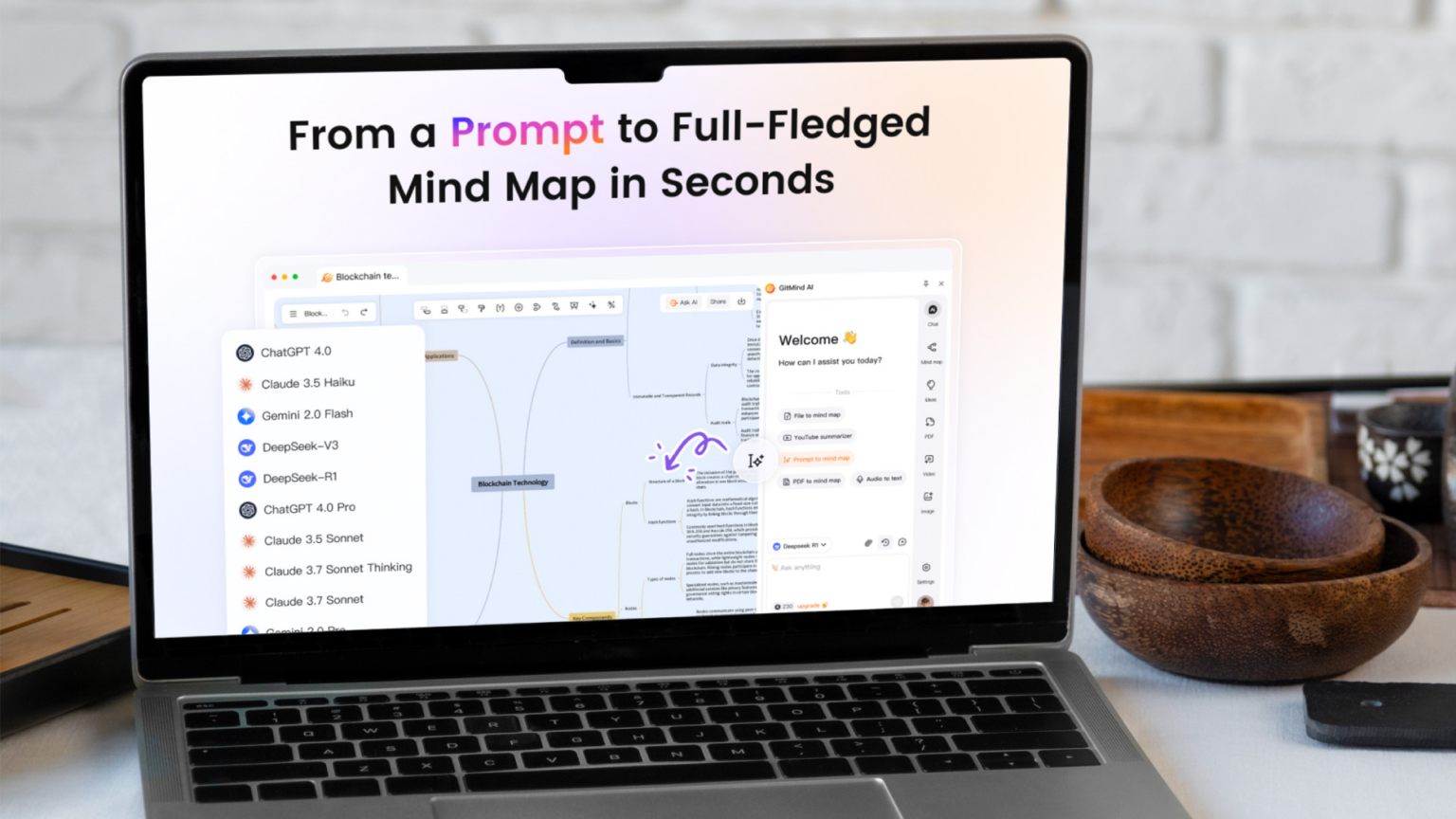
    Keeping track of information gets harder the more sources you use. GitMind Basic aims to solve that by turning documents, videos, websites, audio recordings, and images into organized mind maps, summaries, and diagrams—all with AI.

    Instead of manually building visual maps from scratch, you can upload a PDF, paste a YouTube link, add a web page, or import an image and let GitMind organize the information for you.

    It also supports AI chat, document analysis, OCR, transcription, and diagram generation, making it useful for research, planning, brainstorming, and everyday note-taking.

    The platform works well for a wide range of users. For instance, creators and educators can quickly turn ideas into visual workflows.

    The lifetime plan is available to both new and existing users, replacing recurring subscription costs with a single $49.99 payment. If you regularly work with large amounts of information, GitMind offers a practical way to organize it without constantly switching between multiple productivity apps.

    Recommended by Our Editors

    Get lifetime access to GitMind Basic for a one-time $49.99 (MSRP $169) for a limited time.

    GitMind Basic Plan

    Lifetime Subscription


    $49.99
    at StackSocial

    $169.00
    Save $119.01


    Get Deal

    Prices subject to change. PCMag editors select and review products independently. If you buy through StackSocial affiliate links, we may earn commissions, which help support our testing.

    About Our Expert

  • Walmart Back-to-School Deals: Your Tech and Supply Shopping List

    Walmart Back-to-School Deals: Your Tech and Supply Shopping List

    You shouldn’t have to trade your beach towel for a chaotic shopping cart just to tackle the back-to-school rush of hunting for new clothes and supplies for the school year ahead. Whether you’re lounging by the pool or squeezing out the very last drops of summer vacation, Walmart makes it easy to cross off your kids’ tech, fashion, and supply checklists in one seamless sweep—complete with lightning-fast delivery and pickup options that plant you firmly in relax mode.

    Here’s a sneak peek at some of the best school-ready deals, only at Walmart (prices and deals subject to availability), that you can shop right now.

    Get Tech for Less, Without the Stress

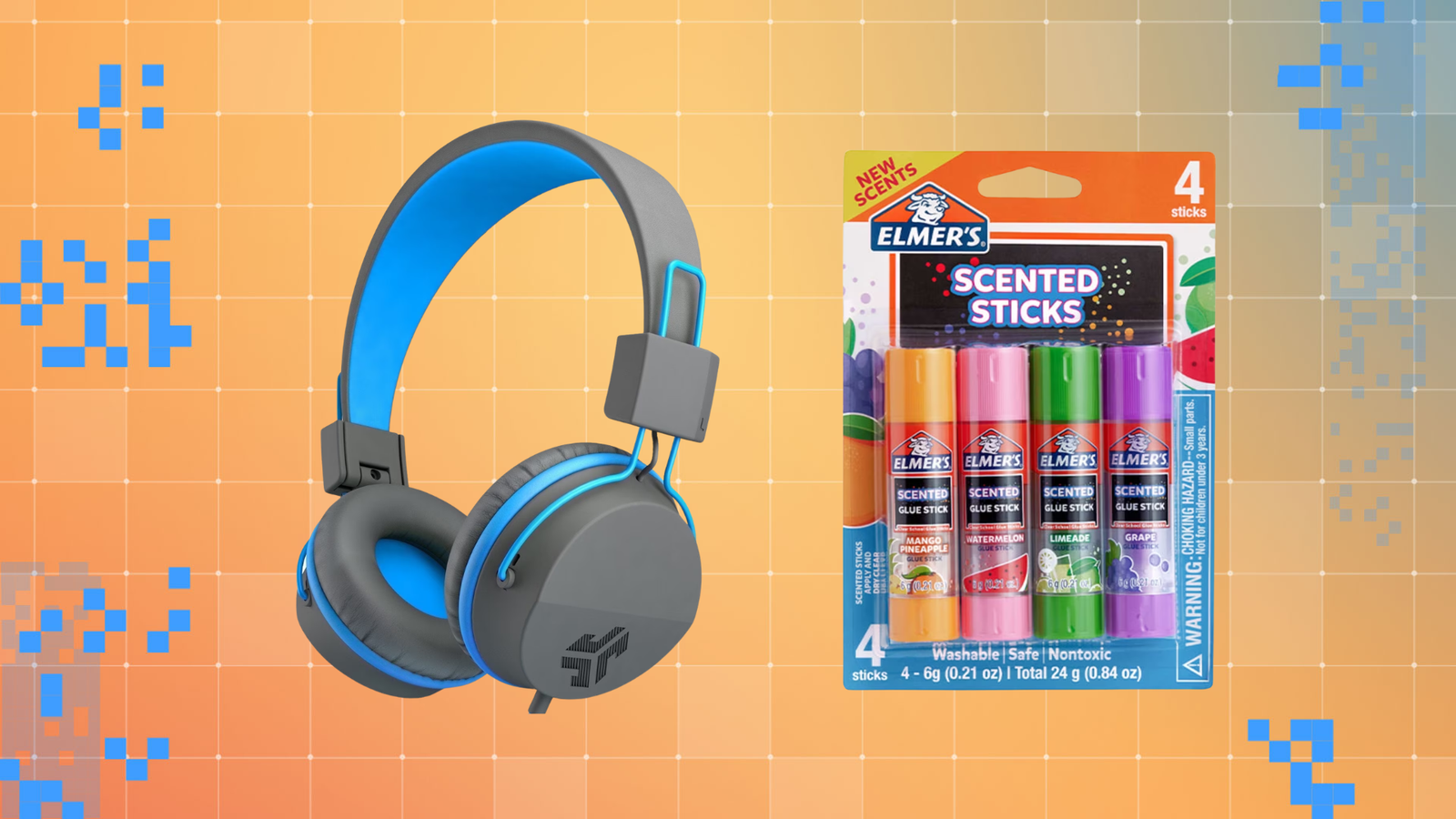
    JLab JBuddies Studio Wired Headphones


    $12.88
    at Walmart

    $14.88
    Save $2.00


    Get Deal

    Even the most durable tech essentials struggle to survive in the hands of kids, tweens, and teens. Thankfully, you don’t have to spend a fortune to get well-made gear that prioritizes the features and specs that matter most. 

    Items like headphones, which are regularly tossed from school bag to desk, should include volume-limiting controls for safety, be comfortable for growing ears, and be affordable enough to replace if they’re lost. The JLab JBuddies Studio Wired Headphones ($12.88, save $2) check every box and come in a wide range of colors. 

    Fill Closets With Fashionable Picks

    Save yourself from the early-morning wardrobe dilemmas caused by unpredictable weather and growing bodies by investing in a few new pieces for your kids. 

    Here’s a simple formula to get you started:

    With prices this low, you can grab items in your child’s current size and the size above, so you’re stocked for those emergency moments.

    Score a Deal on Must-Have School Supplies

    There is nothing quite like a fresh notebook and clean markers to signal the start of a new school year.

    Walmart offers a range of school supplies that are both practical and fun, including Crayola Broad Line Markers and Elmer’s Scented Glue Sticks.

    Plus, you can stock up on essentials like Pen+Gear Wide Ruled 1-Subject Notebooks and Five Star 2-Pocket Stay-Put Plastic Folders, which are available in an assortment of colors.

    About Our Expert

  • Tired of Your Apple Watch Dying Before Bedtime? These 5 Battery-Saving Tips Keep Mine Going All Day

    Tired of Your Apple Watch Dying Before Bedtime? These 5 Battery-Saving Tips Keep Mine Going All Day

    Apple’s battery estimates when it comes to the Apple Watch are typically conservative. For example, the company only predicts about 24 hours for the Series 11, but we got 43 hours out of it in testing. Still, that all depends on how often you use it and what you’re doing with it. During a typical day, my Series 10 will get me through a full day, but it can run low sooner if it’s a day of heavy usage. To keep my watch going longer, whether I’m using it to track sleep or wearing it during a long travel day, these tricks always help.


    How to Check Battery Life

    Don’t know how much of a charge is left? You can check battery life in several ways. Press the Side button on your watch to display the Control Center. The battery icon shows the current percentage of the remaining charge. To get more details, go to Settings, swipe down, and select Battery. The screen displays the current level, the levels from the past day to today, and the level when you last charged it.

    Check the battery level

    (Credit: PCMag / Apple)


    1. Turn on Low Power Mode

    Just like your iPhone, your Apple Watch has a low-power mode that aims to preserve battery life by disabling or limiting certain features and settings. This mode turns off the following:

    • Background blood oxygen and heart rate measurements, including those during sleep.

    • Collection of heart data for hypertension notifications.

    • Heart rate notifications for irregular rhythm, high heart rate, and low heart rate.

    • Always On display.

    • Gestures for double-tap and wrist flick.

    • Reminders to start a workout.

    • The time in daylight view.

    This can also affect phone calls and Siri requests. Background app refreshes, complications, and Live Activities will occur less frequently. Additionally, some animations and scrolling might appear less smooth.

    Turn on Low Power Mode from Control Center

    (Credit: PCMag / Apple)

    Your watch will prompt you to turn on Lower Power Mode when your battery charge drops to a certain level, but you can also enable it manually at any time. To do this on your watch, press the Side button to launch Control Center and tap Battery percentage > Low Power Mode (or Settings > Battery > Low Power Mode) and then tap Turn On to enable it until you turn it off or Turn On For to turn it on for one, two, or three days.

    A yellow icon appears at the top of the screen to indicate when you’re in Low Power Mode. To turn off this mode, just return to the battery settings screen and tap the Lower Power Mode On button or turn off the switch next to Lower Power Mode.

    Turn off Low Power Mode

    (Credit: PCMag / Apple)


    2. Disable the Always On Display

    The Always On Display keeps the watch screen on even when your wrist is down or you’re not looking at it. This feature is enabled by default on the Apple Watch Series 5 and later, the Apple Watch SE 3, and the Apple Watch Ultra and later. Though this sounds handy, it can drain your battery. Low Power Mode automatically turns this off, but you can also turn it off separately if you don’t want to impact the other features and settings. Go to Settings > Display & Brightness > Always On and turn off the switch.

    Recommended by Our Editors

    Disable the Always On Display

    (Credit: PCMag / Apple)


    3. Stop Wake on Wrist Raise

    By default, your Apple Watch turns on and displays the screen when you raise your wrist. But like other features, this one can also eat into your battery charge. To disable it, go to Settings > Display & Brightness and turn off the Wake on Wrist Raise feature. To view the screen with this option turned off, just tap on it. You can also control how long the screen stays on when you tap it. Select the Wake Duration option, and you’re able to set the screen to stay awake for 15 seconds or 70 seconds.

    Stop the Display from Turning On When You Raise Your Wrist

    (Credit: PCMag / Apple)


    4. Turn Off Battery Optimization

    With a feature called battery optimization, your Apple Watch analyzes your daily charging routine to improve your overall battery life. Some Apple Watches also offer an optimized charging limit that determines when your device should stop charging. But these options can reduce the time your watch runs between charges. To turn these off, at least temporarily, go to Settings > Battery > Battery Health. You can then turn off Optimized Battery Charging or Optimized Charge Limit. You can then opt to turn these off completely or only until tomorrow.

    Turn Off Battery Optimization

    (Credit: PCMag / Apple)


    5. Turn on Airplane Mode

    If you’re in an area where you don’t need connectivity, you can turn on Airplane mode just as on your iPhone. Doing so helps preserve the battery charge. But here, you also have a couple of options. Go to Settings > Airplane Mode, then turn it off to disable Wi-Fi and Bluetooth. This will sever the Bluetooth connection between your watch and iPhone. For that reason, you may want to just turn off Wi-Fi and leave Bluetooth enabled.

    Turn On Airplane Mode

    (Credit: PCMag / Apple)

    About Our Expert

  • NY School District Shelves Plan to Spend $58K on Robot Teaching Assistant

    NY School District Shelves Plan to Spend $58K on Robot Teaching Assistant

    UPDATE 8/1: The school district has paused its pilot project with Realbotix following pushback from parents and teachers.

    The robot teacher plan is “on hold while we work through enhanced student data privacy agreements with the New York State Education Department and continue engaging with our community and stakeholders,” the Salamanca City Central School District said on Facebook.

    “Ensuring that appropriate privacy protections are in place and incorporating input from our community are important parts of the process,” it added.

    That came after the New York State United Teachers (NYSUT) took issue with Realbotix’s previous focus on adult AI and sex dolls. “A robot built by a company associated with sex dolls has no business in our classrooms,” NYSUT President Melinda Person said in a statement. “Our students don’t need robots. They need real relationships with caring adults.”


    Original Story 7/19:
    For better or worse, AI has wormed its way into America’s classrooms, and it will soon take the shape of a humanoid robot in New York.

    A robotic teaching assistant named “Sally” could be heading to classrooms in New York this fall. Sally is set to have a “lifelike appearance” with silicone skin and long brown hair, according to Andrew Kiguel, CEO of Realbotix, the start-up behind the new teaching assistant.

    In an interview with New York Focus, Kiguel said the robot will be stationary and seated but have a “wide range” of upper-body movements and facial expressions. Students will reportedly be able to talk to the robot to receive personalized learning support based on the data it stores about their progress, after identifying themselves with their unique student ID. 

    Fittingly, the robot will initially be used only in the school’s specialized AI and robotics course, but may be rolled out to other subjects later, depending on the success of the pilot. The course was designed by Apple co-founder Steve Wozniak to increase children’s interest in STEM. 

    Sally will make its debut at Salamanca High School, on the Allegany Indian Reservation, about 60 miles south of Buffalo, teaching juniors and seniors. The product is set to cost the district $57,590, according to the contract posted by the school board, New York Focus reports.

    Recommended by Our Editors

    Many residents of Salamanca, which has above-average levels of poverty, have expressed opposition to the new teacher. “We already have so many issues in our community, including environmental issues. I just don’t understand the concept of adding AI onto that,” one parent said. “Bringing it into the school district is contradicting everything we believe, in my opinion.” 

    In a statement, the school district said the robot will “never replace teachers, staff members, or meaningful human interaction” and that human teachers will “remain at the center of every learning experience.” In addition, the school confirmed the new robot will not store students’ personal data, send data back to its parent company, or record any video or audio. 

    The rollout of AI in schools remains hotly contested by some. The New Yorker reported earlier this year that grassroots lobbying groups are calling on New York City Mayor Zohran Mamdani to declare a two-year moratorium on the use of generative AI in NYC schools.

    About Our Expert

  • This Near-Mint Dell Laptop Is Ready for Business and 58% Off

    This Near-Mint Dell Laptop Is Ready for Business and 58% Off

    TL;DR: Get a Grade A, near-mint Dell Latitude 5421 with an 11th Gen Intel Core i5, 16GB RAM, and 256GB SSD for $419.99 (MSRP $999.99).

    A capable business laptop doesn’t have to cost close to $1,000. The Grade A refurbished Dell Latitude 5421 delivers solid everyday performance with an 11th Gen Intel Core i5 processor, 16GB of RAM, and a 256GB PCIe SSD for $419.99.

    Built for professionals, the Latitude is designed to handle demanding workloads, whether you’re working with large spreadsheets, managing multiple browser tabs, attending video meetings, or running productivity software throughout the day. The 14-inch Full HD anti-glare display helps reduce reflections, making it easier to work in different lighting conditions.

    Thunderbolt 4 support makes it easy to connect docks, external storage, and high-resolution displays, while Wi-Fi 6 provides faster, more reliable wireless connectivity. The memory and storage are also upgradeable, giving the system room to grow as your needs change.

    This model is listed as Grade A refurbished, meaning it arrives in near-mint condition with little to no visible wear. It’s a practical option for anyone who wants dependable hardware without paying new-laptop prices.

    Recommended by Our Editors

    Don’t miss grabbing this near-mint Dell Latitude 5421 while stock is still available for just $419.99 (MSRP $999.99).

    Refurbished Dell Latitude 5421 (2021)

    14-inch, i5 2.9GHz 16GB RAM 256GB SSD WIN11P Titan Gray


    $419.99
    at StackSocial

    $999.99
    Save $580.00


    Get Deal

    Prices subject to change. PCMag editors select and review products independently. If you buy through StackSocial affiliate links, we may earn commissions, which help support our testing.

    About Our Expert

  • Run Out of Podcasts? Reddit May Soon Allow You to Watch or Listen to Posts

    Run Out of Podcasts? Reddit May Soon Allow You to Watch or Listen to Posts

    By the end of 2026, scrolling on Reddit could mean a bit less reading and a lot more listening and watching. 

    CEO Steve Huffman said the company is working on what it calls “video Reddit” or “spoken Reddit,” in the firm’s latest earnings call, first spotted by TechCrunch. Huffman said the new project will enable users to listen to Reddit posts, as well as to listen to them in the background, presumably while changing tabs or viewing other pages.

    The company didn’t give much detail on what these new features could look like in practice, or whether the company would use an AI tool to read the posts aloud, or allow users to upload their own voice notes and recordings.

    There’s obviously at least some appetite for this type of content. Reddit posts have proved a goldmine for some content creators on platforms like YouTube and TikTok, who will often upload themselves simply reading out Reddit posts. Many channels, some with tens of thousands of subscribers, are entirely dedicated to this kind of content. Huffman dubbed this type of material an “emerging content type” on his call with investors. The CEO said testing of the feature is planned for later this year.

    Reddit has slowly become more video-friendly in recent months, allowing users to include video in responses to posts in June, which the company says is already widely used.

    Huffman said the company is still experimenting with how video will interact with the rest of its feed. “You have got video. You have got text. You have got images. So those flows between from feed to theater mode to the comment page back to the feed are essential,” he told investors on the call.

    Recommended by Our Editors

    Other platforms have pivoted to adding short-form video content this year, putting companies like TikTok in a much more crowded space than ever. Max rolled out TikTok-style short-form video content earlier in July, following ESPN, Disney+, Prime Video, and Netflix over the past year.

    Reddit continues to pick up new users in comparison to some of its rivals. Research from the Pew Center released in November 2025 found that its regular users spiked from 22% to 26% since January 2024, while platforms like X and Snapchat showed dips in regular users.

    About Our Expert