Category: Technology

  • Spotify Is the Latest App to Get an AI Chatbot. Here’s What It Can Do

    Spotify Is the Latest App to Get an AI Chatbot. Here’s What It Can Do

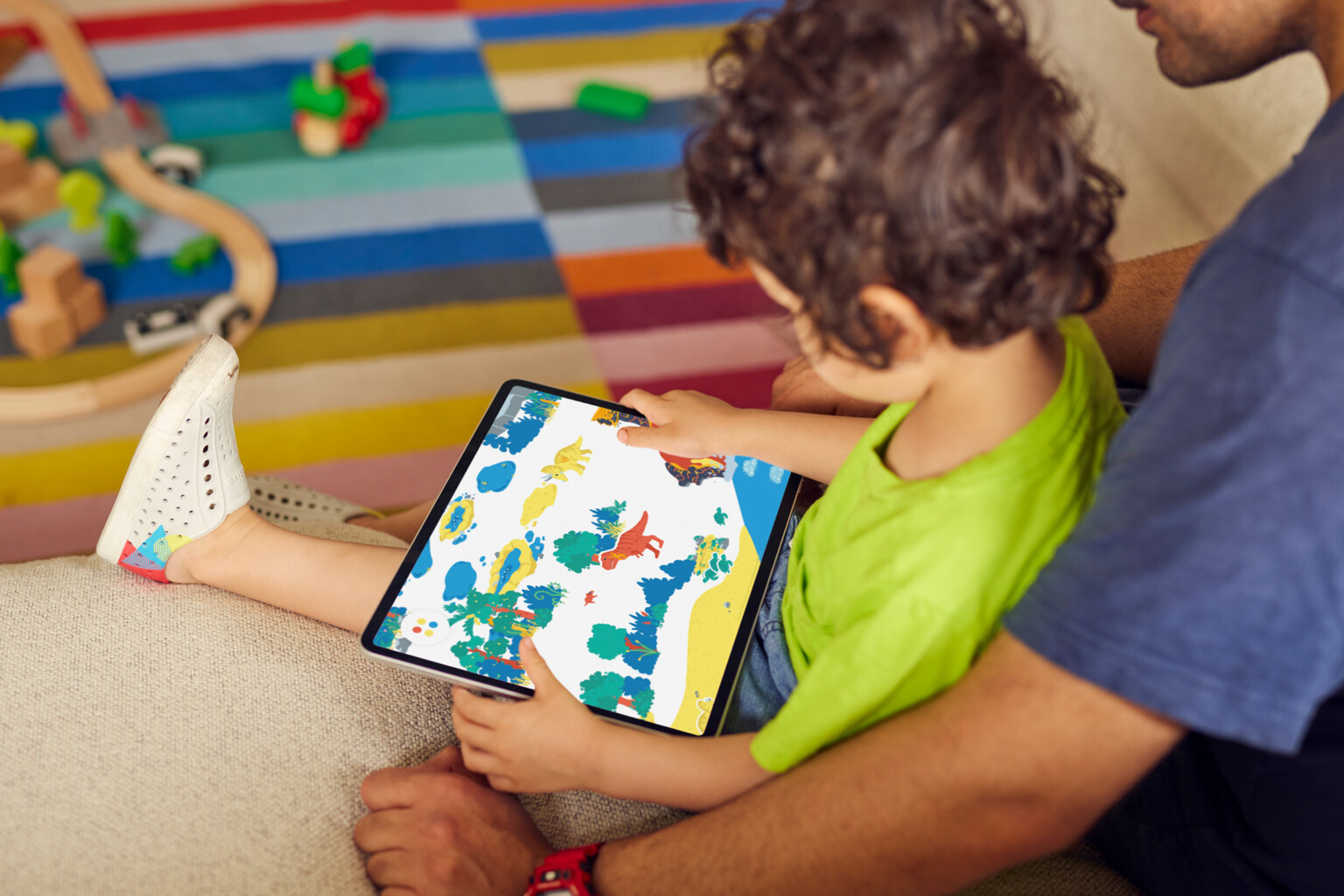
    Spotify is doubling down on its AI push with a new dedicated chatbot that creates custom playlists and answers questions about songs, audiobooks, podcasts, and your listening history.

    The “Talk to Spotify” prompt bar is now available on the Home and Now Playing pages for Premium subscribers in select regions. To get started, tap the bar, add a prompt using text or voice, and let the AI open a new chat window for back-and-forth conversations.

    For example, you could say, “Play some artists I haven’t heard before,” or “Play a mix of hits from my top artist.” When the chatbot responds, you can fine-tune the playlist by providing additional instructions, including “just his recent stuff” or “make it more upbeat.” You can also use prompts to perform a few other Spotify actions, such as saving a song or following an artist.

    From the Now Playing screen, you can ask the AI for trivia and other details about the song that’s playing, including the inspiration behind a tune, when the album was released, or what a song’s genre is. You can also ask Spotify to guide you toward similar artists and songs.

    The “Talk to Spotify” feature also extends to audiobooks and podcasts. It can answer questions about other books an author has written, or podcast shows where a certain guest has appeared.

    You can also use the AI to learn more about your listening habits. Ask the chatbot how many times you’ve listened to a song, when you played it for the first time, or what genres you’ve been listening to lately.

    Recommended by Our Editors

    “The new conversational experience is part of our ongoing work to make Spotify more personal and useful for every listener, giving people more ways to get the most out of every moment,” Spotify says.

    To use the feature, you’ll need a Premium subscription, be 18 or above, and live in the US, Ireland, or Sweden. It’s still in beta and limited to Android and iOS devices in English. “Like any beta, it’s a work in progress: responses won’t always be perfect,” Spotify warns.

    About Our Expert

  • How to Watch the Argentina vs. England FIFA World Cup Semifinal Live for Free

    How to Watch the Argentina vs. England FIFA World Cup Semifinal Live for Free

    Argentina take on England in the second FIFA World Cup semifinal on today, and the matchup reignites one of soccer’s fiercest rivalries, fueled by decades of history on and off the field. Players on both ends will be quite aware of the bitterness, but when they set foot in the Atlanta Stadium this afternoon, all they’ll be playing for is a place against Spain in this weekend’s final in New Jersey.

    For England, it’s a chance to return to the final for the first time since lifting the trophy in 1966. For Argentina, it’s about playing their third final in four editions and inching closer to back-to-back titles. Surprisingly, this semifinal will also be the first meeting between Lionel Messi and England. The eight-time Ballon d’Or winner has scored against 45 countries, and he will be keen to make England the 46th.

    The Three Lions have plenty of firepower of their own. Declan Rice has provided England with much-needed control in midfield, while wingers Anthony Gordon and Bukayo Saka have stretched defenses with their pace and dribbles. To top things off, captain Harry Kane and Jude Bellingham have been in the form of their lives up front.

    The names on both team sheets point to yet another fiery World Cup semifinal today. It’s the first at a World Cup since 2002, and no soccer fan should miss this game. If you’re excited, here’s how to tune in live to Argentina vs. England semifinal using a streaming subscription, and how to watch for free with a VPN or free trial.


    When Is the Argentina vs. England World Cup Semifinal?

    The semifinal game between Argentina and England kicks off at 3:00 p.m. ET on Wednesday, July 15, at Atlanta Stadium in Atlanta, Georgia.


    How to Watch Argentina vs. England Live in the US

    You can watch Argentina vs. England live on Fox or Telemundo. If you don’t have cable and you live in the US, you can watch with a sports streaming subscription, such as DirecTV, Fox One, Fubo, Peacock, Sling, YouTube TV, and more. If you don’t have a live TV or streaming service, you may be able to watch the game with a free trial:


    How to Watch Argentina vs. England Online for Free

    The Argentina vs. England semifinal match will air live for free on several streaming platforms across the globe, including:

    These platforms are geo-locked to their respective countries, but you can use a virtual private network (VPN) to watch matches for free from the US or elsewhere. For the Argentina vs. England World Cup semifinal, we recommend ExpressVPN, our top pick for location spoofing. ExpressVPN has servers across the globe, making it easy to mask your actual location so you can access region-locked content. Additionally, ExpressVPN is also an official supporter of the 2026 FIFA World Cup.

    Editors’ Choice

    4.0

    Excellent


    ExpressVPN


    $3.49 Per Month (73% Off for 28 Months)
    at ExpressVPN

    $12.99 Per Month


    Learn More

    Here’s how you can access the Argentina vs. England match with a VPN using BBC iPlayer as an example:

    1. Sign up for a streaming-friendly VPN (like ExpressVPN).

    2. Download the VPN app on your computer, phone, or preferred device.

    3. Connect to a server in the UK.

    4. Visit BBC iPlayer or ITV to start streaming.

    Note: If you’re new to BBC, you may be asked to create an account to access iPlayer. Add a UK postal code on the sign-up page to avoid possible disruptions. I tested this earlier this week to make sure it was still working.

    Usually, the top VPNs that let you connect to servers in other countries aren’t free. But if you already have a VPN subscription or qualify for a free trial, you may be able to use one to watch the FIFA World Cup semifinal between Argentina and England at no additional cost.


    Argentina: Road to the Semifinal, Team News

    Argentina's playing XI against Switzerland at the FIFA World Cup 2026

    (Credit: David Ramos/Getty Images)

    Argentina’s play hasn’t always looked pretty, but their passion and game-control has brought them to yet another World Cup semifinal. The team relied heavily on Lionel Messi’s playmaking and scoring abilities in the early part of the tournament, but of late, we’ve seen significant contributions from the likes of Alexis Mac Allister, Julián Alvarez, Enzo Fernández, and Lautaro Martínez. Alvarez, especially, has been the talk of the town following that screamer from outside the box to close out Switzerland in the quarters. Here’s a look at La Albiceleste’s journey so far, and the expected lineup for today’s game.

    • Group Games: Beat Algeria 3-0; Beat Austria 2-0; Beat Jordan 3-1

    • Round of 32: Beat Cabo Verde, 3-2

    • Round of 16: Beat Egypt, 3-2

    • Quarterfinal: Beat Switzerland, 3-1

    • Top Scorer: Lionel Messi (8 goals) | Most Assists: Lionel Messi (2)

    Expected lineup: Fans and pundits have urged Scaloni to add pace by giving minutes to Giuliano Simeone, Nico Paz, and Valentín Barco. But Scaloni is expected to stick with the same lineup that’s given him greater control and produced 17 goals (tournament’s highest). That would be Martinez in goal; Molina, Romero, Martinez, and Tagliafico in defense; Paredes, De Paul, Fernández, and Mac Allister in the midfield; and Messi and Alvarez in the forward line.


    England: Road to the Semifinal, Team News

    England's playing XI against Norway at the FIFA World Cup 2026

    (Credit: Eddie Keogh – The FA/The FA via Getty Images)

    England, like Argentina, have shown great spirit throughout the tournament, pulling themselves out of really some tight games. They have also been quicker and more potent in attack than Argentina. Bukayo Saka and Anthony Gordon keep the flanks busy, while Bellingham and Kane are quick to pounce on any chance they get in front of goal. Their chances of reaching the final heavily rely on stopping Messi, and coach Thomas Tuchel will want Declan Rice and Nico O’Reilly to give him as little space as possible. If they negate that threat, England are favorites to win the game.

    • Group Game 1: Beat Croatia 4-2; Drew Ghana 0-0; Beat Panama 2-0

    • Round of 32: Beat DR Congo, 2-1

    • Round of 16: Beat Mexico, 3-2

    • Quarterfinal: Beat Norway, 2-1

    • Top Scorers: Jude Bellingham, Harry Kane (6 goals) | Most Assists: Bukayo Saka, Anthony Gordon (3)

    Expected lineup: Tuchel will again be without Jarell Quansah, who is serving a two-game suspension for dangerous play against Mexico. As a result, the German coach is expected to stick with the XI that beat Norway, with Saka likely replacing Madueke. That would put Pickford in goal; Konsa, Stones, Guéhi, and O’Reilly in defense; Rice, Anderson, and Bellingham in the midfield; and Saka, Gordon, and Kane up front.


    2026 FIFA World Cup Schedule

    The 2026 FIFA World Cup runs from June 11 to July 19 and will be co-hosted by the US, Canada, and Mexico. This year, the tournament has expanded to 48 participating nations for a total of 104 games.

    • June 11 to June 27: Group stage

    • June 28 to July 2: The knockout stage begins with the first-ever Round of 32 at a FIFA World Cup. The eventual champion will have to win five consecutive knockout games, instead of the former four.

    • July 3 to July 7: Round of 16

    • July 9, 10, 11: Quarterfinals

    • July 14-15: Semifinals

    • July 18: Bronze final

    • July 19: Final

    We’ll be following the World Cup through this weekend, so stay tuned for more.

    The World Cup Has a Secret AI Command Center

    PCMag Logo

    The World Cup Has a Secret AI Command Center

    About Our Expert

  • Google’s AI Has Access to More Than You Think. Change These 7 Settings Now to Protect Your Privacy

    Google’s AI Has Access to More Than You Think. Change These 7 Settings Now to Protect Your Privacy

    Do you ever use Google Gemini? If so, you’ve probably noticed that the AI chatbot is eager to learn as much as possible about you to better personalize its responses. But how much does this AI chatbot really need to know?

    First, you should know what information Google’s AI collects. This list includes prompts, shared files, videos, photos, browser pages, transcripts, Gemini Live recordings, the names and custom instructions of your Gems, and any additional instructions you give Gemini to tailor its responses. Keep in mind that Gemini also powers many of Google’s base features now, so even if you don’t use the chatbot, you’re likely interacting with the AI model in some way.

    Google offers a few ways to control your privacy, but it does make certain changes difficult. For example, you can delete past conversations and revoke Gemini’s access to Google Drive, Gmail, and Google Calendar. You can also use Gemini in temporary mode so it won’t save your chats. However, the only way to prevent Gemini from training on your chats is to turn off Google’s history retention for them. And if you do that, it means you won’t be able to view or refer back to prior conversations.

    That said, there are some workarounds that strike a balance between privacy and effectiveness when using Gemini. Here are seven ways to boost your privacy when using Google’s AI platform.


    1. Opt Out of Google Search AI Training

    In its quest to gather even more of your information, Google is now using your search uploads to train its AI models. That means every time you add an image, document, audio file, or video to the Google search bar, it is collected in order to improve Gemini-powered products like Google Lens and Search Live. This is now happening by default, so if you don’t want Google’s AI to know what you’re looking for online, you’ll need to disable the feature.

    To do this, open the My Activity settings screen, choose Search Services History, and make sure the Save media option is unchecked. You can also turn Search Services off entirely, delete past activity, and set up an auto-delete option.

    search services history setting page

    (Credit: PCMag / Google)


    2. Don’t Let Google Use Your Chats for Training

    Gemini will use your conversations with it to train itself. Though Google promises that your data is anonymized, you may still not want any sensitive or personal details being shared this way. Unfortunately, the only way to stop this is to completely prevent Google from storing and using previous chats. This will remove conversations from Google’s activity history and your own chat history, meaning you won’t see any of your previous chats.

    To me, that’s a huge drawback as I often refer to my chat history to see what topics have already been covered. But if you don’t need to view your chat history, sign in to the Gemini Apps Activity page with your Google account. If the Keep activity setting is on, click the drop-down button and choose Turn off.

    Turn off activity

    (Credit: Google/PCMag)

    The next window explains what happens when you turn off your Gemini Activity. Beyond preventing future conversations from being used for AI training, this action removes these chats from your Activity feed and chat history. To confirm this step, click the Got it button. When you return to the main Gemini screen, you’ll see that your previous chats are gone.

    Prevent Your Chats From Being Used for Training

    (Credit: Google/PCMag)


    3. Delete Past Chats From Google’s History

    Since I want to access many of my previous chats, I typically don’t disable them from Google’s activity. Instead, I’ll selectively remove certain conversations that I no longer need. Google lets you delete specific chats, all those from a certain period, or everything in one shot.

    Deleting chats this way removes them from Google’s activity history and your chat history. But at least it gives you control over which conversations you want to remove and which ones you wish to keep. At the Gemini Apps Activity page, I’ll remove certain conversations that I feel are more sensitive or personal and don’t want Google to store, either for its own activity or in my history.

    Delete a specific chat

    (Credit: Google/PCMag)

    Click the X next to any individual chat you wish to delete. To remove all chats or just those from a specific time period, click the Delete drop-down button near the top of the Activity page. You can then opt to delete activity from the last hour, the last day, all time, or a custom range.

    Delete multiple chats

    (Credit: Google/PCMag)

    Instead of manually removing conversations, you can also set up an auto-delete option. Near the top of the Activity page is a setting called Choose an auto-delete option if the option is currently turned off or Deleting activity older than… followed by a specific period of time if the option is currently on. Click the right arrow next to that setting and choose Auto-delete activity older than from the drop-down menu, and choose a specific timeframe—3 months, 18 months, or 36 months. Click Next > Confirm > Done. If you don’t want your chat history to be removed automatically, choose Don’t auto-delete activity instead.

    Recommended by Our Editors

    Choose an auto-delete option

    (Credit: Google/PCMag)


    4. Prevent Gemini Live From Storing Your Voice Conversations

    Gemini Live allows you to converse with Google’s AI by voice. But here’s another area where the company can use your chats for AI training. By default, Google captures audio recordings of your conversations and any screenshots shared during a live conversation. Some recordings are even sent (anonymously) to human reviewers. Thankfully, you can easily turn this option off.

    Prevent Gemini Live from Storing Your Voice Conversations

    (Credit: Google/PCMag)

    At the Gemini Apps Activity page, look at the top of the screen for a setting called Improve Google services with your audio and Gemini Live recordings. If it’s checked, click the box to uncheck it. Read the information displayed at the pop-up window. If this sounds good to you, click the Turn off button to finalize your action.

    Finalize your action

    (Credit: Google/PCMag)


    5. Cut Off Gemini’s Access to Google Drive, Gmail, and Google Calendar

    Gemini can access your files and other content from certain connected apps, including Google Drive, Gmail, and Google Calendar. Part of Gemini’s Personal Intelligence skill, this lets you run AI-related tasks and actions on your own data. For example, you could tell Gemini to summarize a particular file stored on Google Drive or to generate a response to a certain email in Gmail. If you don’t want Gemini to have access to your files, you can easily disable this.

    At the main screen, click Settings & help > Personal Intelligence > Connected Apps, and then turn off access to Google Workspace (Gmail, Google Docs, Google Keep, Google Calendar, Google Drive, and Google Tasks), Google Photos, Google Search, YouTube, and YouTube Music. Turn off the switch for any apps and services that you don’t need to use with Gemini, and then select Disconnect.

    Cut Off Gemini’s Access to Google Drive, Gmail, and Google Calendar

    (Credit: Google/PCMag)


    6. Turn Off Personal Intelligence’s Memory Feature

    Another aspect of Gemini’s Personal Intelligence is Memory. With this enabled, Gemini remembers your past chats and learns from them to better understand your interests, preferences, and other personal details. The goal here is to help the AI tailor its responses to you, but you might not want this. This is an opt-in feature, so it should already be disabled. To check, click Settings & help > Personal Intelligence, then check whether the Memory switch is enabled. If it is, you can just turn it off.

    Turn off Personal Intelligence’s Memory Feature

    (Credit: Google/PCMag)


    7. Use Gemini in Temporary Mode

    One more way to protect your privacy with Gemini is to use it in temporary mode. You can easily start a new temporary chat to discuss a private or sensitive topic; it won’t appear in your chat history or on the Google Activity page, and won’t be used to train Gemini or personalize your experience. You can set one up by clicking the Temporary chat button next to New chat in the left sidebar. Gemini explains how the temporary chat works. Type and submit your request, knowing that the chat will remain private. Temporary chats are retained only for 72 hours.

    Use Gemini in Temporary Mode

    (Credit: Google/PCMag)

    About Our Expert

  • OnePlus Will Reportedly Close Up Shop in the US, Europe This Week

    OnePlus Will Reportedly Close Up Shop in the US, Europe This Week

    Amid growing speculation around OnePlus’s exit from key international markets, a new report claims that the brand’s withdrawal from the US and Europe is set to be confirmed this week.

    OnePlus has been a key Android brand for enthusiasts in the US and other regions, but the company has struggled to find a footing outside China and India. In April, following several reports of a shutdown in the US, OnePlus North America told PCMag it is “evaluating its regional roadmap and product strategy.”

    The evaluation now seems to have reached its conclusion. Citing sources, German outlet WinFuture reports that OnePlus’s parent, Oppo, will announce the brand’s wind-down in the US and Europe later this week.

    Unboxing the OnePlus 15R

    PCMag Logo

    Unboxing the OnePlus 15R

    As part of a strategic overhaul, Oppo is expected to narrow OnePlus’s focus to just budget-friendly devices in China and India, while expanding its own footprint in Europe, the report adds. The transition already appears to be in play, with OnePlus’ German site currently nudging some customers toward Oppo devices.

    WinFuture wasn’t able to confirm the reason behind the changes. The outlet reports that even OnePlus wasn’t discussing it behind closed doors.

    Recommended by Our Editors

    For US customers, the rumored move would mean no new OnePlus smartphone releases going forward. Existing OnePlus users, however, need not worry. The brand told PCMag in April that “all users’ after-sales support, software updates, and rights commitments are fully guaranteed.”

    OnePlus’s last major US release was the OnePlus 15. The device faced a major delay last year due to the US government shutdown. The FCC finally cleared the phone in November, and OnePlus began shipping it in December. The OnePlus 15R landed earlier this year, but OnePlus’s biggest 2026 release, the OnePlus 15T, has yet to arrive in the US.

    About Our Expert

  • California Approves Up to $3,500 Rebate for First-Time EV Buyers

    California Approves Up to $3,500 Rebate for First-Time EV Buyers

    California Governor Gavin Newsom on Monday signed SB 168 into law, giving first-time EV buyers up to $3,500 in instant rebates at the dealership.

    The MyFirstEV program will roll out later this summer, and it will be part of the state’s larger zero-emission vehicle (ZEV) agenda. California will allocate $135.5 million to the program, and participating automakers will match the state’s investment.

    The instant rebates apply to both new and used EVs. On new cars, first-time buyers can get up to $3,500 off vehicles with an MSRP of up to $50,000. On used EVs, they can receive up to $1,750 off vehicles priced at $25,000 or less.

    The $50,000 cap vanishes for EV manufacturers headquartered in California. That means buyers will be able to claim the rebate on higher-priced Lucid and Rivian models, but not on those from Texas-based Tesla. Those interested in getting the rebate on a Tesla will have to choose eligible sub-$50,000 versions of the Model 3 or Model Y, Electrek reports.

    These are preliminary estimates. The final list of eligible vehicles won’t be known until California announces the participating companies. The California Air Resources Board tells Reuters it hopes to announce the partnering automakers next month.

    Recommended by Our Editors

    California’s new EV discount arrives close to a year after President Trump’s Big Beautiful Bill killed the $7,500 federal EV tax credit. Gov. Newsom, a Democrat, didn’t miss the opportunity to take a swipe at him. “Donald Trump is doing everything in his power to pollute our air and surrender the clean car industry to China on a silver platter. California is putting its foot on the accelerator,” Newsom said in a statement. “No one can stop Californians from choosing vehicles that are better for their wallets and better for the air they breathe.”

    About Our Expert

  • Tax-Free Tech: Every State Offering a Sales Tax Holiday for Computers and Electronics

    Tax-Free Tech: Every State Offering a Sales Tax Holiday for Computers and Electronics

    It’s arguably the most expensive time of the year for parents and college students: back-to-school season. If you’re dreading buying big-ticket school essentials, like a new laptop, you might be able to save some extra money by shopping during your state’s sales-tax holiday event.

    This year, 18 states (plus Puerto Rico) are holding sales tax holiday shopping events, during which eligible back-to-school items are exempt from sales tax. Nine of these states will not charge sales tax on tech purchases, including laptops, personal computers, and tablets

    With inflation still high and the RAM crisis continuing to drive the cost of PCs, finding easy ways to save on back-to-school tech is crucial. Shopping sales and secondhand can help ease the burden, and if you time your purchase with your state’s sales tax holiday, you could keep a little extra cash in your bank account.

    Here’s every state that’s holding a sales tax holiday this summer, and when to shop.

    Which States are Offering Sales Tax Exemptions on Tech?

    There are 9 states offering sales tax exemptions on computers and tech during summer sales tax holidays. They are:


    Full 2026 Sales Tax Holiday Schedule and Eligible Items by State

    Here’s a full overview of every US state and territory offering sales-free back-to-school shopping events this summer.

    Alabama 

    • Sales tax holiday dates: July 17 – July 19, 2026

    • Items included: Clothing up to $156, school supplies up to $78, computers up to $1,173, books up to $47 (per item). See the full list here.

    • Notes: Local municipalities can opt in/out; more than 300 cities/counties waive local tax.

    Arkansas 

    • Sales tax holiday dates: August 1 – August 2, 2026

    • Items included: Clothing and accessories up to $100 per item, school supplies (no strict limit), select electronics (no strict limit). See the full list here.

    • Notes: Applies to state and local sales tax; participation is mandatory for retailers.

    Connecticut 

    • Sales tax holiday dates: August 16 – August 22, 2026

    • Items included: Clothing and footwear up to $300 per item. Includes standard back-to-school apparel; excludes athletic uniforms and luxury goods. See the full list here.

    Florida 

    • Sales tax holiday dates: July 20 – August 20, 2026

    • Items included: Clothing, footwear, and accessories up to $100, school supplies up to $50, computers and electronic accessories up to $1,500, learning aids and puzzles up to $30 (per item). See the full list here.

    Illinois 

    • Sales tax holiday dates: August 7 – August 16, 2026

    • Items included: Clothing, footwear, and select school supplies up to $125 per item. See the full list here

    • Note: Illinois does not eliminate sales tax during this event. Instead, it is lowered by 5%.

    Iowa 

    • Sales tax holiday dates: August 7 – August 8, 2026

    • Items included: Clothing and footwear up to $100 per item. See the full list here

    Maryland 

    • Sales tax holiday dates: August 9 – August 15, 2026

    • Items included: Clothing and footwear up to $100 per item, backpacks (first $40 is exempt). See the full list here.

    Massachusetts 

    • Sales tax holiday dates: August 8 – August 9, 2026

    • Items included: Most retail items up to $2,500 per item. Full list here.

    • Notes: Broad retail holiday that excludes alcohol, electricity, gas, meals, motor vehicles, motorboats, tobacco, and more.

    Mississippi 

    • Sales tax holiday dates: July 10 – July 12, 2026

    • Items included: Clothing, footwear, and school supplies up to $100 per item. See the full list here.

    Missouri 

    • Sales tax holiday dates: August 7 – August 9, 2026

    • Items included: Clothing up to $100, school supplies up to $50, computer software up to $350, computers up to $1,500. See the full list here.

    New Mexico 

    • Sales tax holiday dates: July 31 – August 2, 2026

    • Items included: Clothing and footwear up to $100, school supplies up to $30, computers up to $1,000, computer hardware up to $500 (per item). See the full list here.

    • Notes: Retailers are not required to participate.

    Ohio 

    • Sales tax holiday dates: August 7 – August 9, 2026

    • Items included: Clothing up to $75, school supplies up to $20, school instructional materials up to $2 (per item). See the full list here.

    Oklahoma 

    • Sales tax holiday dates: August 7 – August 9, 2026

    • Items included: Clothing and footwear up to $100 per item. See the full list here.

    • Notes: Exemptions do not apply to most athletic wear.

    Puerto Rico 

    • Sales tax holiday dates: July 17 – July 18, 2026

    • Items included: School uniforms, footwear, and school supplies (no specified limit). See the full list here.

    South Carolina 

    • Sales tax holiday dates: August 7 – August 9, 2026

    • Items included: Clothing, footwear, school supplies, computers, bed and bath items (no specified limit). See the full list here.

    Tennessee 

    • Sales tax holiday dates: July 31 – August 2, 2026

    • Items included: Clothing up to $100, school supplies up to $100, computers up to $1,500 (per item). See the full list here.

    Texas 

    • Sales tax holiday dates: August 7 – August 9, 2026

    • Items included: Clothing, footwear, school supplies, and backpacks up to $100 per item. See the full list here.

    Virginia 

    • Sales tax holiday dates: August 7 – August 9, 2026

    • Items included: Clothing and footwear up to $100, school supplies up to $20 (per item). See the full list here.

    West Virginia 

    • Sales tax holiday dates: July 31 – August 3, 2026

    • Items included: Clothing up to $125, school supplies up to $50, computers up to $500, instructional materials up to $20, sports equipment up to $150 (per item). See the full list here.


    What Are Sales Tax Holidays?

    Also known as ‘tax-free weekends’, a state sales tax holiday is a statewide event where sales tax is temporarily paused or reduced on certain items. Many states hold these events during the back-to-school shopping season. Items that are typically exempt from tax during these events include clothing, school supplies, and computers (laptops and tablets).

    If you live in a state that also imposes local sales tax, it may also be exempt during the event. This varies by state and county.


    Do Sales Tax Holiday Exemptions Apply to Online Purchases?

    Yes, you’ll be able to shop tax-free even at online retailers like Amazon and Apple during your state’s event.


    Can Sales Tax Holidays Really Save You Money on Laptops, Desktops, and Tablets?

    Shopping for school supplies during a tax-free event can help you save a little extra, especially if you need to purchase a big-ticket item, like a new laptop or desktop.

    Let’s say you plan to purchase a new MacBook Neo, which starts at $599 for students. If you live in Massachusetts, which has a 6.25% state sales tax rate, this would cost you $636.44 after tax. So, you could save $37.44 on one new MacBook Neo (with the student discount) by shopping during this tax holiday. 

    If you need a MacBook with more power, we recommend the Apple MacBook Air 13-Inch (2026, M5) as our top pick for most college students. This starts at $1,149. Using the same example from Massachusetts, with the 6.25% sales tax tacked on, this MacBook would cost you $1,220.81. If you were to buy this laptop during the sales tax holiday, you’d save $71.81.

    Recommended by Our Editors


    Can You Save on Refurbished Tech During Sales Tax Holidays?

    Yes, if you live in a state that’s offering sales tax exemptions on computers and electronics, you won’t pay sales tax on used tech during the sales tax holidays. Shopping secondhand is one of the best ways to beat rising computer prices. We even have tips on how to find the best value when shopping for refurbished computers and tablets.


    Are There States That Never Charge Sales Tax?

    Yes, there are five US states that do not impose a state-level sales tax. They are Alaska, Delaware, Montana, New Hampshire, and Oregon. Alaska does, however, charge a local sales tax.


    Will You Pay Local Sales Tax During Sales Tax Holidays?

    If you live in a city or county that levies local sales tax, it may be temporarily paused for eligible items during your state’s sales tax holiday. This varies across cities, counties, and states, so check your local state and city website for more information.


    My State Doesn’t Have a Tax Holiday. Can I Shop In Another State?


    Technically, yes, you can travel to another state to shop tax-free during that state’s sales tax holiday. However, if you bring the items you purchased back to your home state, you might be required to list these items on your taxes next year and pay use tax on them.

    Is New Jersey Holding a Sales Tax Holiday This Year?

    New Jersey used to hold tax-free weekends in the summer for the back-to-school season. Its sales tax holiday was officially repealed in 2024, and the state has not held a tax-free holiday since.

    About Our Expert

  • Get More Storage for Less and Take 30% Off the Samsung T9 4TB Portable SSD

    Get More Storage for Less and Take 30% Off the Samsung T9 4TB Portable SSD

    With file sizes getting ever more bloated, storage space has become a luxury these days. Oftentimes, the internal storage on your PC or console just isn’t enough. We’ve got you covered. Not only can you get extra space, but you can also get a great deal on it. Over at Best Buy, the 4TB Samsung T9 portable SSD is 30% off, bringing the price down from $1,144.99 to $799.99.

    You can also grab the Razer BlackWidow 4 Pro gaming keyboard for 20% off, as well as the Logitech M720 mouse for $10 less in today’s Best Buy Deals of the day. The week is just starting, so get off on the right foot with these deals!

    Samsung T9 Portable SSD Deal

    Samsung T9 Portable 4TB SSD

    4TB storage, 2,000MBps read/write speeds, 5-year warranty


    $799.99
    at Best Buy

    $1,144.99
    Save $345.00


    Get Deal

    This hefty 4TB external SSD can store so many games, videos, and photos all in one place. It has read and write speeds of up to 2,000MB per second, so you’ll be able to quickly and efficiently load your programs and games on your devices, whether they’re PCs or consoles. The advanced thermal solution inside keeps the SSD cool even when under heavy use, extending its longevity and stability, while operating at peak performance. It also comes with Magician Software, which lets you download firmware updates. The extra tough encryption makes it hard for nefarious parties to break through, and with continual monitoring of your drive, you’ll be able to keep track of its condition.

    PCMag expert Tony Hoffman awarded it an “Outstanding” rating in our in-depth review. “The Samsung Portable SSD T9 achieves blazing throughput speeds when connected to a compatible PC, making it a go-to external SSD for content creators,” he said.

    More SSD Deals

    *Deals are selected by our commerce team

    Razer BlackWidow V4 Pro Gaming Keyboard Deal

    Razer BlackWidow V4 Pro

    5 memory profiles, 109 keys, 8 programmable macros


    $199.99
    at Best Buy

    $249.99
    Save $50.00


    Get Deal

    This gaming keyboard provides satisfying tactile feedback thanks to its clicky keys. They have a 1.9mm actuation point and only need 50 grams of force, making them feel responsive. Not only that, but the keys are also durable and can withstand constant pressure. It also offers eight dedicated macro keys for customization, letting you give more complex commands at the push of a button. Additionally, it has a multifunction roller and four media keys so you can quickly adjust settings like volume and brightness on the fly without taking your eyes off the screen.

    Our expert Zackery Cuevas awarded it an “Excellent” rating in our in-depth review. “Razer’s BlackWidow V4 Pro keyboard includes just about everything hardcore and professional gamers might need,” he said, “and only one thing they don’t: a high price.” At this price, however, this deal is a no-brainer!

    More Keyboard Deals

    *Deals are selected by our commerce team

    Logitech M720 Triathlon Mouse Deal

    Logitech M720 Triathlon Mouse

    24-month battery life, 8 buttons, 1,000 DPI


    $34.99
    at Best Buy

    $44.99
    Save $10.00


    Get Deal

    This mouse is incredibly versatile as it can connect with up to three computers simultaneously, so you won’t have to compromise if you have multiple work and gaming stations. It also comes with six customization buttons to assign shortcuts, giving you an extra edge in efficiency. And the mouse wheel has an instant-stop feature, which lets you scroll through pages of documents and websites with ease. The mouse is quite sturdy, yet comfortable. With its rubber body and palm-rest grip, your wrist will stay in place for extended periods. You’ll never have to worry about it losing power in the middle of a task, either, thanks to its 24-month battery life.

    Recommended by Our Editors

    Our expert Melissa Perenson awarded it a “Good” rating in our in-depth review. “Logitech’s M720 Triathlon Mouse is easy to share wirelessly across up to three computers or Android devices,” she said, “but we miss support for iOS, and the scroll wheel is too sensitive.”

    More Mice Deals

    *Deals are selected by our commerce team

    Be sure to also check out our other Best Buy deals and other amazing new tech deals as they come in.

    About Our Expert

  • Save Over $400 on This Swift ASUS OLED Gaming Monitor

    Save Over $400 on This Swift ASUS OLED Gaming Monitor

    As a gamer, you know that the weapons in your inventory aren’t the only ways to win the boss fight. The hardware you’re playing on, and namely, the screen you’re staring at, can mean the difference between a glorious victory and a disheartening defeat. And don’t get me started on the advantage it gives other players IRL over you if you have a less-than-standard setup.

    Gaming monitors are one of the best ways to level up your gameplay, especially if the hardware you have on deck is holding back your potential. But the nicer ones don’t come cheap, which is why we keep a close eye on gaming monitor sales so you don’t have to go digging. Take the ASUS ROG Swift, for example—Amazon has this premium monitor for 31% off right now, slashing over $400 off the $1,299.99 list price. That’s a lot of savings for both your wallet and your health bar!

    ASUS ROG Swift 32-inch OLED Gaming Monitor (PG32UCDMR)

    4K, 3840×2160, QD-OLED, 240Hz, 0.03ms, G-SYNC Compatible, 99% DCI-P3, USB-C


    $899.00
    at Amazon

    $1,299.99
    Save $400.99


    Get Deal

    Gamers are looking for one major thing above all in their monitors: speed, ultra-smooth speed. The ROG Swift has that one in the bag with its lightning-fast 240Hz refresh rate and 0.03 ms response time on its 4K 2160p screen. That combo practically obliterates motion blur and ghosting and is near instant, which is essential for players looking for even a hair of an advantage over the competition. 

    The 32-inch QD-OLED display is gorgeous, showing off 99% of the DCI-P3 color spectrum on the 16:9 aspect ratio, which is much wider than the standard sRGB range. Overall, the screen can display more than a billion colors, which is extra effective if you also do some photo editing or creative content on the monitor. It also has the VESA DisplayHDR 400 True Black certification, which requires pixels to fully shut off to achieve the truest blacks and eliminate screen glow for deeper contrast. And because OLED screens have a higher burn-in risk, ASUS built in OLED Care Pro, which works with a Neo Proximity Sensor that switches the monitor to a black screen when it senses the user stepping away. To double down on protection, the unit comes with a three-year warranty, including ARR (ASUS Rapid Replacement) and burn-in coverage. 

    Connectivity-wise, the ROG Swift includes a DisplayPort 2.1, HDMI 2.1, and USB-C port with 90W power delivery, which is pretty speedy for a monitor. But like I said, speed is the name of the game for a serious player’s monitor, and connectivity is no exception. And for over $400 off, that speed comes at a premium—on and off-screen. 

    Recommended by Our Editors

    But if you’re looking for something different, browse our experts’ list of the best gaming monitors for 2026

    More Deals on Gaming Monitors

    *Deals are selected by our commerce team

    About Our Expert

  • Top Television Deal: Save $700 on This 65-Inch LG 4K Smart TV

    Top Television Deal: Save $700 on This 65-Inch LG 4K Smart TV

    If you’re ready to upgrade your binge-watching sessions, this is the deal for you. Amazon has the premium LG 65-inch C6 OLED Evo AI TV on sale for $1,999.99, down from its standard $2,699.99 price. This epic, limited-time discount saves you 26% on a flagship powerhouse packing over 8.3 million self-lit pixels, a blistering 165-hertz gaming refresh drive, a cutting-edge Alpha 11 AI Processor Gen3, and an advanced webOS platform integrated with Google Gemini and Microsoft Copilot.

    Bringing home a state-of-the-art 65-inch OLED display panel with an instantaneous 0.1ms response time and advanced automated panel care for under $2,000 is a great find. This flash promotion makes it the ideal time to upgrade your premier media room or build an elite next-generation gaming setup.

    This deep discount completely sweeps away the steep premium barrier typically guarded by flagship display technology, giving cinephiles, extreme esports players, and smart home curators the ultimate opportunity to capture true theatrical video quality. This deal won’t last long.

    AMAZON DEAL ALERT

    LG 65-inch C6 Series OLED evo AI 4K Smart TV

    Self-lit OLED pixels, A11 AI processor Gen3, 165Hz/0.1ms game mode, Dolby Vision/Atmos, Gemini


    $1,999.99
    at Amazon

    $2,699.99
    Save $700.00


    Get Deal

    The LG 65-inch C6 OLED TV elevates your living space with 8.3 million self-lit pixels delivering Perfect Black contrast and intelligent Brightness Booster illumination. It coordinates extreme esports fluidity with a 165Hz refresh rate matrix and near-instant 0.1ms response tracking. Powered by a heavy-duty Alpha 11 AI processor and webOS, backed by Google Gemini and Microsoft Copilot, it will effortlessly rule your home theater landscape. But if you wish to see the competition, check out PCMag expert Will Greenwald’s list of the best 65-inch TVs for 2026.

    The LG 65-inch C6 OLED Evo pairs infinite black contrast with unmatched 165Hz interactive gaming response mechanics. With a $700 discount, it completely deconstructs the luxury pricing wall of premium home cinema gear. Movie nights will never be the same again.

    Recommended by Our Editors

    However, if you absolutely need an even bigger screen for your movie marathons, check out this 85-inch Hisense U7 Smart TV deal, which currently saves you over $1,000.

    More Deals on TVs

    *Deals are selected by our commerce team

    About Our Expert

  • Score Up to 38% Off a Beatbot Robotic Pool Cleaner and Splash More, Work Less

    Score Up to 38% Off a Beatbot Robotic Pool Cleaner and Splash More, Work Less

    If you have a pool, chances are you have a World Cup watch party or backyard barbecue on the books this summer. But pool ownership isn’t all fun and games — you have to keep it clean. Beatbot robotic pool cleaners are an easy and solid summer upgrade. From AI-powered tools and multi-surface cleaning capabilities to a handy app and an automatic water-clarification system, Beatbot will keep your pool sparkling so you can skip the manual labor. 

    Now through July 19, you can even score up to 38% off a cordless Beatbot pool cleaner. Here are just a few standouts that are on sale.  

    Beatbot Sora 10 Gets the Job Done

    Sora 10 Robotic Pool Cleaner


    $449.00
    at Beatbot

    $699.00
    Save $250.00


    Get Deal

    The Sora 10 automated pool cleaner (normally $699, now $449) is a three-zone machine that tackles floors, walls, and the waterline. Its powerful 6,800 gallons per hour (GPH) suction gulps up gunk and debris in a single pass.

    The 7,800 mAh battery can handle up to 5 hours of floor-cleaning per charge, and the large, five-liter collection basket lets you focus on browning the burgers instead of constantly cleaning out the filter. It works with every type of home pool and on all surfaces. Snatch it up during the $250 price drop.

    Beatbot Sora 70 Cleans Hard-to-Reach Areas 

    Sora 70 Robotic Pool Cleaner


    $1,149.00
    at Beatbot

    $1,499.00
    Save $350.00


    Get Deal

    The Sora 70 (normally $1,499, now $1,149) is a feature-packed powerhouse that lets you enjoy your clean pool whenever you want. Its four-zone cleaning scrubs your pool’s floor, walls, water surface, and waterline. Featuring SonicSense AI obstacle avoidance, it’s also a keen navigator that touts a six-liter debris capacity. 

    Powerful 6,800 GPH suction lifts up both ground-in dirt and debris. Additionally, it excels at navigating shallow tanning ledges, making it an excellent pick for complex pool layouts. The massive 10,000mAh battery runs for up to seven hours on a single charge.

    Beatbot AquaSense 2 Ultra Is the Ultimate Clean

    AquaSense 2 Ultra AI Robotic Pool Cleaner


    $2,199.00
    at Beatbot

    $3,150.00
    Save $951.00


    Get Deal

    If you’re looking for the pinnacle of hands-off pool maintenance, the AquaSense 2 Ultra (normally $3,150, now $2,199) is it. Its five-zone system and industry-first side brushes excel at multi-level floor cleaning, wall, waterline, and corner scrubbing, and surface skimming. HybridSense Pool Mapping utilizes 28 sensors — including an AI camera and ultrasonic and infrared sensors — to map your pool’s unique layout, scan for debris, and clean uninterrupted.

    A built-in ClearWater Clarification System dispenses a skin-friendly water purifier that clumps fine debris together so the vacuum can easily collect it. It cleans for up to 10 hours on one charge.

    Ready to have a legendary summer? Jump on Beatbot’s summer sale and score up to 38% off a cordless pool vacuum until July 19.

    About Our Expert